
Change Length of Bash Command History or Disable Bash History Completely
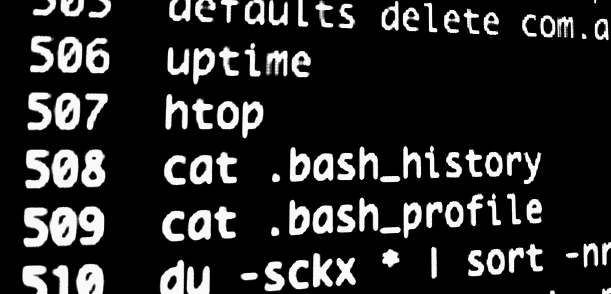
A users .bash_history file keeps a running tab of command line history, logging every command that has been entered into the bash prompt. These command history files make it very easy to find and recall past commands that may have been forgotten, and they’re also extremely useful for system administration. We will cover how to change the stored length of these files, how to disable it, and also how to quickly check a users bash history.
Changing Bash History Length
To increase the history length of a users command history, add the following line to .bash_profile:
HISTFILESIZE=2500
The example above will increase the history size to 2500 commands, that can be changed to any other number as deemed appropriate.
Disable Bash History
Setting the HISTFILESIZE number to 0 within .bash_profile will disable bash command history completely:
HISTFILESIZE=0
Having the history file disabled does not effect command recall, but it does prevent a super user from easily seeing the commands entered into another users shell.
Checking Bash History
There’s a few quick ways to see command history, to see your own type:
history
You can also export that command history to a file with the -w flag:
history -w pastbash.txt
To see another users command history, use cat with their .bash_history file instead:
cat /Users/USERNAME/.bash_history
Remember that if USERNAME has set their history file size to zero, nothing will be shown.
Practical Applications for Mac Users
Two of the most common applications for a Mac user is to keep track of defaults entries that have been entered into the Terminal and to quickly find past commands. Query command history and you won’t have to guess what that obscure command was that you entered four months ago that started with a ‘s’.






IMHO a better way to disable bash history is set “HISTFILE=” manually in the terminal.
In this way your terminal work nice, you can recall past command with the arrows key, not only from the session but all the command in the real history file. And when you close the terminal nothing will be saved in ~/.bash_history because you have “unset” the file..
`To see another users command history, use cat with their .bash_history file instead:
cat /Users/USERNAME/.bash_history’
I hope not.
try it out, sudo cat /Users/USERNAME/.bash_history
[…] length of history stored still depends on on what HISTFILESIZE is set to, so don’t forget to adjust that to accommodate your needs. Also note that if you clear […]
The way I usually disable the bash-history is by symlinking .bash_history to /dev/null.
Command: ln -s /dev/null /Users/USERNAME/.bash_history
Using the bash history is invaluable when trying to remember what one did some time ago. Excellent tips! Thank you!