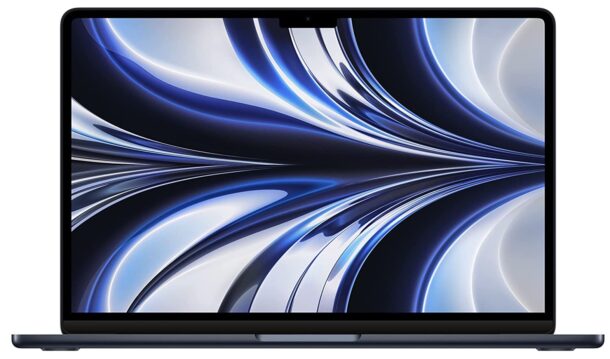
The $25 Must-Have Accessory for Every MacBook Air & MacBook Neo Owner

Aug 27, 2026 - 2 Comments

A USB-C hub is a must-have accessory for MacBook Air and MacBook Neo to expand the port options

If you’re a MacBook Air or MacBook Neo owner, there’s one accessory that I consider an absolute must-have; a USB-C hub. Why? Because it considerably expands the port options available to you, it’s not cumbersome, and the good news is that they’re also pretty cheap at around $25. What’s not to like?

A good USB-C hub will expand your port options beyond what the MacBook offers by default, and my particular MacBook Air USB-C hub of choice is the Anker 7-in-1, which includes an HDMI port, two USB-A 3.0 ports, a USB-C data port, a USB-C charging port, an SD card slot, and a MicroSD / TF card slot. It’s simple, affordable, and lightweight, making it a fantastic accessory.

Arguably the biggest downside to the MacBook Air or the MacBook Neo is its lack of ports for accessories and expansions, with both computers having just two USB-C hardware ports and a headphone jack. And for the MacBook Neo and older MacBook Air models, one of the USB-C ports is typically used for charging, which further reduces your available port options. But what if you want to use an external display? What if you want to connect your MacBook to a TV via HDMI to watch videos? What if you have some older USB-A hardware or flash drives laying about that you want to put to use? What if you have some SD cards or a TF card that you want to use with the Mac? By default, you won’t have those options, but with the addition of the simple and cheap USB-C hub, you will have those capabilities available to you right away.

There are many other USB-C hub options out there, but I personally like the Anker because it’s small and lightweight so I can easily throw it in my laptop bag when I’m on the go, plus it’s very affordable. It’s also from a popular brand, which helps to have thousands of positive reviews behind it, and while our intended purpose is for a Mac, it also works on a PC if you need to use it elsewhere.

Personally I wish Apple made a USB-C of their own like this, I think it would be a big hit. But while they don’t offer a 7-in-1 hub like Anker does, they do have the $70 Apple USB-C Digital AV Multiport Adapter, but that only has one USB-A port, one HDMI port, and a USB-C power passthrough port, so it’s not much of an expansion in comparison, and it’s also nearly 3x the price of the Anker.

Do you use a USB-C hub to expand the port options for your MacBook Air or MacBook Neo? Do you have a preferred model? Are there any accessories that you consider must-haves for your Mac laptop? Share your thoughts and hardware in the comments.

By Jamie Cuevas - Mac OS, Tips & Tricks - 2 Comments

Apple Event Set for September 9, New iPhone Expected

Aug 26, 2026 - Leave a Comment

Surprise and Shine Apple event set for September 9 of 2026

Apple has scheduled an event for September 9 at 10 AM PT, titled “Surprise and shine” on their homepage and invitations. The event will be streamed for anyone to watch on Apple.com as well as YouTube.

Typically, Apple uses the September event to unveil their new iPhone models, along with other updates to hardware, and to announce the public release dates of upcoming system software.

This will also be the first Apple event led by new incoming Apple CEO John Ternus, as Tim Cook is set to hand over the reigns on September 1 of this year.

Rumors suggest Apple will unveil the new iPhone 18 and iPhone 18 Pro, along with a much anticipated high end foldable dual-screen “iPhone Ultra”, “iPhone Fold”, or “iPhone Duo”, though like the device itself, the colloquial names are simply rumors as well. There are also rumors that Apple will use the event to update Apple Watch to Series 12, introduce updates to Mac hardware including the possibility of a touch screen MacBook Pro, and there are swirling rumors of a new Home device that is based around Siri AI. As with all rumors, it’s best to take these with a grain of salt until Apple announces anything officially, and it’s possible that some of these rumored devices could arrive at a later date, or never.

The event will also land users with official public release dates for iOS 27, iPadOS 27, MacOS 27 Golden Gate, watchOS 27, and tvOS 27. Apple has previously only said that the OS 27 suite will be released in the fall.

Interested users can add an invitation to their calendar if desired via Apple.com, or visit Apple.com on September 9 to watch.

The YouTube URL for the “Surprise and shine” event is https://www.youtube.com/watch?v=39BalPDuTo0.

By Paul Horowitz - News, Rumor - Leave a Comment

7 iPhone Tips I Use Every Day

Aug 25, 2026 - 2 Comments

Useful iPhone Tips

The iPhone is loaded with so many features that it’s easy to overlook some of the most useful tricks we all use everyday. With that in mind, I’m going to cover seven of the iPhone tips that I use every day, which I find genuinely useful.

This is a collection of iPhone tips that are simple, practical, and broadly applicable, the type of features that are routine in my daily iPhone usage, and hopefully might be useful in yours too. And going beyond my own usage, we’d love to hear your own routine iPhone tips and tricks too, so feel free to share those in the comments, and to provide feedback on these tips as well.

Let’s jump to it!

Read more »

By Jamie Cuevas - iPhone, Tips & Tricks - 2 Comments

MacOS 27 Golden Gate Beta 7 Download Available Now

Aug 24, 2026 - Leave a Comment

MacOS 27 Golden Gate beta 7 update is available to download and install now

Apple has released the seventh beta version of macOS 27 Golden Gate to users who are running the developer beta. A matching build typically arrives for public beta testers soon after.

Any user can install MacOS 27 Golden Gate beta onto a compatible Mac, though beta system software is generally only recommended for advanced users who are comfortable with the beta experience.

macOS Golden Gate has a primary focus on performance, with notable improvements to features like Spotlight search (which is far more reliable in Golden Gate), Mail search, system search, and photos search. Additionally there are general performance improvements that are observable throughout the operating system. You will also find tweaks and adjustments to the Liquid Glass interface, including a slider that can adjust the transparent effect, and the traffic light window icons are shiny and more dimensional in a sort of Aqua-esque throwback. MacOS 27 Golden Gate also includes new Siri AI features, Apple Intelligence features, and a dedicated Siri app which is sort of like a chatbot.

Separately, Apple has also released iOS 27 beta 7, iPadOS 27 beta 7, and the 7th betas of watchOS 27, tvOS 27, and visionOS 27.

Read more »

By Paul Horowitz - Mac OS, News - Leave a Comment

iOS 27 Beta 7 for iPhone Available to Download Now

Aug 24, 2026 - Leave a Comment

iOS 27 beta 7 is available to download

iOS 27 beta 7 has been released by Apple for iPhone, along with iPadOS 27 beta 7 for iPad. The 7th beta build is available for all developer beta testers, and typically a matching public beta version will arrive soon after.

iOS 27 for iPhone and iPadOS 27 for iPad have an emphasis on performance and include improvements to features like Spotlight search, Mail search, Siri, along with a new Siri AI feature, a dedicated Siri app, along with tweaks to visual elements including a Liquid Glass slider, refinements to icons, and numerous other smaller changes throughout the operating systems.

Any user can choose to install iOS 27 beta on iPhone or iPadOS 27 on iPad, though they should be comfortable with the beta experience, which includes things like bugs, app compatibility issues, and potentially other problems that are not typical for a final operating system.

Additionally, Apple has also released MacOS 27 Golden Gate beta 7 for Mac, along with the beta 7 updates for watchOS 27, tvOS 27, and visionOS 27.

Read more »

By Paul Horowitz - iPad, iPhone, News - Leave a Comment

Deals: Up to $150 Off MacBook Air, 4-Pack of AirTags 2 for $80

Aug 24, 2026 - Leave a Comment

M5 MacBook Air

Amazon is offering the top configuration of M5 MacBook Air 13″ at a $150 discount again, in various color options. You can also save $100 on a few other models including the 16GB/1TB configuration, and the same discount is available on the 15″ Air in 16GB / 1TB configuration as well:

AirTags 2 4-pack for $80

AirTags

AirTags 2 are handy trackers with many uses , and you can grab a 4-pack of the AirTags 2 $20 off the retail price:

Misc Deals

FTC: OSXDaily is an affiliate partner with Amazon, meaning if you click a link and make a purchase, we may receive a small payment which goes towards keeping the site running.

By OSXDaily - Deals - Leave a Comment

Can’t Force Quit Safari, Chrome, or Other Apps in MacOS 27 Beta? Here’s a Fix

Aug 20, 2026 - 2 Comments

Force Quit on MacOS 27 sometimes does not work but you can get around that and terminate apps and processes if you need to

Some Mac users running the MacOS 27 Golden Gate beta have discovered a peculiar bug where they are unable to force quit certain processes or apps, usually if they are errant or unresponsive. I personally have run into this a handful of times with being unable to force quit Safari and Google Chrome, despite the apps being unresponsive and beachballing, and the standard Force Quit approaches do not work, whether that’s the task manager or Activity Monitor, neither of which were able to successfully terminate the errant apps..

If you find yourself with a stuck process on MacOS 27 Golden Gate that will not respond to typical Force Quit measures, you can use the terminal trick below to take care of the problem and successfully terminate the app or process.

Read more »

Deals: Save $150 on M5 MacBook Air 13″ 24GB / 1TB Model

Aug 20, 2026 - Leave a Comment

M5 MacBook Air

Amazon is cutting $150 off the price of select models of M5 MacBook Air 13″ in top configurations with 24GB RAM and 1TB SSD storage, the precise colors that are available at this discounted price are in flux so check out which model is available that suits your interest. Link below is to the sky blue (which is a vaguely blue-ish silver) model:

With the recent price hikes on Apple hardware, finding substantial discounts on Macs is a bit harder than it once was, so if you’re in the market you’ll likely appreciate Amazon making these available.

Read more »

By OSXDaily - Deals - Leave a Comment

6 Safari Tips for Mac I Use Often (And You Should Too)

Aug 19, 2026 - 4 Comments

Useful Safari tips you should know and use

Safari is arguably the best performing web browser for Mac users (and iPhone and iPad for that matter), and while I also use other web browsers as well, I continuously return to Safari and Safari Technology Preview as my default browser of choice. Aside from fantastic performance, Safari has many great tricks up its sleeve that make using the browser particularly great, and here I’m going to share five of my favorite and most-used Safari tips for Mac.

While we’re focused on Safari for Mac here, each of these tips is also available for Safari on iPhone and iPad. So if you get accustomed to using these on one of your Mac, or other Apple devices, you’ll be happy to know they are universal across the ecosystem (though sometimes accessing the features can be slightly different).

Read more »

By Paul Horowitz - Mac OS, Tips & Tricks - 4 Comments

Safari 26.6.1 Released for MacOS Sequoia & Sonoma with Important Security Patches

Aug 18, 2026 - 1 Comment

MacOS Security Updates to Safari have been released for Sequoia, and Sonoma

Apple has released Safari 26.6.1 for Mac users running MacOS Sequoia and MacOS Sonoma. The updates include over a dozen important security patches to Safari, as well as addressing several security issues that could result in Safari crashing, making it a recommended update for all Mac users running those operating systems to install.

Some of the patched security issues were also addressed in the separate security update focused release of macOS Tahoe 26.6.2 and iOS 26.6.1, so if you have other Mac, iPhone, or iPad hardware, you’ll want to update those devices as well.

Read more »

By Paul Horowitz - Mac OS, News - 1 Comment

Deals: 4-Pack of AirTags 2 for $89

Aug 18, 2026 - Leave a Comment

AirTags

AirTags 2 are the second generation of super useful tracking accessories for many purposes including tracking packages, cars, luggage, purses, pets, bikes, car keys, bikes, and anything else you might want to keep an eye on within the Find My network. You can grab a 4-pack of the AirTags 2 at a nice little discount from Amazon right now too:

Misc Deals

FTC: OSXDaily is an affiliate partner with Amazon, meaning if you click a link and make a purchase, we may receive a small payment which goes towards keeping the site running.

By OSXDaily - Deals - Leave a Comment

iOS 26.6.1 & iPadOS 26.6.1 Security Updates Released for iPhone & iPad

Aug 17, 2026 - 1 Comment

iOS 26.6.1 and iPadOS 26.6.1 are available as security software updates

iOS 26.6.1 and iPadOS 26.6.1 have been released as security updates for iPhone and iPad, respectively. Additionally, there’s also iOS 18.7.10 and iPadOS 18.7.10 available with security patches.

These updates include over 30 important security fixes and are therefore recommended for all users to install on their devices.

Separately, Apple has released macOS Tahoe 26.6.2 with security patches for Mac as well.

Read more »

By Jamie Cuevas - iPad, iPhone, News - 1 Comment

MacOS Tahoe 26.6.2 Security Update Released for Mac

Aug 17, 2026 - Leave a Comment

MacOS Tahoe 26.6.2 update

macOS Tahoe 26.6.2 has been released as a security focused software update for Mac users running the Tahoe operating system. There are over a dozen security patches included, making the update recommended for those running Tahoe. There are not currently any associated security updates for MacOS Sequoia or Sonoma.

Separately, Apple has released security updates for iPhone and iPad as well, versioned as iOS 26.6.1, iPadOS 26.6.1, iOS 18.7.10, and iPadOS 18.7.10.

Read more »

By Jamie Cuevas - Mac OS, News - Leave a Comment

MacOS 27 Golden Gate Beta 6 Available to Download Now

Aug 17, 2026 - Leave a Comment

MacOS 27 Golden Gate beta 5 update is available to download and install now

MacOS 27 Golden Gate beta 6 is has been released by Apple to Mac users who are participating in the developer beta testing program. Typically the matching public beta build will arrive soon after as well.

MacOS 27 Golden Gate focuses mostly on improving the performance of MacOS including features like Spotlight search, Mail search, and system search. You’ll also find general tweaks to the Liquid Glass interface which includes an adjustment slider to modify the intensity of the transparent effects. Additionally, MacOS 27 includes a dedicated Siri app, new Siri AI features, and more.

If you’re comfortable with the beta OS experience, bugs and all, you can install MacOS 27 Golden Gate beta onto an eligible Mac.

Separately, iOS 27 beta 6 for iPhone, iPadOS 27 beta 6 for iPad, watchOS 27 beta 6, tvOS 27 beta 6, and visionOS 27 beta 6, are also available for beta testers.

Read more »

By Jamie Cuevas - Mac OS, News - Leave a Comment

iOS 27 Beta 6 for iPhone & iPad Available to Download

Aug 17, 2026 - 1 Comment

iOS 27 beta 6 is available to download

Apple has released iOS 27 beta 6 for iPhone and iPad users engaged in the developer beta program for Apple system software. A public beta build will likely arrive soon as well. If you’re comfortable with running a beta OS and are interested in doing so, you can read about installing iOS 27 beta on iPhone or iPadOS 27 on iPad.

iOS 27 and iPadOS 27 focus on performance enhancements, Spotlight and search improvements, and refinements to the Liquid Glass interface. You’ll also find a new dedicated Siri app, Siri AI and Apple Intelligence features, tweaks to various icons, and many other smaller changes and tweaks to the operating systems.

Separately, Apple has also released MacOS 27 Golden Gate beta 6, along with beta 6 updates to watchOS 27, tvOS 27, and visionOS 27.

With beta 6 arriving just a week after beta 5, the release schedule seems to be accelerating as Apple prepares for their annual September event, the date of which is not yet known.

Read more »

By Jamie Cuevas - iPad, iPhone, News - 1 Comment

Use Safari “Hide Distracting Items” to Remove Webpage Clutter on Mac, iPhone, iPad

Aug 14, 2026 - 2 Comments

Use Hide Distracting Items in Safari to remove annoying webpage elements

Just about everyone can recognize that the modern web browsing experience has degraded to the point where it feels like you’re playing the classic “kill the pop-ups” game, with seemingly every website cluttering itself with large cookie notices, privacy notices, auto-playing videos, annoying “Sign in with Google/Facebook” pop-ups, pop-ups to “prove you’re a human” with increasingly ridiculous CAPTCHA requests and maneuvers, pop-ups for email harvesting, sign-up requests, obnoxious advertisements, more pop-ups to sign up for newsletters, more pop-ups to sign up for push notifications, and just an endless barrage of annoying and distracting elements bombarding whatever you’re trying to view on the web. Fortunately Safari on Mac, iPhone, and iPad, has a really great feature that aims to improve the annoying and distracting modern web experience.

The Safari feature is called “Hide Distracting Items”, and it lets you select any of the aforementioned annoying clutter, click on it, and make it disappear. You can even use this feature to bypass many article paywalls, adblock detectors, email harvesting content walls, and more.

Read more »

By Jamie Cuevas - iPad, iPhone, Mac OS, Tips & Tricks - 2 Comments

Run MacOS on iPad Pro With This Cool Project (Caveats Apply)

Aug 12, 2026 - 1 Comment

Virtual Mac on iPad

Some iPad users have long wanted the ability to run MacOS directly on their iPad, despite MacOS not being intended nor equipped for touch control whatsoever. Now, thanks to a third party effort, MacOS can indeed run directly on iPad, though there are some major caveats involved here.

Read more »

By Jamie Cuevas - iPad, Mac OS - 1 Comment

PSA: MacOS 27 Golden Gate is Last to Support Rosetta (Intel Apps)

Aug 11, 2026 - 1 Comment

Rosetta will cease to exist past MacOS 27 Golden Gate

In case you were not aware, MacOS 27 Golden Gate will be the last version of MacOS to offer Rosetta support. Rosetta is a translation tool from Apple that allows Mac computers with Apple Silicon chips to run older Intel applications. It runs seamlessly in the background anytime an Intel app is launched, and works pretty much flawlessly, offering modern MacOS support for many older Intel-based apps. If you’re using an Apple Silicon Mac, you might have already installed Rosetta at some point in time to use an Intel-based app.

Essentially this means that if you depend on Rosetta to run some critical apps, you’ll either want to stay put with MacOS 27 Golden Gate moving forward, or find alternative apps, or get updates to those apps for Apple Silicon whenever possible.

Read more »

By Paul Horowitz - Mac OS, News - 1 Comment

Subscribe to OSXDaily

Subscribe to RSS Subscribe to Twitter Feed Follow on Facebook Subscribe to eMail Updates

Tips & Tricks

News

iPhone / iPad

Mac

Troubleshooting

Shop on Amazon to help support this site