
iOS 27.2.1 Update Released for iPhone & iPad with Bug Fixes

iOS 27.2.1 and iPadOS 27.2.1 have been released by Apple for iPhone and iPad, respectively. These new system software updates include unspecified bug fixes and security fixes, and are recommended for all users to install on their devices.
Separately, Apple has also released macOS 27.2.1 Golden Gate, updates for MacOS Tahoe 26 and Sequoia 15, watchOS 27.2.1, iOS 26.7.3, and iOS 18.7.12 as software updates.
How to Download & Install iOS 27.2.1 and iPadOS 27.2.1 Update
Be sure to backup iPhone or iPad to iCloud or a computer before starting a system software update:
- Open the “Settings” app on iPhone or iPad
- Go to “General”, and then to “Software Update”
- Select “Update Now” for iOS 27.2.1 or iPadOS 27.2.1
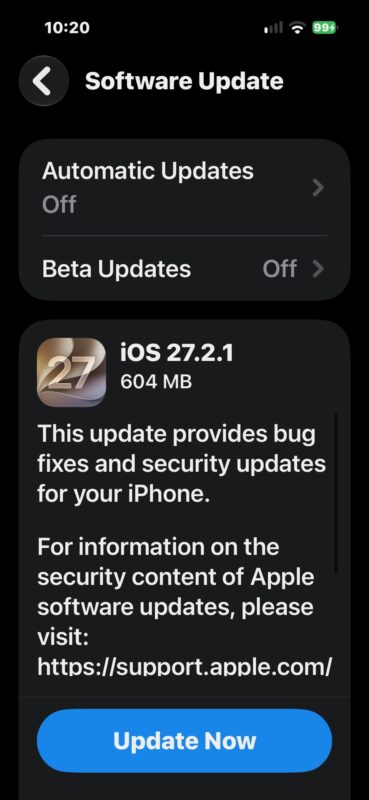
Your iPhone or iPad will need to restart to finish installation.
iOS 27.2.1 Update Release Notes
Release notes for iOS 27.2.1 update are short:
iOS 27.2.1
This update provides bug fixes and security updates for your iPhone.
For information on the security content of Apple software updates, please visit:
https://support.apple.com/
iOS 27.2.1 IPSW Firmware Download Links
iOS 27.2.1 IPSW files on Apple CDN servers are linked below:
- Updating…
iPadOS 27.2.1 IPSW
- Updating…
Don’t forget to update your other Apple devices as well, most of which also received software updates today.