iOS 7 Beta 6 Download Available for Developers

Aug 15, 2013 - Leave a Comment
iOS 7 beta 6 download

Apple has pushed iOS 7 Beta 6 to all compatible iOS devices registered with the iOS Developer Program. The 6th beta build is 11A4449d, and is said to include improvements and bug fixes. Arriving as a remarkably small OTA download weighing in between 12-25MB for most hardware, the smaller builds are appearing on the iPhone … Read More

Get pngcrush for Mac OS X with or without Xcode

Aug 15, 2013 - 3 Comments
PNG icon

PNGcrush is an image optimization utility whose primary function is to reduce the overall file size of the PNG images in a lossless manner. It’s quite popular with developers and designers alike, and though it’s bundled in some versions of linux from the get-go, it’s not included in OS X by default without installing Xcode. … Read More

Turn the Terminal into a Matrix-Style Scrolling Screen of Binary or Gibberish

Aug 15, 2013 - 3 Comments
Scrolling Matrix terminal window

The command line is usually thought of as serious and we usually only cover useful terminal tricks that are fairly advanced, but not everything in the Terminal has to be useful. To prove that, we have three command strings that when pasted into the OS X Terminal, do nothing but scroll screenfuls of random text, … Read More

How to Move an Off Screen Window Back Onto the Active Mac Screen in Mac OS X

Aug 14, 2013 - 55 Comments
Window stuck off screen in Mac OS X

Ever had a window get lost partially off screen in Mac OS X, where the window titlebars and close/minimize/maximize buttons are no longer accessible? Typically this looks something like the following screen shot: There a variety of potential causes and even random situations for windows to move offscreen like that, but it often happens with … Read More

Find a Misplaced iPhone by Making it Beep Remotely with iCloud

Aug 14, 2013 - 6 Comments
Find lost iPhone

Don’t you hate it when you misplace your iPhone and can’t find it? Or when it slides between the couch cushions or under a pile of laundry and you spend 20 minutes checking every possible place in the house to no avail? The old trick many of us use is to call the iPhone from … Read More

Clear Temporary Files & App Caches from the iPhone, iPad, iPod touch with PhoneClean

Aug 13, 2013 - 7 Comments

Like every other operating system, iOS stores temporary files and app caches locally on the iPhone, iPad, and iPod touch, and these files can build up over time. Generally iOS is pretty good at housekeeping, but if you’ve had a device for a long time and haven’t deleted old unused apps, resynced recently, or restored … Read More

Delete Email Faster in iOS Mail App with a Swipe Gesture

Aug 12, 2013 - 1 Comment
Enable a Delete Mail button in iOS

Deleting mail from the iPhone, iPad, and iPod touch is a little more cumbersome than it should be, but it doesn’t have to be that way. By making a quick settings change, we can turn the existing “Archive” function and swipe gesture into a “Delete” button and gesture instead. This also carries over to the … Read More

Unable to Empty Trash and Delete Time Machine Backups? Here’s How to Fix That

Aug 12, 2013 - 42 Comments
Empty the Trash when Time Machine backups won't delete

Despite Time Machine being a remarkable solution for easy backups, a peculiar issue can arise for some Time Machine users that causes the Mac OS X Trash to not be able to empty when the backup drive is connected to the Mac. This will usually manifest itself as the following; a user attempts to empty … Read More

The iPhone 5S Set to Launch on September 10

Aug 10, 2013 - Leave a Comment
iOS 7 with iPhone 5

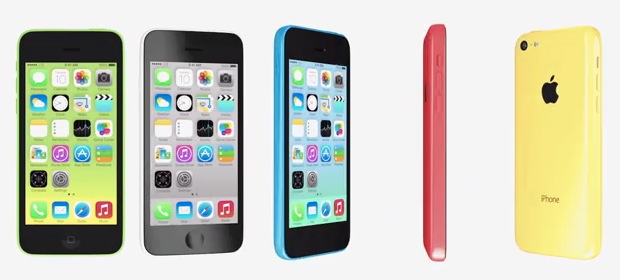
Apple will unveil the latest iPhone model on Tuesday, September 10, according to a new report from the always reliable AllThingsD. The report confirms only the launch date, but seems to suggest that Apple may actually release two distinct iPhone models; the expected update to the iPhone 5 (iPhone 5S?), and possibly a lower-cost color … Read More

How to Delete an Email Account from iPhone and iPad

Aug 10, 2013 - 38 Comments
iOS Email

No longer want an email account on your iPhone, iPad, or iPod? Entire email accounts are very easy to remove from an iPhone or iPad, so whether you changed jobs, email addresses, an email provider was shut down, or perhaps you just don’t want to get emails for a particular account on your device any … Read More

Easy Redundant Mac Backups with Time Machine and Multiple Drives

Aug 9, 2013 - 4 Comments
Use Time Machine to backup to multiple drives

Having reliable and regular backups of your Mac should be considered a mandatory part of maintenance, and for most users Time Machine provides that with easy and peace of mind. But what if you want multiple backups stored in different places, like a backup at home, and another at the office, or perhaps a backup … Read More

How to Clear Chrome Cache, Browser History, & Cookies on iPhone & iPad

Aug 8, 2013 - 1 Comment
Chrome web browser for iOS

Chrome is an excellent web browser alternative to Safari on the iPhone, iPad, and iPod touch, and if you use the Chrome app you’ll probably want to know how to clear out the common browser data that gets stored locally in iOS. This includes data like web caches, cookies, site browsing history, and possibly saved … Read More

2 Ways to Change the Default Application to Open Files With in Mac OS X

Aug 8, 2013 - 30 Comments
Change default applications for files in Mac OS X

Each file type has a default application that is associated with it on the Mac. This means that when you double-click a file from the Finder it will open a specific application, for example on a fresh Mac OS installation, all image files (png, jpg, gif, pdf, etc) will default to opening in Preview, and … Read More

OS X Mavericks Developer Preview 5 Available Now

Aug 7, 2013 - Leave a Comment
OS X Mavericks Developer Preview 5

Apple has released OS X Mavericks Developer Preview 5 for registered Mac devs. The release includes bug fixes and feature enhancements, and all users who are running Developer Preview 4 are recommended to update to the newest version.

How to Repair a Mac Disk with fsck from Single User Mode

Aug 7, 2013 - 92 Comments
Terminal icon

Using Disk Utility through Recovery Mode is the preferred and primary tool for repairing disks on the Mac platform, but if Disk Utility is either unavailable or not able to repair a drive, then Single User Mode and the command line tool fsck should be your next choice.

How to Remove a File or Folder from Time Machine Backups in Mac OS X

Aug 6, 2013 - 7 Comments
Enter Time Machine

Time Machine is the simplest way to keep a reliable backup of everything on your Mac, but sometimes we don’t want every file or folder saved, or maybe you just no longer need a given directory to be preserved by external backups. In these situations, removing backups of any specific file or folders, or even … Read More

iOS 7 Beta 5 Released for Developers to Download

Aug 6, 2013 - Leave a Comment
iOS 7 beta 5 downloading as OTA

Apple has released the fifth beta version of iOS 7 for developers. The new beta includes many bug fixes and several feature enhancements, and arrives as build is 11A4449a.

Use the iOS Calendar Smarter & Faster with These 5 Tips

Aug 5, 2013 - Leave a Comment
Change an events Calendar on the iPhone, iPad, and iPod touch

Calendar is one of the most useful features of the iPhone, iPad, and iPod touch, and many of us wind up managing our schedules entirely through the app. But even if you’re just a casual Calendar user, you’ll still get some great use out of these five tips aimed at improving the speed of your … Read More

Subscribe to OSXDaily

Subscribe to RSS Subscribe to Twitter Feed Follow on Facebook Subscribe to eMail Updates

Tips & Tricks

News

iPhone / iPad

Mac

Troubleshooting

Shop on Amazon to help support this site