Trim Voice Memo Recording Length on iPhone (iOS 6)

Mar 20, 2013 - 5 Comments
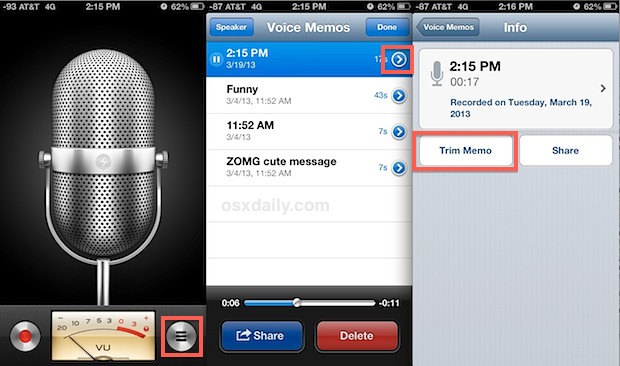
Shorten Voice Memo Recordings on iPhone

The Voice Memo app bundled with the iPhone allows you to use the device as a personal recorder, in much the same way people used to carry tape recorders to jot down thoughts, meeting notes, or just personal messages. But if you’ve recorded something that is either too long for your purposes, or just contains … Read More
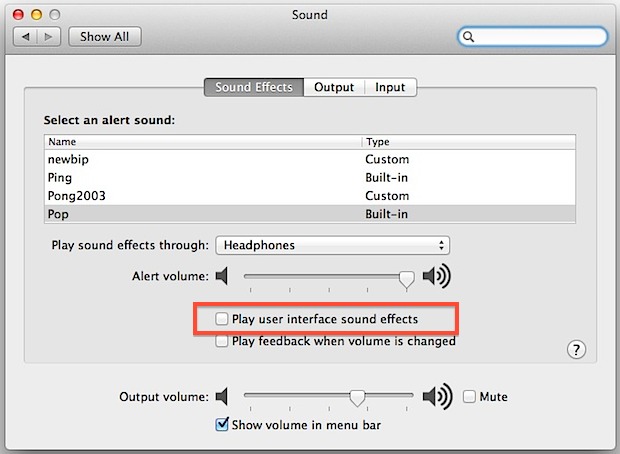
How to Turn Off Screen Shot & Empty Trash Sound Effects in Mac OS X

Mar 19, 2013 - 10 Comments
Stop the screen shot and empty trash sound effects in Mac OS X

Anytime you take a screen shot in Mac OS X or empty the trash you hear a little sound effect that accompanies the action. With a screenshot it sounds like a camera shutter clicking, and with the Trash it kind of sounds like a bunch of papers being crumpled and dumped out. Cute sound effects, … Read More

Disable the iPhone Camera & Lock Screen Camera (iOS 4 – iOS 11)

Mar 18, 2013 - 16 Comments
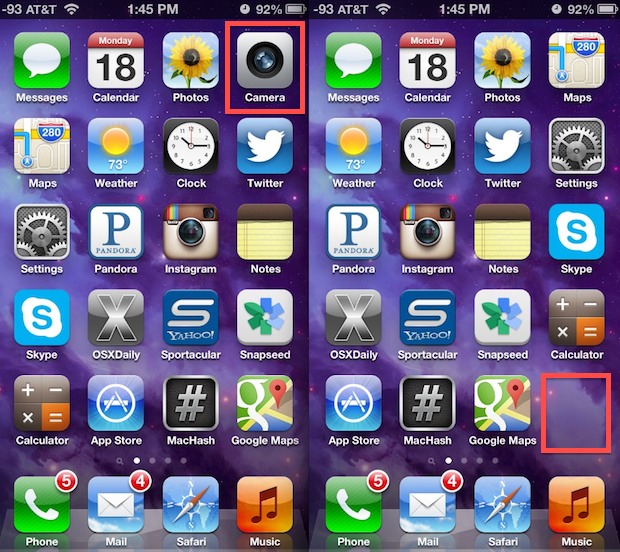
Camera disabled and removed from the iPhone home screen

Disabling the camera access in iOS prevents the Camera app icon from appearing on the home screen, it turns off the lock screen camera, and it also prevents all third party apps from using the camera at all, which as you may have guessed also disables FaceTime. No, you don’t have to physically remove the … Read More

Save to a Target Directory or Buried Path in Mac OS X the Fast Way

Mar 18, 2013 - 3 Comments
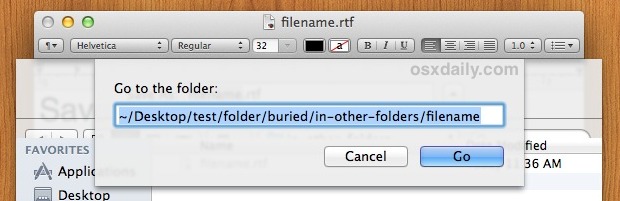
Save to a target directory faster in Mac OS X

Have you ever wished you could quickly save a file to a target directory, one that had a lengthy path buried somewhere deep in OS X? It turns out that by using the excellent Go To Folder shortcut, you can do exactly that, and if you know the destination path or have it in your … Read More

4 Essential Menu Bar Utilities for Mac OS X

Mar 17, 2013 - 38 Comments
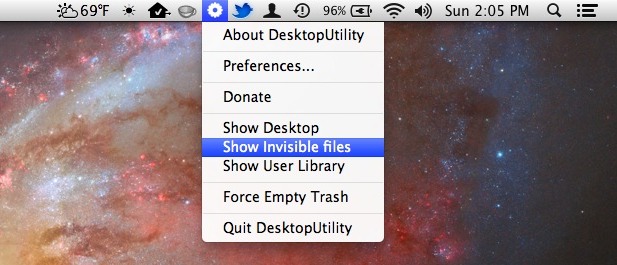
Desktop Utility menu bar item

Mac OS X includes a few system-level menu bar items that are incredibly useful, but if you’ve ever wanted to have a few extras to your menu bar consider these four essentials. All free, they’ll bring a wide variety of function to the menu bar, where you’ll be able to quickly see the weather, make … Read More

Show a Phone Number in Huge Text for Easier Viewing in Contacts App for Mac OS X

Mar 15, 2013 - 8 Comments
Show phone number in larger type

If you’ve ever needed to retrieve a phone number from Contacts (once called Address Book) in Mac OS X, you’ve probably noticed the phone numbers are shown quite small. On larger screens that’s not too big a big deal, but on smaller screen Macs and those with high resolutions, it can be really quite small. … Read More

9 Snazzy Wallpapers to Decorate Your Desktop Backgrounds

Mar 15, 2013 - 2 Comments
Black Hole

Getting bored with your desktop wallpapers lately? We’ve got a nice batch of 9 snazzy high-res wallpapers for whatever device you’re looking to decorate, whether it’s a Mac, PC, iPad, iPhone, you’re sure to find something nice here. There’s no particular theme this time around, it’s just a collection of nice pictures acquired from a … Read More

Make a Photo Stream into a Public Website Easily, Anytime from iOS

Mar 15, 2013 - 7 Comments

Now that the simple photo sharing service Photo Stream is an integral part of the camera experience in iOS, you’re probably aware there’s an option to create a public website during the process of creating a new shared photo stream. But you also turn any existing photo stream into a public website too, so if … Read More

OS X 10.8.3 Update Now Available

Mar 14, 2013 - 23 Comments
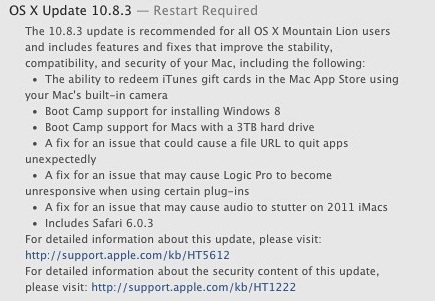
OS X 10.8.3 Update

Apple has released the OS X 10.8.3 Update for Mac users running Mountain Lion. The update includes a handful of bug fixes, a new version of Safari, support for installing Windows 8 through Boot Camp, support for installing Boot Camp on drives larger than 3TB, and the ability to redeem iTunes Gift Cards through the … Read More

Google Reader is Dead: Here Are The Best Google Reader Alternatives

Mar 14, 2013 - 27 Comments
RSS

You might be aware by now that Google announced they are shutting down Google Reader, the longtime RSS reading favorite. Google Reader will be put to rest on July 1 of this year, and chances are good that will impact at least some of you reading this. We know that over 15,000 of you use … Read More

Set Podcasts to Auto Delete Old Episodes After Listening to Save Space in iOS

Mar 13, 2013 - 3 Comments
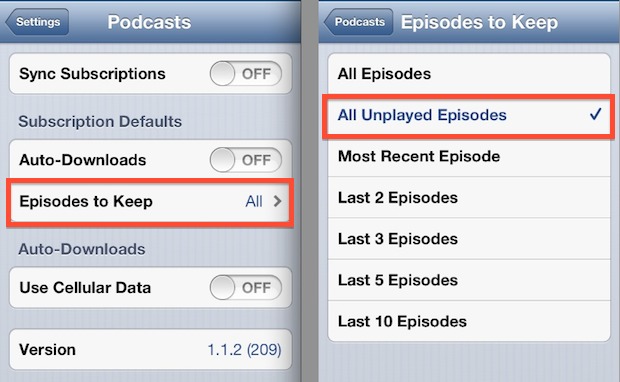
Keep Unplayed Podcast Episodes Only

Listening to the myriad of wonderful podcasts out there is a great thing, but having all those podcasts take up tons of space on an iPhone or iPod touch isn’t so great. Each episode of an audio podcast can easily run between 30MB to 90MB depending on the length of the show, so it’s not … Read More

Use Notes to Save Temporary Links & URL’s Without Adding to Bookmarks

Mar 13, 2013 - 6 Comments
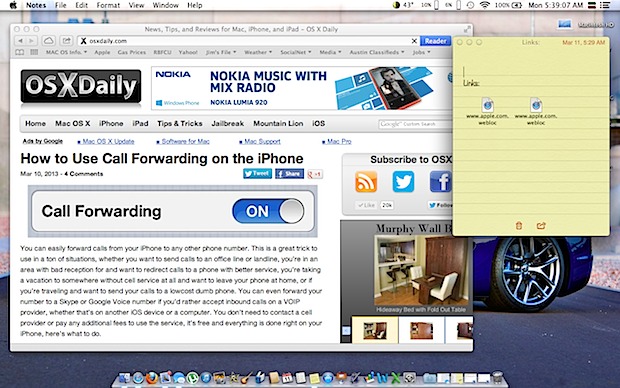
Save links without bookmarking them by tossing them into Notes app

If you’ve ever needed to gather a collection of website URL’s for later use, but didn’t want to bookmark everything or add them to Reading List, try tossing more ephemeral temporary links into an open note within the Notes app that is now bundled with Mac OS X. Not only will the links be synced … Read More

Change Finder Search to Look In Current Folder Rather Than Everywhere in Mac OS X

Mar 12, 2013 - 17 Comments
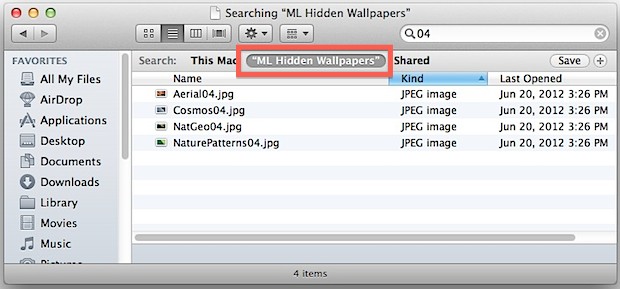
Searching in the current folder set to default

Using the search box that sits in the top right corner of a Finder window defaults to searching everything on a Mac. Sure, you can click the center Search option after the fact to narrow it down to the current folder, but often times you’re using that search feature thinking it will look in the … Read More

Manage Web Browser Tab Clutter & Save RAM with OneTab for Google Chrome

Mar 12, 2013 - 8 Comments
Too many web browser tabs

I admit it, I have a tab problem. As a web worker, it’s not uncommon for me to have over 100 browser tabs open throughout the work day, and at that point Google Chrome eats up about 6.5GB of RAM and starts swapping heavily, slowing down OS X. Chrome is no doubt better at handling … Read More

Use the White EarBuds to Control iTunes in Mac OS X

Mar 11, 2013 - 9 Comments
Control iTunes in Mac OS X from Apple earphones

You probably know the white earbuds that come with iPhones and iPods can control music volume and skip songs on your iOS devices, even take pictures or summon Siri, but did you know those famous white Apple earbuds can also control iTunes on the Mac? Yup, the white in-ear headphones are useful far beyond iOS, … Read More

Create, Find, & Modify Notes with Siri on iPhone & iPad

Mar 11, 2013 - Leave a Comment
Make a note with Siri

Siri can create new notes, modify existing notes, and find old ones, each of which is tied to the cross iOS & Mac Notes app. This is an excellent trick to use in situations where you want to make a note or modify an existing one but you can’t spend much time fiddling with your … Read More

How to Use Call Forwarding on iPhone

Mar 10, 2013 - 20 Comments
How to Enable Call Forwarding on iPhone and how to disable it too

You can easily forward calls from your iPhone to any other phone number. This is a great trick to use in a ton of situations, whether you want to send calls to an office line or landline, you’re in an area with bad reception for and want to redirect calls to a phone with better … Read More

Find Out How Long Your iPhone Battery is Really Lasting

Mar 8, 2013 - 11 Comments
Find out how long an iPhone battery is lasting

The iPhone battery lasts a while, and according to Apple it should offer around 8 hours of talk time, 8 hours of internet use over LTE / 3G, 10 hours of internet use over wi-fi, 10 hours of video playback, and 40 hours of audio playback. Additionally, the standby time, that is the time where … Read More

Subscribe to OSXDaily

Subscribe to RSS Subscribe to Twitter Feed Follow on Facebook Subscribe to eMail Updates

Tips & Tricks

News

iPhone / iPad

Mac

Troubleshooting

Shop on Amazon to help support this site