6 Tips for Taking Better Macro Photos with the iPhone Camera

Oct 7, 2012 - 11 Comments

iPhone water drop macro shot

The iPhone is quickly becoming the primary camera for many of us, and though it makes a great point-and-shoot for your average pictures, it can also take surprisingly good close-up and macro shots. With that in mind, here are 5 tips to make the most of macro photography with the iPhone.

Rearrange Order of Mail Accounts and Mailboxes Easily on iPhone, iPad, iPod touch

Oct 6, 2012 - 18 Comments
Rearrange Mail inboxes in iOs

Have multiple inboxes and different mail accounts set up on your iPhone or iPad? Changing the order of your mailboxes is easier than ever in iOS, you don’t even have to go into Settings with new versions of the software. Instead, if you want to arrange the order of mail accounts and mailboxes in Mail … Read More

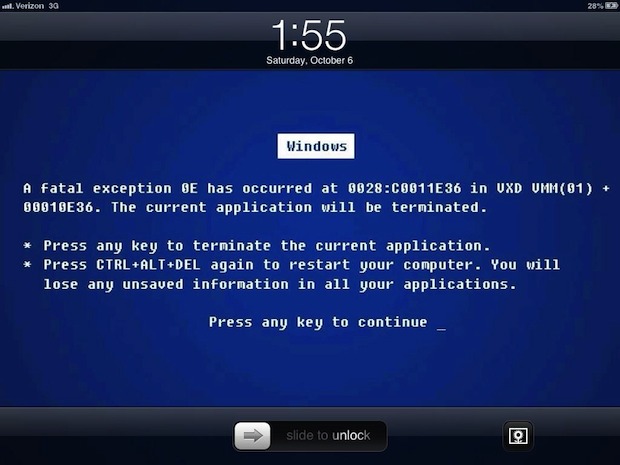
The Windows Blue Screen of Death Makes a Hilarious iPad Lock Screen

Oct 6, 2012 - 18 Comments
Funny iPad lock screen: blue screen of death

One of the many things that iOS and Mac switchers coming from the Windows world surely don’t miss is the infamous Blue Screen of Death. To celebrate your freedom from that dreaded BSOD, you can dress up your iPad or Mac with a hilarious blue screen wallpaper, which easily ranks up there with that awful … Read More

Add Speech Bubbles to Pictures with Preview in Mac OS X

Oct 5, 2012 - 6 Comments
Add speech bubbles to pictures in Mac OS X

The latest version of Preview app from OS X Mountain Lion onward feature a couple of fun menu items that let you quickly add comic book styled speech bubbles to any photo. It’s extremely easy to use, but it’s also easy to overlook, so here’s how to use them to add some humor to any … Read More

How to Rearrange the Apple TV Home Screen Icons

Oct 5, 2012 - 1 Comment
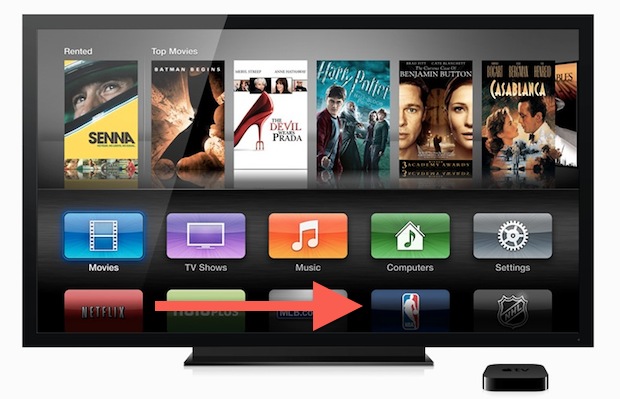
Rearrange Apple TV Home Screen Icons

Want to change what app icons show where on Apple TV? That’s now simple to accomplish. If you’ve always wanted to change how your Apple TV home screen icons where arranged, you’ll be happy the feature has arrived. Indeed now you can arrange the majority of other tvOS icons just by doing the following with … Read More

Supplemental Update 1.0 Released for OS X 10.8.2 and OS X 10.7.5

Oct 4, 2012 - 9 Comments
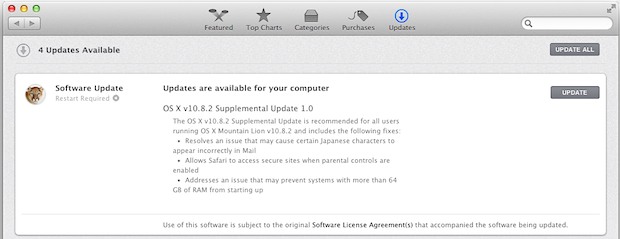
OS X 10.8.2 Supplemental Update 1

Apple has issued minor “Supplemental Updates” to both OS X Lion and OS X Mountain Lion. The small releases focus on resolving a few prominent bugs, though the most noticeable is probably the fix for Lion users who are encountering extraordinarily long waits with Time Machine backups. The updates are available through  Apple menu … Read More

7 Genuinely Useful Things To Do with Siri

Oct 4, 2012 - 27 Comments
Siri

Siri is surprisingly useful, and though the voice assistant can do a ton of stuff, it’s really best used when it’s either faster than manually tapping around a screen, or when you’re unable to because your hands are busy from driving or something else. Now that Siri can be enabled on more iOS devices than … Read More

Don’t Shoot an iPhone 5 with Lasers [Video]

Oct 4, 2012 - 16 Comments
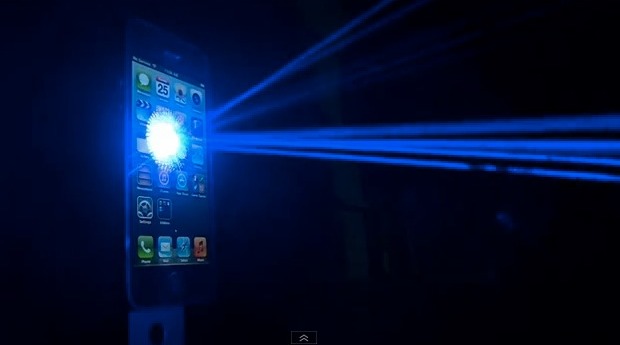
iPhone 5 lasers

The iPhone 5 may be a lot tougher than it’s predecessor, but apparently it’s no match for lasers. For some reason or another someone decided to shoot a bunch of lasers at an iPhone 5 to see how it would hold up, and what do you know, it ends up destroying the iPhone. Entirely pointless, … Read More

Access iCloud Tabs from iPhone & iPod touch in iOS 6

Oct 3, 2012 - 5 Comments
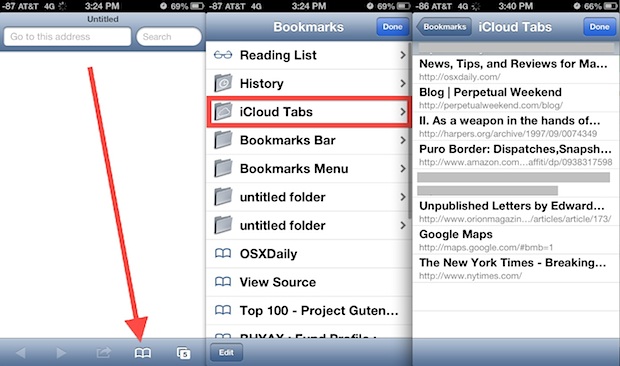
Access iCloud tabs on iPhone and iPod touch

Update: Note this article is for devices running iOS 6, if you’re running a modern version of iOS than go here to learn how to view and access iCloud Tabs in Safari for iOS as the steps have changed slightly, and the appearance is different too. Thanks to Safari in Mountain Lion and iOS 6, … Read More

Get AirPlay Mirroring on Older Macs with AirParrot

Oct 3, 2012 - 7 Comments
Get AirPlay Mirroring on Old Macs

AirPlay Mirroring arrived on the Mac with OS X Mountain Lion, but Macs built before 2011 don’t support the feature, and obviously any OS X version prior to 10.8 won’t have it either. That is, until you run AirParrot, which enables AirPlay Mirroring on any Mac (or Windows PC) running OS X 10.6.8 or later.

How to Email Photos from iPhone or iPad the Easy Way

Oct 2, 2012 - 6 Comments
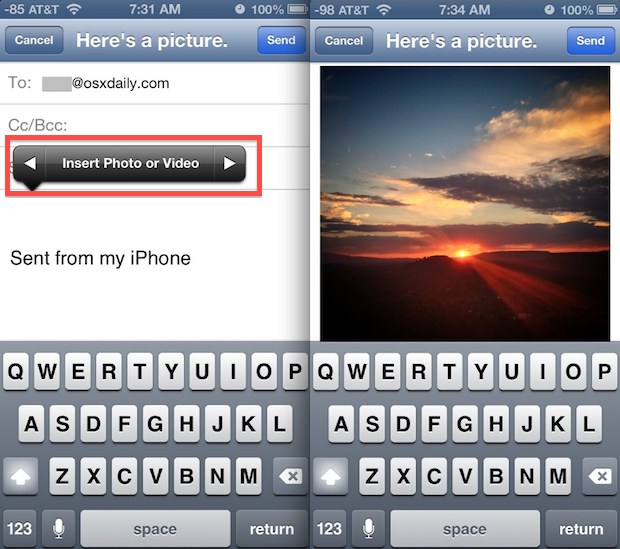
Insert a photo into email on iPhone

Emailing photos from your iPhone, iPad, or iPod touch is easier than ever in modern versions of iOS and iPad, because you can actually attach pictures right from the mail composition screen. This is much simpler than the copy and paste method that was often used before to email out pictures from an iPhone, iPad, … Read More

Automatically Add Twitter Usernames & Profile Pictures to Contacts from OS X

Oct 1, 2012 - 5 Comments
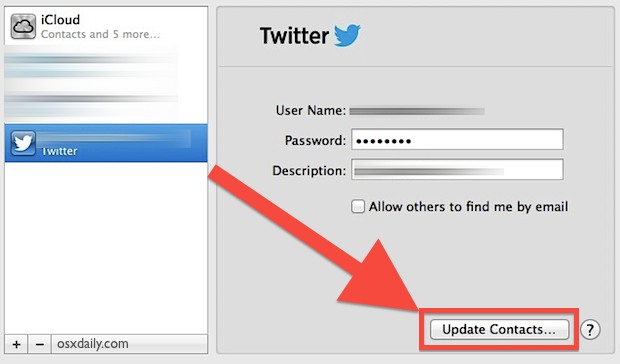
Add Twitter usernames and profile images to Contacts

Now that Twitter is deeply integrated into OS X from Mountain Lion onward, you can easily add Twitter usernames and their accompanying profile pictures to your existing Contacts information automatically. This is done by crossmatching data in your Contacts list with Twitter email addresses and phone numbers, which basically guarantees accuracy.

Navigate iPad & Switch Apps with Shortcuts and an External Keyboard

Oct 1, 2012 - 16 Comments
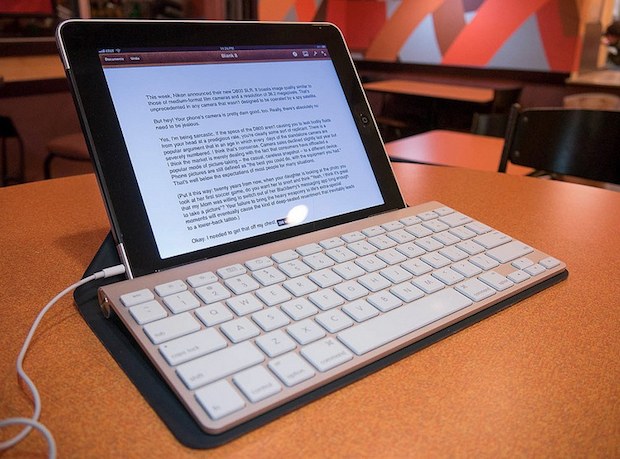
iPad with an external keyboard

Did you know you can navigate around the iPad using only a keyboard, without touching the screen at all? It’s part of iOS Accessibility options called VoiceOver, and using keyboard navigation makes the iPad feel a lot more like a traditional computer, even sharing some of the keyboard shortcuts that Macs have to do things … Read More

Use Notes as a Super Clipboard to Sync Data Between Macs and iOS Devices

Sep 30, 2012 - 39 Comments
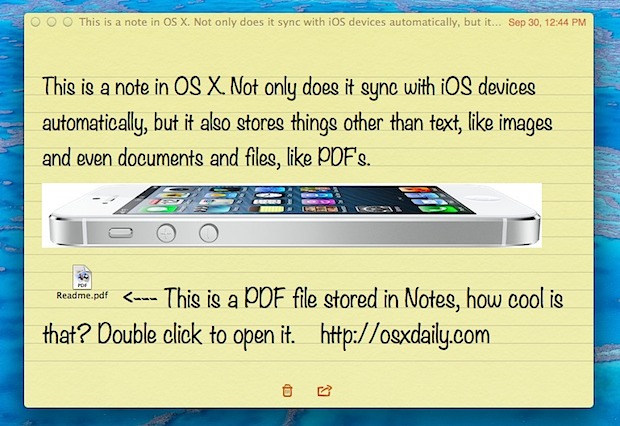
Store files, images, and more in OS X Notes app

Notes has been around in iOS for a while, but it’s new to the Mac with OS X Mountain Lion, and if you think it’s just a place to keep track of a few thoughts you’re greatly underestimating the usefulness of this app. In fact, Notes can function as a powerful cross-platform clipboard, because not … Read More

How to Set a Song as Alarm Clock Sound on iPhone, iPad, & iPod touch

Sep 30, 2012 - 13 Comments
Clock icon

If you’re tired of the existing alarm clock sounds and ringtones, you can select individual songs to be the alarm clock sound played by iPhone, iPad, and iPod touch. Yes, that means you can wake up to the sounds of your own music, if you so desire! So, want to start the day hearing your … Read More

Another Unaired Macintosh Commercial from 1983 Featuring Andy Hertzfeld [Video]

Sep 29, 2012 - 3 Comments
Andy Hertzfeld of Apple, early Macintosh days

Another piece of early Apple history has been uncovered in a newly found unaired commercial for the original Macintosh computer. Filmed in 1983, the video features original Macintosh software designer Andy Hertzfeld discussing what he expects of the Macintosh, saying: “I expect to be totally amazed at what people are going to do with Macintosh. … Read More

App Store Slow in iOS 6? Here’s How to Fix the Sluggishness

Sep 28, 2012 - 32 Comments
Fix the Slow App Store in iOS 6

Other than the Maps issues, the App Store in iOS 6 is probably the next most talked about change of the latest iOS system software. Though it’s undoubtedly a better user experience in a lot of ways, one area that really suffers is speed, and a lot of users are experiencing very sluggish behavior in … Read More

How to Use Panorama Camera on iPhone to Take Panoramic Pictures

Sep 28, 2012 - 10 Comments

The Panorama camera is one of the better features of the iPhone Camera app, it makes taking incredible high-quality panoramic pictures ridiculously easy without adding any additional apps to your iPhone. The amazing photography feature is built directly into iOS now and works on all modern iPhone devices as part of the Camera app. If … Read More

Subscribe to OSXDaily

Subscribe to RSS Subscribe to Twitter Feed Follow on Facebook Subscribe to eMail Updates

Tips & Tricks

News

iPhone / iPad

Mac

Troubleshooting

Shop on Amazon to help support this site