The best speakers for a MacBook, MacBook Pro, or iMac

Mar 8, 2010 - 6 Comments

The built in Mac speakers aren’t really adequate for playing rich loud music or media, so you’ll want to get a better set. What kind of speakers to will want depend on your needs, but I’d recommend getting a quality set for your home workstation and then if you’re a road warrior get a separate … Read More

See a Preview of Fonts in Cover Flow & Quick Look of Mac OS X

Mar 8, 2010 - 2 Comments

Want to get a quick glance at a font style or a preview of the appearance of a font face before you install the font on a Mac? There are multiple ways to do this, and we’re going to show you two methods to see previews of fonts using the Finder of OS X. The … Read More

Free MacWorld 2011 Expo Pass

Feb 25, 2010 - Leave a Comment

Want to go to MacWorld Expo 2011 for free? Me too! The expo is from January 27th to the 29th of 2011 in San Francisco, California. You can sign up online for a free expo pass to the MacWorld exhibit until March 8th of this year, so if you think you can make it, register … Read More

Find a Fast DNS Server with NameBench

Feb 23, 2010 - 26 Comments

There’s no shortage of DNS Server options out there, with Google DNS, OpenDNS, your own ISP’s, and the gazillion of others available to use. The question remains though, which of these DNS servers is going to be fastest for you? And how do you know which is fastest? That’s where NameBench comes in. NameBench is … Read More

Find out how much you’ve spent at the iPhone App Store

Feb 22, 2010 - Leave a Comment

Appropriately named App Store Expense Monitor does exactly what it’s name implies, it tallies up your App Store spending on iPhone, iPad, and iPod Touch apps and gives you a grand total.

Disable Dock Bouncing in Mac OS X

Feb 19, 2010 - 8 Comments

The bouncing Dock icons are a nice GUI feature that let you know an app is launching on the Mac, but for some people those little bouncing icons are just really annoying. Additionally, Dock icons will bounce to notify you that an alert is active in the app, or the app needs your attention. If … Read More

The Original iPad Background Picture / Wallpaper

Feb 16, 2010 - 6 Comments

If you’re anything like me you’re curious about the beautiful background picture featured on the iPad displays in all the press photos of the original iPad, so I dug around a bit and got some answers about this now widely distributed amazing photograph that was shown as the wallpaper on the first iPad. The now … Read More

How to Quit the Finder

Feb 12, 2010 - 36 Comments

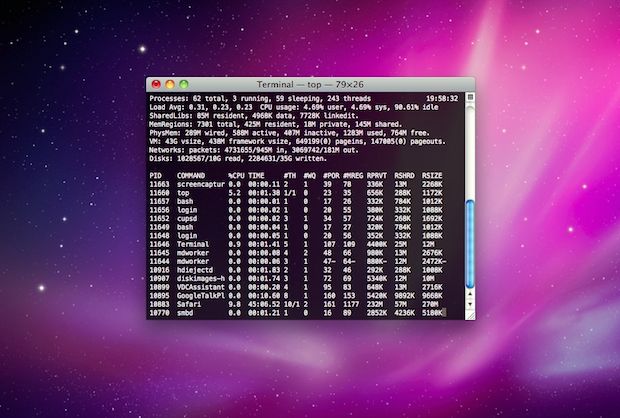
At its core, the file and folder explorer of OS X known as Finder is essentially an application like any other on the Mac. Accordingly, users can quit the Mac OS X Finder in a few different ways which we’ll cover here, but perhaps the fastest way is to just launch the Terminal app and … Read More

Korean iPhone owners using mini-meat sausages as iPhone stylus in cold weather… seriously

Feb 11, 2010 - 3 Comments

Have an iPhone? Like to use gloves to keep your hands warm in the winter? Annoyed that you have to take your gloves off to use the iPhone? Keep those gloves on, because there’s a really goofy solution that has surfaced out of South Korea! Yes indeed, innovative Korean iPhone users are driving a 40% … Read More

Kill the Flash plugin with BashFlash

Feb 10, 2010 - 6 Comments

It’s no secret, I hate Flash. It’s the plastic pink flamingos of the web but worse, it’s crass, it’s loud, it’s obnoxious, it will crash your web browser, and on a Mac it is a literal drag on the machine, sucking up the CPU and memory as if there’s no tomorrow. Adobe really laid a … Read More

Waterproof an iPhone on a Budget with a Zip Lock Bag

Feb 8, 2010 - 15 Comments

Did you know that you can put an iPhone inside a plastic bag and still use the touchscreen? Yes, that’s right, stick your iPhone in an airtight ziplock bag, and you’ll have an instant and amazingly cheap waterproof case for your iPhone. Well, waterproof may be a bit aggressive, and perhaps water resistant is a … Read More

Ghostbusters Scenes Recreated with Mac OS X Genie Effect

Feb 7, 2010 - Leave a Comment

If you’re a Ghostbusters fan you’ll get a kick out of this creative use of the Genie minimization effect in Mac OS X, which was used to re-create scenes from the movie.

Empty the Huge Trash Can

Feb 7, 2010 - 6 Comments

I often forget to empty my Trash, which can grow and grow and grow over time, but this picture shows a bloated trash can being taken it to a whole new level. 489GB!

How to Always Secure Empty Trash

Feb 7, 2010 - 11 Comments

You can set Mac OS X to always securely empty the Trash and add a significant layer of security when removing files from the Mac. This is done just by adjusting a preference setting within the Finder, and it’s very easy to configure, here’s what you will want to do to use this option:

Control iTunes and QuickTime with your iPhone Earbuds

Feb 5, 2010 - 4 Comments

This is a very cool feature I had no idea existed but accidentally stumbled across while on a recent flight. If you have an iPhone, you probably know that the earbuds included with it have a button to adjust volume and what not, well guess what, you can control the volume level in iTunes and … Read More

View All Different Weather Graphics in Dashboard Weather Widget of OS X

Jan 31, 2010 - 2 Comments

Hey look it’s raining out of the snow! That’s something I don’t see everyday. But the Dashboard Weather widget in OS X has plenty of unique weather conditions that can be shown, and if you want to see them all you don’t need to wait until the seasons change.

How to Mute the Mac Startup Sound

Jan 28, 2010 - 36 Comments

Many Mac users are fond of the Mac startup sound that chimes on system boot, but there are definitely times when booting that you’d rather just be quiet, say a library or coffee shop. Thus, we’re going to show you how to mute that boot up sound on any Mac, MacBook model (Pro, Air), iMac, … Read More

How to Delete Pages in a PDF Document with Preview on Mac OS X

Jan 20, 2010 - 6 Comments

You can delete specific pages from a PDF file with the built-in Mac Preview app, available in all versions of OS X. This is really useful for paring down large PDF documents if you only need a few select pages, and learning how to delete specific pages from PDF files is bound to make any … Read More

Subscribe to OSXDaily

Subscribe to RSS Subscribe to Twitter Feed Follow on Facebook Subscribe to eMail Updates

Tips & Tricks

News

iPhone / iPad

Mac

Troubleshooting

Shop on Amazon to help support this site