Download iOS 13 Beta 4 & iPadOS 13 Beta 4 Now Available for Developers
Apple has released the downloads for iOS 13 beta 4 and iPadOS 13 beta 4 to developers involved in the iOS and iPadOS beta system software testing programs.

The iPhone is a smartphone from Apple that runs the iOS mobile operating system. Between its apps, communication features, the camera, mobile internet access, and other functionalities, the iPhone has quickly become an integral part of many peoples tech lives.
Apple has released the downloads for iOS 13 beta 4 and iPadOS 13 beta 4 to developers involved in the iOS and iPadOS beta system software testing programs.
AppleCare Plus is an extended warranty program available for iPad and iPhone. If you have recently bought an iPhone or iPad, you can add AppleCare+ within 60 days of that devices purchase. AppleCare+ Plus will provide 24 months of tech support, repair, and replacement coverage for an iPad or iPhone, along with major components that … Read More
Wondering how to switch back to a mobile site after requesting a desktop site in Safari for iPhone? You may have noticed there’s not a “Request Mobile Site” option in Safari on iPhone and iPod touch, but changing back to the mobile version of a desktop site is quite simple on iPhone with Safari as … Read More
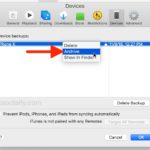
Need to archive an iTunes backup of an iPhone or iPad for safe-keeping? Creating an archived backup in iTunes is helpful because it allows you to preserve a specific device backup while still allowing for backing up to iTunes on Mac or PC, without those new backups overwriting the archived backup. Creating routine backups of … Read More
Apple has released downloads for iOS 13 Public Beta 2 and iPadOS 13 Public Beta 2 to users who have their iPhone, iPad, or iPod touch enrolled in the iOS public beta testing programs. Additionally, a newly updated developer beta for iOS 13 and iPadOS 13 is available for users enrolled in the developer beta … Read More

Apple has released the third developer beta versions of iOS 13 and iPadOS 13. While no new corresponding public beta versions are available yet, Apple often releases the same developer beta build as a public beta version labeled a release behind, for example iOS 13 dev beta 3 might be iOS 13 public beta 2. … Read More
Wondering how long an iCloud backup restore to an iPhone or iPad will take to complete? Restoring an iPhone or iPad from an iCloud Backup can take a while, depending on the size of the iCloud backup, and the speed of the internet connection the iOS device is connected to. If you want to check … Read More
Now that anyone can download iOS 13 public beta onto a compatible iPhone, many people may wish to experiment with the iOS 13 beta and try out the new features like Dark Mode, revamped Photos, Reminders, and Notes apps, new Animoji, new Messages features, and others. This tutorial will walk through how to install iOS … Read More
Apple has released the first public beta of iOS 13 and iPadOS 13 for users to download. The public beta can be installed on any iOS 13 compatible iPhone and iPadOS 13 compatible iPad.
Apple has released iOS 13 beta 2 along with iPadOS 13 beta 2 for users enrolled in the developer beta testing programs for iPhone, iPad and iPod touch. The latest iOS 13 beta downloads require a configuration profile to be installed before the update becomes available on whatever device is currently running iOS 13 beta … Read More
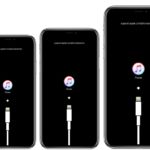
Sometimes an iPhone must be placed into Recovery Mode to be able to effectively troubleshoot the device. Usually this is only necessary when an iPhone XS, XR, XS Max or X is stuck on the Apple logo for an extended amount of time and does not boot, is stuck on the iTunes logo with … Read More
If needed, you can put any iPhone 8 Plus and iPhone 8 into Recovery Mode for troubleshooting purposes. This is usually only used for troubleshooting purposes, particularly if an iPhone is stuck on the Apple logo screen for an extended amount of time, or the screen shows an iTunes logo with a connect to iTunes … Read More
Knowing how to put an iPhone 7 Plus or iPhone 7 into Recovery Mode can be valuable knowledge, as it is sometimes necessary for troubleshooting purposes. Typically the need to use Recovery Mode is limited to troubleshooting some more unusual scenarios like when a device is completely stuck on an Apple logo, or if … Read More
Want to downgrade from iOS 13 beta back to iOS 12 stable builds? If you installed iOS 13 beta or iPadOS 13 beta onto a compatible iPhone or iPad and now want to revert back to a prior iOS 12 release, you can do so with the assistance of iTunes and a computer. And yes … Read More
Installing iPadOS 13 beta or iOS 13 beta is easy to do, and though most users should not install it right now, this tutorial will walk through the process for those who are interested in doing so and with access to the developer betas of iOS 13 and iPadOS.
Apple has released iOS 12.3.2 for iPhone 8 Plus. The limited iOS software update appears to resolve an issue where sometimes iPhone 8 Plus would take portrait mode photos but without the software depth effect which blurs the background of the image. If you do not have iPhone 8 Plus, the iOS 12.3.2 update will … Read More
If you have an iPhone or iPad with Face ID you may want to toggle the devices Attention Aware Features setting to be enabled or disabled. The Attention Aware Features uses the iPhone or iPad camera to check if you are looking at the device before dimming the display, or lowering the volume of alerts … Read More
iCloud backup restores can be stopped at any time on newer iOS devices. This means that if you have chosen to restore an iPhone, iPad, or iPod touch from an iCloud backup, either when setting up a device with a prior iOS backup, or to restore a problematic device as a troubleshooting method, you can … Read More