Tips & Tricks

Tips and tricks for all things Apple! Whether you want to learn tips for a Mac, iPhone, iPad, Apple Watch, or much more, you will find many tricks, tips, tutorials, and excellent walkthroughs for Apple devices and software here.

Search Tips & Tricks

How to Set a Manual IP Address in Mac OS X

Jan 26, 2010 - 11 Comments
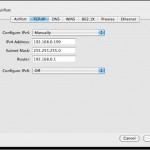
There are times when a user will need to to manually set an IP address in Mac OS X to one which will be compatible with a joined network, either wi-fi or ethernet. Here will cover how to change a Mac IP address to a manual setting, and also how to pick an IP address … Read More
Inspect Mac .pkg Package Installer Files

Jan 26, 2010 - 3 Comments

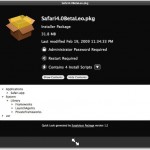
I just came across a really useful QuickLook plugin called SuspiciousPackage that lets you inspect those .pkg package installer files that so many Mac apps and downloads come in. Using this plugin, you can determine if an admin password is required, how many install scripts are in the package file, where the installation locations of … Read More

Change the Mac Login Screen Background in Snow Leopard

Jan 25, 2010 - 8 Comments

You can change the Mac OS X login screen background picture using a few different methods. We have covered this tip before but it was based around a few Terminal commands that might not be easy to follow for the average Mac user without command line experience. With that in mind, here are ways to … Read More

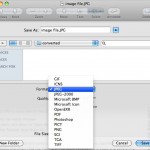
Convert Images in Mac OS X: JPG to GIF, PSD to JPG, GIF to JPG, BMP to JPG, PNG to PDF, and more

Jan 24, 2010 - 42 Comments

You can convert many different image file formats in Mac OS X for free using the included Preview application, there’s no need to download additional tools or do anything overly complex. As of any somewhat modern version of Mac OS X, the Mac Preview app supports the following file types and will convert between any … Read More

How Long Has My Mac Been On?

Jan 21, 2010 - 12 Comments
Terminal in macOS

If you’re ever wondering how long your Mac has been turned on and running for, you can discover exactly how long the computer has been on since last boot with two different methods available in OS X. Let’s learn a bit more about discovering how long a Mac has been left turned on for, and … Read More

How to Delete Pages in a PDF Document with Preview on Mac OS X

Jan 20, 2010 - 6 Comments

You can delete specific pages from a PDF file with the built-in Mac Preview app, available in all versions of OS X. This is really useful for paring down large PDF documents if you only need a few select pages, and learning how to delete specific pages from PDF files is bound to make any … Read More

Create a New Floating Stickies Note from Anywhere in Mac OS X with Shift+Command+Y

Jan 18, 2010 - 9 Comments

You may already know that you can use a keystroke to make a Stickies Note from Safari app in Mac OS X, but did you know that same keystroke works in many more apps on the Mac? Yes, it turns out you can instantly create a Stickies note from almost anywhere and any application in … Read More

Use quotation marks with Spotlight to search for a phrase within a document

Jan 15, 2010 - Leave a Comment

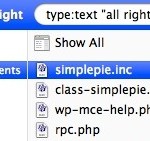
If you know a phrase that is contained within a document, but can’t remember the document file name, try searching for the phrase that you know appears within the document. Make this phrase search even more precise by putting the phrase itself within quotation marks, for example “all rights reserved” will find all files that … Read More

Stop the Mac Startup Sound on Older Macs with a Preference Panel

Jan 13, 2010 - 14 Comments

Mac’s have a very distinct startup sound that chimes whenever they boot, this is fine for most people but if you’re in a quiet office or library it can be very obnoxious to have the loud startup sound announcing to the world that you are on a Mac. Thankfully there’s a nice little utility that’s … Read More

Change the Dock item click-and-hold behavior in Snow Leopard

Jan 13, 2010 - 6 Comments

Snow Leopard changed the way the Dock behaves when a Dock item has been clicked on and held down, since 10.6 it launches Expose for that specific application. You may recall how Leopard handled the click-and-hold though, which was to launch the contextual menu (the same one you get when you right-click in 10.6). Using … Read More

Convert PNG to JPG or Convert JPG to PNG

Jan 12, 2010 - 20 Comments

Converting a PNG file to JPG, or converting JPEG to PNG, is really easy in Mac OS X. You can use the built-in Preview utility to perform the file format change quickly, and Preview is a great choice since it’s bundled with all versions of MacOS and Mac OS X, meaning it does not matter … Read More

Instantly Create a New Stickies Note from Safari with a Keystroke in Mac OS X

Jan 7, 2010 - Leave a Comment

Want a block of text to float over your Mac desktop so that you can reference it easily? That’s a perfect usage for the Stickies app in OS X, and using a little known trick you can instantly create a new Stickies note from within Safari. The secret to this trick is quite simple: you’ll … Read More

Improve Spotlight Searches with Search Operators in Mac OS X

Jan 6, 2010 - 12 Comments

If you know some specific attributes of a file, application, or item you are looking for on a Mac, you can use Spotlight Search Operators to dramatically narrow down your returned results in the Mac OS search feature. For example, if the file type of a document you are looking for is a PDF, you … Read More

Open Finder Windows from Spotlight in OS X with Command+R

Jan 5, 2010 - Leave a Comment

You can easily open OS X Finder windows containing any search results from the Spotlight menu. After you have entered a search query into Spotlight, highlight the item you want by navigating to it in the search results, and as the desired item to be opened in the Finder is selected, hit Command+R to reveal … Read More

Access the File Inspector on Mac with Command-Option-i

Jan 4, 2010 - 4 Comments

Did you know the Mac has a little file inspector tool that can be used in the Finder for quickly getting information about files, folders, and anything else selected in a Finder window? The File Inspector is basically a dynamic “Get Info” window on the Mac, as it adjusts depending on what you select in … Read More

Accept File Extension Changes in Mac OS X with Command-U Keystroke

Jan 2, 2010 - 3 Comments
Finder icon on the Mac

When you go to change the file extension in Mac OS X you will get a dialog box notifying you that by changing a file type it may open in another application. Chances are if you are changing the file extension deliberately, you did this intentionally and the warning is not necessary, but it’s shown … Read More

How Do I Stop Someone From Emailing Me?

Dec 30, 2009 - 4 Comments

Have you ever gotten emails from someone that you really don’t want to get? Be it just plain spam or annoying messages from people you’d rather not hear from, you can reduce this unwanted email by using the Bounce feature of Apple’s Mail app. Bounce tells the message sender that your email address isn’t valid, … Read More

Restore Items From the Trash to Their Previous Location on your Mac

Dec 29, 2009 - 12 Comments

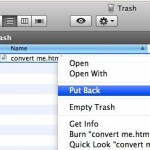
You can restore the original location of a file that has been sent to the Trash very easily. This quite literally sends a file that is within the Trash back to where it was originally stored on the Mac OS X file system. Using the “Restore to Previous Location” feature is really easy, you’ll need … Read More

Subscribe to OSXDaily

Subscribe to RSS Subscribe to Twitter Feed Follow on Facebook Subscribe to eMail Updates

Tips & Tricks

News

iPhone / iPad

Mac

Troubleshooting

Shop on Amazon to help support this site