Tips & Tricks

Tips and tricks for all things Apple! Whether you want to learn tips for a Mac, iPhone, iPad, Apple Watch, or much more, you will find many tricks, tips, tutorials, and excellent walkthroughs for Apple devices and software here.

Search Tips & Tricks

Type the British Pound Symbol in Mac OS X

Nov 8, 2009 - 37 Comments

£ – Typing the symbol for the British Pound is done by hitting Option+3 in Mac OS X. The keystrokes for typing the pound symbol (or quid symbol) are standard on all Mac keyboards from the USA, though in another nation with another keyboard layout the keyboard shortcut may differ slightly, or the pound symbol … Read More

Type the Euro Symbol € in Mac OS X

Nov 7, 2009 - 20 Comments

€ – If you want to reference the Euro symbol on your Mac, you’ve probably noticed that many keyboards don’t really make it obvious with the euro sign. But typing the Euro symbol in Mac OS X is actually really easy if you know the proper keystrokes. Let’s review how to type the Euro sign … Read More

How to Type the Apple Logo on Mac OS X

Nov 6, 2009 - 62 Comments
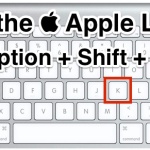
Type the Apple Logo with a keystroke

Want to type the Apple Logo with your Mac keyboard? The Apple logo  is actually a special character available to type rather easily from a keyboard in OS X. This is a fun little typing trick that looks pretty cool too, here’s what it looks like typed out:  Shown larger, it’s the exact … Read More

6 Must-Know Power Function Keyboard Shortcuts for Mac

Nov 6, 2009 - 7 Comments
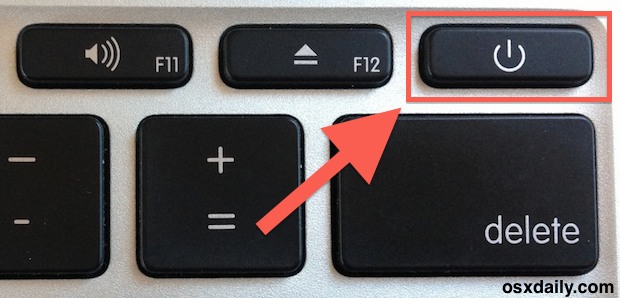
Mac power button

The next time you need to quickly reboot, shut down, log out, or sleep a Mac, all you need to do is hit the right keyboard shortcut. When we say quick we mean it here too, because these keyboard shortcuts will not prompt you to confirm, they are quite literally instantaneous in their results, and … Read More

Magnify Dock Icons Instantly in Mac OS X

Nov 5, 2009 - 5 Comments
Magnifying Dock icon animation in OS X

Even if you have the Mac Dock icon magnification turned off in your system preferences of Mac OS X, you can still force Dock icons to magnify on the fly by using a simple keystroke. This can be a helpful trick if a Mac Dock is set to be small and you want a better … Read More

Use Spotlight as a Calculator in Mac OS X

Nov 4, 2009 - 6 Comments

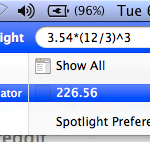
You can use Spotlight as a calculator on the Mac, and it actually works impressively well. Yes, the Spotlight search feature can do calculations! While many longtime OS X users probably know this, there are tons who are new to the Mac who aren’t aware that Spotlight is so robust, so the next time you … Read More

How to Stop Dock Icons from Animating in Mac OS X via defaults Command

Nov 3, 2009 - 2 Comments

The Mac OS X Dock becomes animated when an app is launching, with a continuous bouncing animation, and also when an app wants to get your attention, with a less consistent and more urgent animated bounce. Both of these can be effect alert methods, but they can also annoy some users. Regardless, you can make … Read More

Follow a Simple Apple Guide to Install Windows 7 on a Mac with Boot Camp

Nov 2, 2009 - 4 Comments

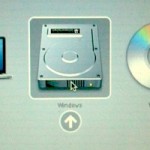
Bootcamp has been around a while, and it makes it pretty easy to install and run other Windows OS’s in conjunction with Mac OS X on the same Mac computer. It’s hard to have missed all the hooplah surrounding the Windows 7 launch, and many Mac users may want to try it out themselves, so … Read More

Sweep All Windows Into Another Spaces Screen on Mac

Nov 1, 2009 - 2 Comments

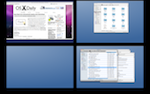
Need to migrate all of a Spaces set of windows to another Spaces screen in Mac OS X? Using a simple keystroke you can do just that. To sweep all of your open apps and windows into a group via Spaces, here’s what you need to do and a quick overview of how this great … Read More

Quick Guide to Bash Shell Scripting

Oct 30, 2009 - 5 Comments

Shell scripting is wildly useful and a powerful way to manipulate a lot of files and to automate behind-the-scenes tasks in Mac OS X. This guide is intended for Linux users but the Bash shell is also used in Mac OS X, and as far as I can tell everything in this bash shell scripting … Read More

Set a Local Domain to Ease Local Development

Oct 28, 2009 - 8 Comments
Terminal in macOS

If you’re a web developer you probably do a fair amount of development on your local machine using either the built-in Mac OS X Apache server or, in my case, something like MAMP. Because a local web server like this is really handy for testing this, you can make your local development life a bit … Read More

Play MP3’s, M4A, AAC, and Other Music Files from the Command Line

Oct 27, 2009 - 3 Comments
Terminal in macOS

Ever wanted to play music while you’re working in the command line? Maybe you want to play a podcast from the command line on Mac? With the command line tool ‘afplay’ you can do just that, you can play practically any audio file format, whether it’s M4A, AAC, MP3, WAV, AIFF, or whatever else is … Read More

Quickly find the largest files in a directory

Oct 26, 2009 - 4 Comments

From the Terminal, if you want to quickly find out what the largest files are in a directory, try this variation of the ls command: ls -lShr the l flag will display the items in a list, the S flag sorts by size, and h makes it readable in MB/GB (human readable), with r reversing … Read More

Change File Associations in Mac OS X

Oct 25, 2009 - 31 Comments

It really drives me nuts when files can be of the same kind but different type open different apps, I want to open all my images in Preview and all my video files in VLC. You can make Mac OS X open every file of a certain format type with a certain application by changing … Read More

Get Detailed Wireless Information from the Airport Menu by Holding Down the Option Key

Oct 24, 2009 - 2 Comments

Users can get detailed wireless information from the Airport menu by holding down the “Option” key when clicking the menu icon. The ability to pull the Security type and Channel directly out of the menu is a big plus for me, but the other information should certainly be useful when troubleshooting a WiFi problem too. … Read More

Quickly tell if a file has been modified by looking at the red Close window button

Oct 23, 2009 - Leave a Comment

Here’s a nifty Mac trick: Do you see the little black dot inside the red ‘close’ window button in that screenshot? That means the file has been modified!

Quickly turn off your Mac’s displays with Shift-Control-Eject

Oct 22, 2009 - 9 Comments

Want to quickly turn off all of your Mac’s displays? Hit Shift+Ctrl+Eject and all screens will go black instantly. Nice huh?

Remove DRM from iTunes

Oct 22, 2009 - 11 Comments

Some iTunes music comes with DRM, but you can use an iTunes trick to remove DRM. Note this should only be used if you own the actual rights to the music, or if you are allowed to remove DRM by the rights-owner. DRM iTunes songs usually have an .m4p file extension. But this trick basically … Read More

Subscribe to OSXDaily

Subscribe to RSS Subscribe to Twitter Feed Follow on Facebook Subscribe to eMail Updates

Tips & Tricks

News

iPhone / iPad

Mac

Troubleshooting

Shop on Amazon to help support this site