How to Save & Quit in VIM or VI
![]()
If you’re new to VI or VIM, the command line text editors, you may be wondering some of the basics, like how to save files, or how to both save and quit in vim in one fell swoop.
![]()
If you’re new to VI or VIM, the command line text editors, you may be wondering some of the basics, like how to save files, or how to both save and quit in vim in one fell swoop.

Are you planning to sell, get rid of, or replace one of your HomeKit accessories? If so, you’ll have to first remove it from your Home app to make sure it’s no longer paired to your network. If you’re fairly new to HomeKit, you may have trouble figuring this out, but it’s actually pretty easy.

Are you trying to set up a smart home or a room with Apple HomeKit accessories? If this is your first accessory, you may have trouble setting everything up. Fortunately, it’s pretty easy and Apple makes the process pretty straightforward with the Home app.

We all know the feeling; it’s Christmas Eve (or Christmas morning… if you’re the biggest slacker on the planet) and you still need to do some gift shopping. If you’re in need of a last minute gift, either because you like to procrastinate until the literal last moments before shopping or perhaps an unexpected visitor has arrived for the holidays, then gift cards bought from Amazon are an excellent solution.
Whether it’s a gift card to Amazon.com, Netflix, Amazon Prime, Whole Foods, iTunes, Hotels.com, Southwest Airlines, Olive Garden, Nordstroms, if you can think of it, Amazon probably has a gift card available to buy right away with e-delivery.

Are you trying to find the exact model number or serial number of the HomePod or HomePod Mini you own? Typically, you’d find this information on the box, but fortunately that’s not the only place where you can find them. As long as you have access to the iPhone or iPad you used to set up your HomePod, you can find model and serial number details pretty easily.

Did you receive an Apple Gift Card from one of your friends or family members? Some of you may not be sure how to redeem and start using an Apple Gift Card from a Mac, but don’t worry, we got you covered. It’s actually pretty simple.

Location Services are enabled by default on the HomePod, so that if you ask HomePod or HomePod mini things like what the weather is, it will be able to tell you. But if you’re not actually making use of location features, or if you’d rather have some more privacy, you can turn the location features off on HomePod.

Want to share some Apple purchases with your family members? Or perhaps, you want to let them make purchases using your credit card? If so, you’ll be super interested to try out Apple’s Family Sharing feature that lets you share purchased apps with multiple users at the same time, and you can do it all right from iPhone or iPad.

Making FaceTime calls from a noisy room has been challenging for many iPhone, iPad, and Mac users. Thankfully, Apple has implemented a software trick to block out all the ambient noise to improve the audio quality of FaceTime conversations. Read along and we’ll show you how to remove background noise during FaceTime calls on your iPhone, iPad, and Mac.

Have you ever wanted to share a paid app with a family member? If so, you’ll be excited to know about the Family Sharing feature that allows you to share your purchased apps with multiple people at the same time. You can share purchases with this feature, right from your Mac.

Did you know that your Apple Watch can be used to measure the noise levels in your environment? That’s right, you no longer need to use special equipment to measure ambient sound levels, as you can do it right from your wrist.

Are you the kind of person who likes to fine-tune their iPhone or iPad audio to your liking? Or perhaps, you have a hearing impairment that gives you trouble hearing certain sounds? In that case, you’ll be interested in checking out the Headphone Accommodations accessibility feature that iOS and iPadOS have to offer.

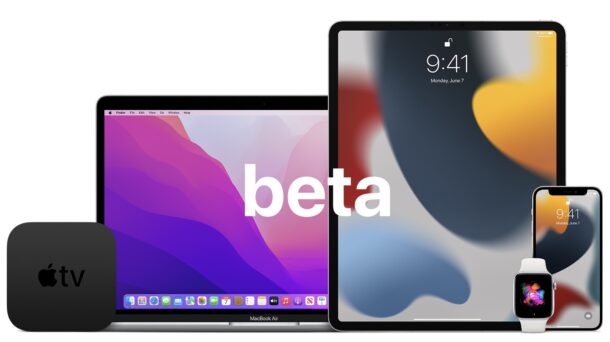
The first beta versions of iOS 15.3 and iPadOS 15.3 are now available for testing to users enrolled in the beta testing programs.
The iPhone and iPad system software beta builds arrive a day after Mac beta testers got access to macOS Monterey 12.2 beta 1.
Additionally, the first betas of watchOS 8.4 and tvOS 15.3 are also available for testing.

The display notch on the new MacBook Pro has been somewhat controversial with occasional odd behavior, but rather than try to hide the Notch through creative wallpaper tricks or using a dark menu bar, the amusing Notchmeister app decides to do the complete opposite by emphasizing and decorating the Notch.
You can hang Christmas lights from the Notch, or you can make it glow, spit bright plasma lights, show a goofy radar, and more.
And if you don’t have a MacBook Pro with Notch? No problem, because Notchmeister will add a software notch to any display, so you pretend you have a Notch, or just test out the Notch experience to see how much you love it, or hate it.
![]()
Need to check the sha256 hash of a file? You can easily check the SHA 256 checksum of any file in macOS from the command line.
We’ll cover two different command line tools to verify a sha256 checksum on the Mac, and both come preinstalled with all modern versions of MacOS.

Apple’s two-factor authentication system adds an extra layer of protection to your Apple account and ensures that only you have access to your account, even if your password gets leaked in a data breach. For security reasons, it’s a good idea to set up two-factor authentication if you haven’t already.
But what if you’re using 2FA, and you don’t get a code? If you’re waiting for the two-factor prompt to show up, we’ll show you a method to manually get two-factor authentication codes on your Mac.

Apple has released the first beta version of MacOS Monterey 12.2 to users enrolled in the beta testing program for MacOS system software.
Presumably the new macOS Monterey 12.2 beta will focus on resolving remaining issues and problems with MacOS Monterey including bug fixes and enhancements to the operating system, and will likely not include any major changes.

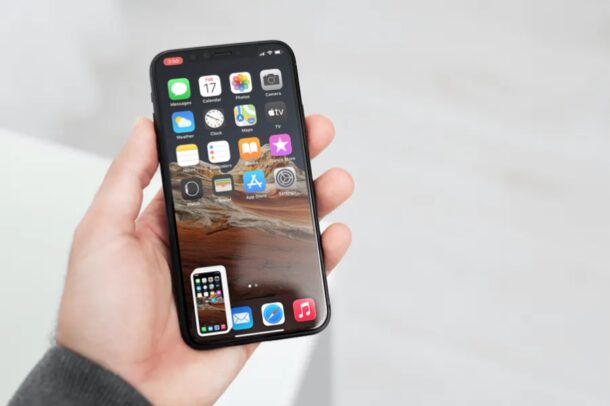
Do you want to keep a copy of all the reminders in a list as a PDF file? Perhaps, you want to share a soft copy of your shopping list with your roommate who doesn’t use an Apple device? Thanks to a recent addition, you can finally save reminders lists as PDF files easily from iPhone or iPad.