Do you want a quick and easy way to identify the song that’s being played on the radio, TV, or anywhere in public? Apple has made it a whole lot easier with the modern iOS and iPadOS software updates, and you don’t even need to rely on asking Siri or a third-party app anymore.
HomeKit devices can include everything from Apple products like Apple TV and HomePod to third party devices like smart power outlets, smart lightbulbs, security cameras, doorbell cameras, garage door openers, light switches, and so much more.
HomeKit devices are used with the Home app on iPhone, iPad, or Mac, and while they should be working fine after an initial setup, occasionally you may run into connectivity issues or other problems with HomeKit. Perhaps you’re seeing an error saying the device is unreachable, or you just can’t connect to a HomeKit device, for example.
If you’re experiencing issues with a HomeKit device, read along for some common troubleshooting steps and tricks to potentially resolve the issue with the HomeKit device, and the Home app on iPhone, iPad, or Mac.
Started using the popular Signal messenger app for iPhone to safeguard your user data and privacy? Considering you’re new to the platform, you may have trouble getting a hang of all the messaging features that the app has to offer. One key feature that you wouldn’t want to miss as a new user is the ability to delete sent messages – in other words, to unsend a message.
If you’ve been using the new HomePod Mini regularly, you may have noticed that your iPhone starts vibrating when it’s nearby and also brings up a pop-up notification. This may not be desired by some users who keep their HomePods on their desks, but it’s really just a handy feature that can be disabled if you decide you don’t want those proximity notifications.
If you’re a privacy buff who owns an iPhone 11 or iPhone 12 (or better), you might want to disable the U1 chip on your iPhone to prevent it from tracking your location in the background.
If you’re an iPhone user who uses the Shazam app to quickly identify songs that are being played in the background, and you’re also a Spotify user, you’ll be pleased to know that you can link your Spotify account within the app. Doing this can greatly improve your experience with Shazam in a couple of different ways.
You can easily add and delete reminders for yourself by using HomePod or HomePod Mini. And yes, because HomePod is synced with your other Apple devices, any reminders added (or removed) by HomePod will also go to your iPhone, Mac, iPad, and other devices too.
Have you ever wanted to measure your cardio fitness and determine your endurance during workouts and jogs? In that case, you’re in for a treat since Apple now allows users to easily check their cardio fitness levels directly on their iPhones, provided they use an Apple Watch as well.
The latest versions of Safari for Mac show a thumbnail preview of webpages as you hover the cursor over tabs. Some users may find the hover thumbnail previews to be distracting, and may want to turn them off. While Safari has many options and preferences, curiously the ability to disable Tab Previews on Hover is not available in the standard Safari options on the Mac. Nonetheless, you can still disable tab previews in Safari, you just have to go through a few extra steps to get it done.
Listening to podcasts from HomePod and HomePod mini is easy and quite enjoyable, so wouldn’t you like to know how to do this? Whether it’s listening to your favorite podcasts or finding new ones, let’s dive in.
Modern macOS versions make it easier than ever to place Do Not Disturb mode to be “Always On”, thereby helping to eliminate distractions, alerts, and notifications on the Mac without having to turn them all off.
This is a great feature for many reasons, whether you just want to keep focused on your Mac, or if you just don’t like the notifications and alerts pelting the computer.
Not everyone who purchases a new HomePod or HomePod Mini is a native English speaker. These users may want to use HomePod in a language that they’re more familiar with. Thankfully, changing your HomePod’s language can be done in a jiffy using your other Apple devices like your iPhone or iPad.
Have you ever been at a point where the notification pop-up disappeared before you could even finish reading the message? You’re not alone, but if this bothers you then it can be fixed by enabling Persistent Notifications on iPhone or iPad.
Do you use the built-in Podcasts app for listening to your favorite podcasts on your iPhone and iPad? If so, you might want to turn off automatic downloads, especially if you’re low on internet data or storage space on your device.
Did you know that your HomePod and HomePod Mini can play calm, relaxing sounds for white noise, background noise, or that can help you during your bedtime? This may be a feature that most people overlook while purchasing a HomePod, but it can be really pleasant and quite useful for some.
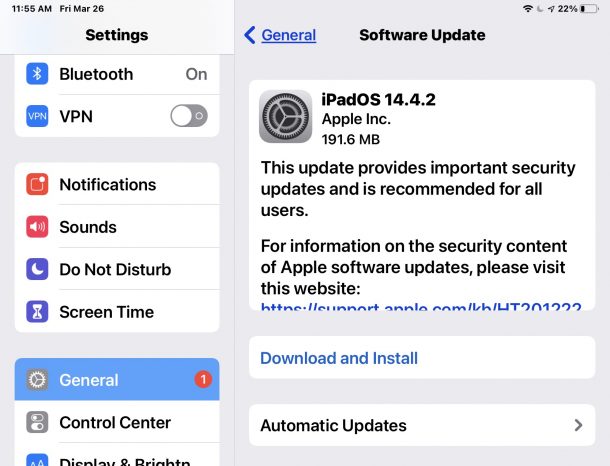
Apple has released the third beta version of iOS 14.5 and iPadOS 14.5 to users who are enrolled in the beta testing programs. Typically a developer beta build comes first and is soon followed by the public beta version.
Separately, Apple also released macOS 11.3 beta 3 for Mac beta testers.
Apple has released the third beta version of macOS Big Sur 11.3 to users enrolled in the beta testing program for Mac system software.
Even if you’re not running beta builds, following the beta build schedule can help to inform when a major update to macOS (or iOS/iPadOS) is in the works and may be available.
Did you receive an important work-related document or file from your colleague via iMessage? Maybe a friend or family member messaged you a spreadsheet or PDF file? If you have received any file within the Messages app on iPhone or iPad, you may be looking to store it somewhere safe or easily accessible for later use. Thanks to the built-in Files app for iOS and iPadOS, managing your iMessage files is pretty easy to do, as you can save them to your device similar to how you can save photos and videos from Messages app too.