How to Login to iCloud.com from iPhone, iPad, iPod touch with Full iCloud Access
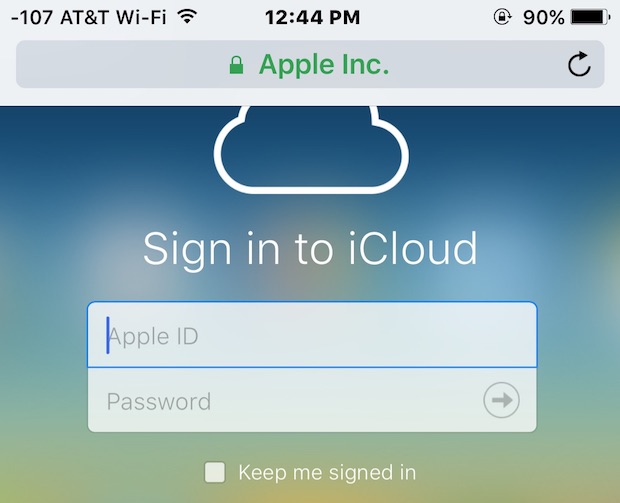
The iCloud.com website allows users to access various iCloud features including the endlessly useful Find My iPhone from anywhere with a web browser, but if you have tried to visit iCloud.com from an iPhone or iPad, you’ll notice rather than the traditional sign-in to iCloud login page that is mobile friendly, you’ll be redirected to an iOS specific page that attempts to launch local iOS apps for the iCloud.com services instead. This isn’t desirable if someone is using someone else’s device to locate a misplaced iPhone or iPad, or just to access other iCloud services, and thus a better solution than logging into those apps is to access the full iCloud login website directly from an iPhone, iPad, or iPod touch using a web browser instead.
We’ll show you how to login to iCloud.com from an iOS device and have full access to all of the iCloud.com features and abilities.


 Users can securely download a file from any remote server with SSH by using the scp tool at the command line. Essentially this means you can have a file stored securely on a remote server and transfer it to local storage without having to expose that file to the outside world, because scp offers the same level of security and requires the same authentication that ssh does.