New 6th Generation iPod Touch Released by Apple

Apple has released hardware updates to the iPod line, with iPod Touch receiving improved hardware specifications and new colors, and iPod Nano and iPod Shuffle receiving new color options.

Apple has released hardware updates to the iPod line, with iPod Touch receiving improved hardware specifications and new colors, and iPod Nano and iPod Shuffle receiving new color options.
Contact information can be some of the most useful data to export and share with others, and a comprehensive address book can be amongst some of the most important data a user gathers over time. The Mac makes exporting contact information from Mac OS X Contacts app very easy, so whether you want to share and export the entire address book or just a single contact card, that can be done quickly.

Apple has released the first beta build of OS X Yosemite 10.10.5 to Mac developers and Public Beta users. The beta build arrives as 14F6a and is compatible with any Mac that is able to run OS X Yosemite.

The first beta version of iOS 8.4.1 has been released to users participating in the iOS Developer program. iOS 8.4.1 arrives as build 12H304 and is compatible with the same iPhone, iPad, and iPod touch devices that can run any other version of iOS 8 or iOS 9.

Apple has released a small bug fix update for iTunes, versioned as iTunes 12.2.1. The release aims to address issues with Apple Music, iTunes Match, and Beats 1 radio, and is recommended for all iTunes 12.2 users who have experienced issues with any of the aforementioned features or services.

Time Machine is an easy Mac backup solution built into Mac OS X that allows for automated continual backups of files, apps, and the operating system itself. Not only does Time Machine make it incredibly easy to maintain frequent automatic backups of a Mac, it also makes it equally simple to restore from a backup in the event something goes wrong, whether you need to restore files, or even if you need to restore the entire Mac OS X installation.

Apple has updated the “Shot on iPhone” advertising campaign to feature five new videos captured on iPhone 6. The new collection features some rather gorgeous movie clips from around the globe, using time lapse recording and slow-motion video capture, both of which are built-in and easy to use features on the iPhone Camera.

This weeks featured Mac setup is the home desk of Matthew M., an IT Systems Administrator who has a great personal workstation. Let’s jump right to it and learn more about this setup, the hardware, and how it’s put to use:

Apple has released a small supplemental update to OS X El Capitan Public Beta. The small update is available now from the Mac App Store Update mechanism and it fixes an issue that may cause some 32-bit applications to quit unexpectedly.

Apple has started to run two three new commercials for iPhone, one titled “Hardware & Software”, “Amazing Apps”, and the other titled “Loved”.

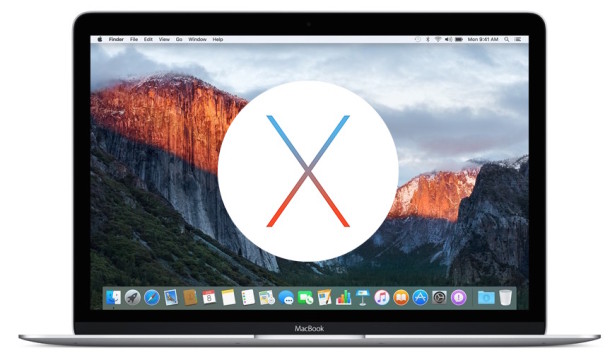
Apple has released the first public beta version of OS X El Capitan (10.11). Any Mac user with an Apple ID and compatible Mac can choose to download and install the public beta, though due to the nature of beta system software, this is generally only recommended for advanced users.

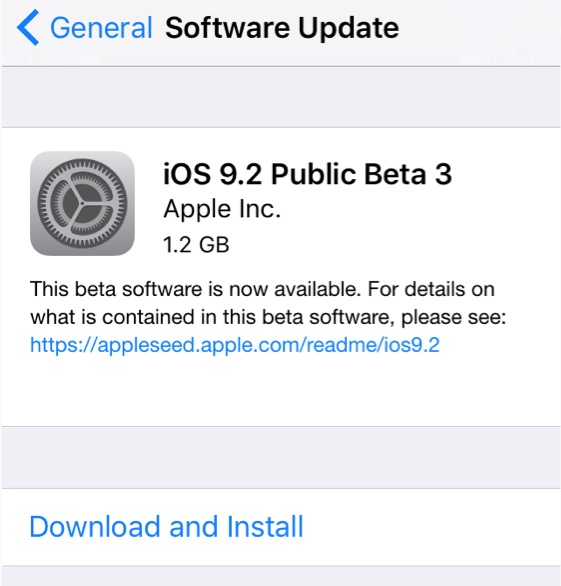
Apple has made the first public beta of iOS 9 available to users who are interested in testing the the new operating system before widespread public release later in the year. iOS 9 runs on all devices able to run iOS 8, but beta software is notoriously buggy, unreliable, and finicky, making the usage of public beta system software best reserved for secondary iPhone and iPad devices or for more advanced users.

Apple has released the third beta version of iOS 9 to users registered in the Apple Developer program, arriving as build 12A4293f. Separately, WatchOS 2 beta 3 is also available to developers.

Apple has released the third developer beta version of OS X 10.11 El Capitan to registered developers.
Many Mac users arriving from the land of Windows PC keyboards will notice that the Apple keyboards as well as those included on a MacBook, MacBook Air, or MacBook Pro do not have the standard “Page Up” and “Page Down” keys. This does not mean you can’t page up and page down on a Mac, however, and, similar to the Home and End functions, there are two distinct ways to accomplish the equivalent of paging up and paging down on any Mac keyboard with Mac OS X.
Let’s quickly review the keystrokes to accomplish paging on Mac keyboards.

In 1987, Apple came out with a conceptual forecast video of sorts imagining what the then future year of1997 would be like, and how Apple and technology would permeate our lives. The (very retro) video outlines all sorts of amusing concepts, some of which came to fruition – like instant access to networked databases and virtual assistants running on computers, and many ideas which have not yet come to be – like projected holograms streaming out of a computer screen into a meeting, or an Apple satellite.
If you’re shopping on the web from Safari with iPhone, you can make your check-out time faster and much easier by using a great built-in scanning feature to scan credit card details. This uses the iPhone camera to pull info directly from the card, preventing you from having to manually enter the sixteen digit number, card name, and expiration date.
Some Mac Mail users have discovered that Mail app misbehaves after updating to OS X 10.10.4 (and some with OS X 10.11 El Capitan) particularly with Exchange and Gmail accounts, but it can happen with other email provider services as well. Typically the problem manifests in one of a few ways; eMail logins suddenly stall or fail, Mail app fails to check for new email, Mail app fails to send emails, or Mail app just doesn’t do anything at all and will basically hang on launch as a never-ending server connection is attempted but fails to establish.