Apple has started to run another new iPhone 6 ad, titled “Voice Text”. The commercial features Jimmy Fallon and Justin Timberlake discussing the ability to send voice clips through the messages app of iPhones.
Many of us use our iPhones and iPads in the kitchen to assist with recipes or even entertainment while cooking, and they work wonderfully for this purpose. But electronics and turkey gravy don’t mix well, and to have a hassle free experience you’ll want to follow a few simple tips to help prevent frustrations, a mess, or worse. So, keep your iPhone free of pumpkin pie mix, adjust a display setting, protect it from splashes, and work with a disposable stand, and you’ll be good to go.
Many developers require MySQL on their Macs, but if you’ve tried to install MySQL in OS X El Capitan and Yosemite, you likely noticed that you’ll get an “installation failed” error during the process. That error sounds worse than it is, because you can avoid it entirely by choosing not to install the startup item included in the MySQL bundle, or, you can just ignore the installation error and start MySQL yourself when you need it. Either way, MySQL actually installs fine, it’s just the bundled startup item that does not function. As you probably guessed, that means you’ll need to start and stop MySQL yourself.
Messages app is generally associated with conversations, but new to Mac OS is a feature which allows Mac users to initiate screen sharing with another Mac user directly from an active iMessage window. This is great for remote collaboration, showing off something on your computer, a file transfer between remote Macs, or even for quick troubleshooting assistance, and it’s not only easy to start but it works really well too.
Want to see the full desktop version of a website when browsing the web with Safari on iPhone? It’s easy when you learn how.
Most iPhone users like to read and use websites specifically designed for mobile usage, which tend to simplify the user experience and focus attention a bit more. Since many websites detect you’re using an iPhone and automatically serve a mobile site (ours included) over the standard desktop site, there isn’t much involvement required from the user end. While this is generally a very good thing, sometimes users wish to see or use the full desktop version of an website on their iPhone, and that’s what this feature in iOS Safari allows for.
Apple is running a set of new iPhone 6 ads, titled “Reservations” and “Gamers”. The two spots are similar to earlier commercials for iPhone 6, being narrated by Jimmy Fallon and Justin Timberlake, as specific features are emphasized in a playful banter.
The iPhone has long had the excellent Personal Wi-Fi Hotspot feature, which effectively turns an iPhone or cellular iPad into a wireless router that Macs and other devices can connect to. That iPhone Hotspot feature gets even better for Mac users running modern versions of Mac OS X, because you can now enable the iPhones personal Hotspot feature remotely just by connecting to it – the rest is automated. This is called Instant Hotspot, and it’s an excellent trick to use to speed up a personal hotspot connection, when you’re traveling or telecommuting, or just when you need an alternative internet connection for your Mac.
While many Mac users have updated to OS X Yosemite, a notable amount have chosen to stay on OS X Mavericks or Mountain Lion for a variety of reasons, and some have even had to downgrade due to frustrations or incompatibilities that were experienced with the new version of OS X. Whatever the reason, if you’re wanting to stick on a previous version of OS X that you are happy with, you should probably hide the Yosemite update so that you don’t accidentally install it.
Rarely, a Mac may encounter some peculiar issue during system boot that can cause quite a bit of panic, like booting to a completely black screen. It would be easy to interpret that as a potential hardware problem, and in some particularly rare situations that may be the case, but it’s more often a software issue that can be resolved with some simple troubleshooting steps.
If you’d rather your iTunes player take up less screen real estate, iTunes has two alternative player appearance options available, the album cover player, and the popular mini player. These are not new features to iTunes 12, but like many other things which have been switched up in the latest version, accessing them has changed from prior versions again for whatever reason. This has led some users to believe the mini-players are no longer available in the latest version, but much like the sidebar, it’s still there, you just have to learn how to get to it.
So fear not iTunes mini-player fans, not only is the mini player still there in v12, it’s actually really easy to access! There are a few different ways to get there, so we’ll show you two different tricks to access the mini player and the album art player in the latest iTunes version.
Safari in iOS has always had the ability to clear all browser history on the iPhone and iPad, but up until the latest versions of iOS, it was either delete all history or nothing. That has changed however, and if you would rather selectively delete individual pages from history instead of clearing out all browser history from Safari, you can now choose to do that easily.
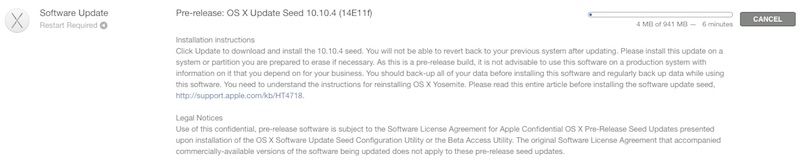
Apple has released the first developer beta of OS X 10.10.2, arriving as build version 14C68K. The notes attached to the OS X Update Seed 10.10.2 download don’t specify any particular focus areas, but presumably the update aims to address bugs and issues that have gone unresolved after the recent OS X 10.10.1 update.
Developers registered with Apple can find the OS X 10.10.2 beta 1 update available in Software Update and the Mac App Store, or through the official Mac Developer Center website.
Some Mac users may encounter situations where they need to flush DNS cache in OS X for a name server to resolve properly, or for some DNS address change to become noticed by their individual computer. This is particularly relevant for system administrators, network admins, and web developers, but there are certainly situations where other users may need to dump and reset DNS caches too, like if a user has modified the /etc/hosts file and they need the changes to take effect without rebooting the Mac.
The Notes app in modern versions of iOS includes support for text formatting and media insertion. This is a welcome change for many reasons, as it not only improves the functionality of Notes app to serve as a scratchpad, but it also makes the Notes app and it’s iCloud syncing abilities between iOS devices and Macs with Mac OS X an even more useful feature.
A number of Mac users who were experiencing wi-fi connection difficulties with OS X Yosemite have found the problems continue to persist after updating to OS X 10.10.1. The reasons for this are not entirely clear given that OS X 10.10.1 has aimed specifically at improving wi-fi reliability, but some of the traditional troubleshooting steps still apply and may help alleviate the issue.
The iPhone 6 and iPhone 6 Plus gained a feature called Reachability which, when activated, brings all onscreen icons and elements closer to the bottom of the display and Home button, thus making it easier for your thumb or finger to reach the desired touch points. While Reachability is proving to be a popular tool for many larger screen iPhone owners, some other users are discovering that they’re accidentally enabling the feature when they don’t want to.
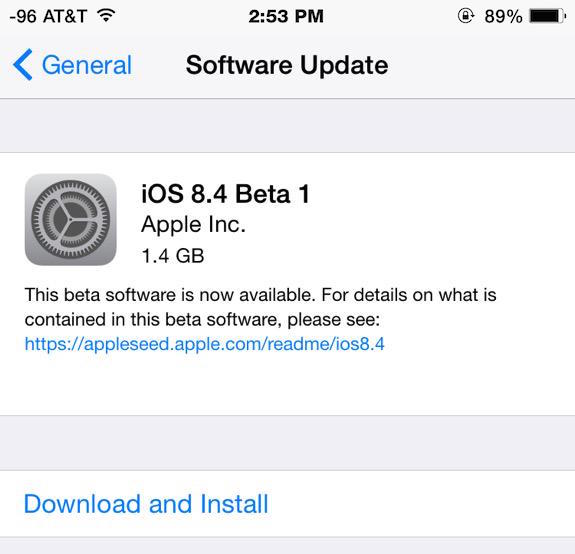
Apple has released iOS 8.2 beta 1 and an Apple Watch developer toolkit to those registered with the iOS developer program. The first iOS 8.2 beta build is 12D436 and arrives alongside a new beta version of Xcode 6.2, which includes the WatchKit developer package.
Apple has released the first major update to Macs running OS X Yosemite, versioned as OS X 10.10.1. OS X 10.10.1 includes several prominent bug fixes, including resolutions to issues with Wi-Fi reliability, Mail app problems, and a Time Machine backup bug. Other stability enhancements, security updates, and bug fixes are also included in the update, specified in the release notes below.