4 Stunning Wallpapers Hidden in Plain View on the Apple & Wired Websites
Apr 4, 2015 - 15 Comments
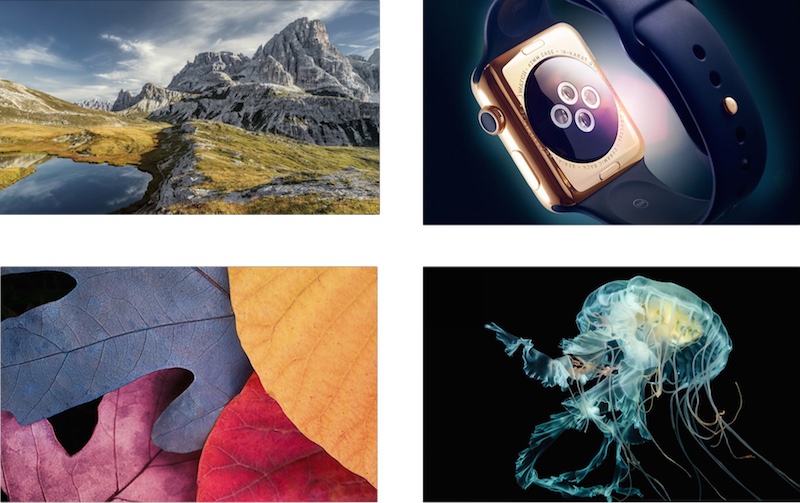
There’s something about good wallpaper that makes using a Mac, iPhone, iPad, ok, even a Windows PC or Android device, just even better. We’re bringing you four gorgeous high resolution wallpapers that are basically hidden in plain sight from two sources, a recent Wired article about Apple Watch, and Apple.com product pages. All it took to uncover these amazing wallpaper shots was a little digging around with the web inspector tool, and we’re going to share the source links with you.
By Paul Horowitz - Customize - 15 Comments


 Apple has released a seventh beta version of OS X Yosemite 10.10.3, just a few days after releasing the
 If you ever need to set custom DNS or



 The next time you’re listening to iTunes Radio and you find yourself wondering which wonderful decade a particular song came from, wonder no more, because iTunes Radio can tell you when a song was released.