
Keep a Record of All Emails Sent from iPhone by Always BCCing Yourself
 Though most email services nowadays support the “Sent” outbox, where you can easily find all emails that you’ve sent out from an iPhone (or elsewhere with that email account), not all mail providers do. This is particularly true for POP3 accounts where the email will be downloaded once from the server then deleted from the server, only to be stored on your local device, whether that’s an iPhone or a computer. For situations like this but when you’d still like to maintain an easy record of all emails you’ve sent from an iPhone or iPad, you can enable an option in iOS Mail app called “Always BCC Self”. As the name implies, when this setting is turned on, any mail sent from your iOS device will BCC (Blind Carbon Copy) to yourself, providing an alternative method of record keeping for sent emails.
 Have you ever wanted to share an iPhone picture with someone, but you’re concerned about them flipping through your camera roll and finding other photos you’d rather not share? If you want to limit that you have a few options available, but because the iPhone doesn’t have a specific ability to lock onto a single picture, you’ll have to rely on a trick or two to limit the photo access instead.
  The user path is the series of directories that command line programs are searched in order to run. For example, if you type ‘iostat’ into the terminal, then iostat will be run from /usr/sbin because “/usr/sbin” is part of your $PATH. Accordingly, users who frequently use the command line may need to adjust or add new paths to their terminal so that commands can execute properly.

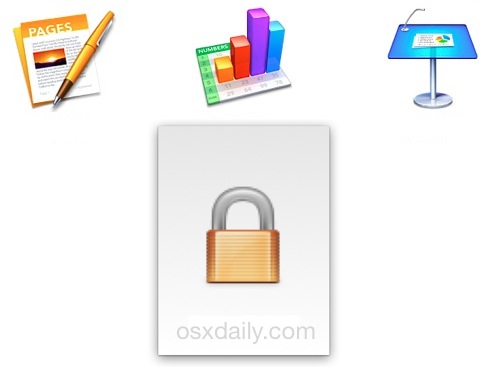

 Did you know you can start printing any file directly from the desktop of a Mac? While most users open a file and then print it from the application of which the file was built in, that’s not actually necessary, instead printing can be initiated from anywhere in the Finder of OS X. This often overlooked feature is incredibly convenient and it really speeds up the process of printing a document or picture, as it prevents having to open any apps. Instead, you just locate the document in the file system and start printing directly from there.
  When you set up a new Mail account in Mac OS X, you typically enter the service provider, email address, and the email accounts password once, then everything just works, right? Well, generally, but sometimes things aren’t so simple, and a frustrating issue that some users encounter is Mail app repeatedly asking for their password, over and over again. This can show up either as a pop-up window requesting the password be entered again with the message “Enter Password for Account (Name)”, or in the Connection Doctor feature of the Mac Mail app where it says the account verification or login failed, and to try again.
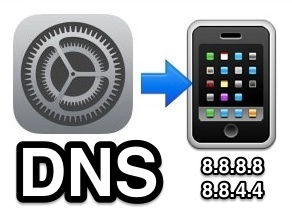 When you point your iPhone or iPad at a web address (like



