It’s time for another featured Mac setup! This week we’ve got an amazing studio to share from a professional audio mixing engineer and startup founder, let’s get right to it… Read more »
Simple or abstract wallpapers tend to work best with iOS 7’s bright color scheme and generally flat appearance, and this pack of eight colorful abstractions sent to us by a reader are no exception. The images are sized generously at 900×1400, meaning they’ll easily accommodate for the motion parallax wallpaper effect on the iPhone 5/5S/5C and new iPod touch displays, while sizing down to look great on the smaller iPhone screens too. Read more »
Ever wanted to create an iPhone or Android ringtone from an existing audio file, but wanted to complete the process entirely from the command line? You’re in luck, because Mac OS X has a little audio conversion tool that can turn any existing audio track into an Android or iPhone compatible ringtone in seconds. We’ll break the command down for both Android and iPhone users, though whichever method you choose you’ll still need to sync the ringtone over to the device yourself.
Scrubbing audio is probably the fastest way to skip through and navigate within a playing audio track, and iOS allows you to scrub active tracks directly from the Control Center. There’s not much to it and scrubbing is done through a fairly simple gesture, but because the tap touch target is quite small it can take some practice to get right.
You can scrub through any playing song, music, podcast, or show on the iPhone, iPad, and iPod touch. Let’s review this nice feature, available anywhere in iOS via Control Center. Read more »
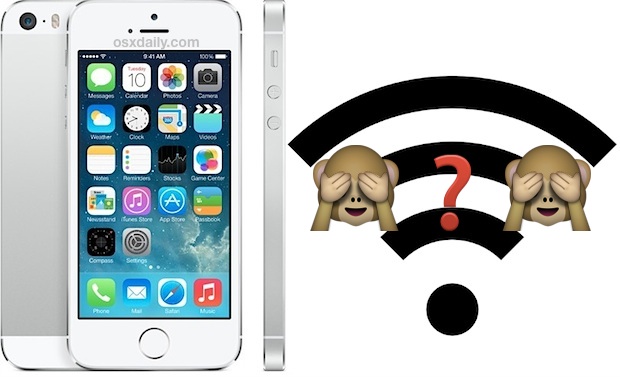
iOS is usually smart enough to join the last functioning wireless network used within range, but if you’re in an area with many wi-fi networks available sometimes you’ll find an iPhone or iPad is persistently joining and re-joining a network that you don’t want it to, even if you consistently toggle over to join a different router. This can be pretty frustrating, but you can typically resolve that annoyance by simply choosing to forget the wireless network and manually dropping it from the settings. Read more »
The powerful curl command line tool can be used to download files from just about any remote server. Longtime command line users know this can be useful for a wide variety of situations, but to keep things simple, many will find that downloading a file with curl can often be a quicker alternative to using a web browser or FTP client from the GUI side of Mac OS X (or linux). This is is helpful for local situations, but there’s particular value if you’re in a situation where you need to download something to a remote Mac when connected through SSH.
For the purposes of this walkthrough, we’ll focus primarily on downloading files from the two commonly encountered HTTP and SFTP protocols, though it should be noted that cURL supports many more protocols. Though curl is easy to use, having some knowledge of the command line is recommended. Read more »
Mac users who prefer to have a more traditional Unix toolkit accessible to them through the Terminal may wish to install the optional Command Line Tools subsection of the Xcode IDE. From MacOS Monterey, Big Sur, Catalina, Mojave, High Sierra, Sierra, OS X El Capitan, Yosemite, Mavericks onward, this is now easily possible directly and without installing the entire Xcode package first, no developer account is required either.
The Command Line Tool package gives Mac terminal users many commonly used tools, utilities, and compilers, including make, GCC, clang, perl, svn, git, size, strip, strings, libtool, cpp, what, and many other useful commands that are usually found in default linux installations. We’ve included the full list of new binaries available through the command line toolkit below for those interested, or you can just see for yourself after you have installed the package, which we’ll walk through here.
iPhone and iPad users have the option to enable a “Do Not Track” setting on their iOS devices for Safari, a feature that is aimed at limiting targeting and tracking of web browsing behavior by various web services. When turned on, this causes Safari to make a DNT request to each page it visits for any services on that page to not track the client, though that doesn’t necessary mean it will he honored, as we’ll explain shortly. Nonetheless, users who favor privacy may want to enable the option anyway, even if the efficacy may be more limited when compared to blocking third party cookies in Safari for iOS. Read more »
If you’ve ever joined a public wi-fi network and noticed the Finder sidebar is suddenly filled with other unfamiliar computers and network shares, and then curiously clicked on one of them, you’ve probably discovered that most of these computers have a user ‘Public Folder’ accessible to you and everyone else. This folder is included with every user account in OS X, and it has very limited access which is designed to facilitate simple file sharing (it does quite well), but such a feature may become undesirable on public networks with many foreign computers. Turning off your own Mac sharing Public Folder is quite simple, and it will prevent other Mac users from having access to the ~/Public directory if they’re on the same network. Read more »
The iOS Photos app includes native image editing features that allow you to add the same filters from the live camera to pictures you have already taken. Additionally, you can apply those photo filters to any image stored on the iPhone, iPad, or iPod touch, so long as it’s accessible from the Photos app, whether it’s a photo or a screen shot. Read more »
If you need to rename a group of files on a Mac by appending some text to each files name, a great free option is to use a simple Automator action and save it as an application. This is similar to the other Automator utilities we have built and covered here before, but this time around the end result is an OS X application that lets you rename a file, multiple files, or a group of many files by adding some predefined text into the file name, all with the same Finder-based drag and drop simplicity of usage. If you have tons of files to rename, you’ll find this is much better than renaming them yourself in the Finder or through the title bar. Read more »
The optional iOS Restrictions settings provides a way to limit access to adult themed websites from Safari on an iPhone, iPad, or iPod touch, but for some purposes those default restrictions may not go far enough. For those looking to gain additional control over web access, users will find that individual websites can be added to a “Never Allow” list, thereby blocking access to those sites completely. For example, Facebook.com is typically allowed in the broader iOS Restrictions filters, but by using this additional block list, you could prevent web access to sites like Facebook.com, or any other URL, from the iPhone, iPod itouch, or iPad.
If you want to block any website from being accessed on iPhone or iPad and Safari, this article will show you exactly how to do that.
Bokeh is a photography effect that uses intentional blurring of pictures for a pleasant abstract appearance. The resulting unfocused images often wind up making fantastic wallpapers for your desktop and device backgrounds, and that’s what we’re focusing on here with six gorgeously abstract bokeh images of various city lights and elements.
This weeks featured Mac setup is… well it’s not a Mac at all actually, it’s an iPad-only setup! That’s right, coming to us from Jurgen V. is a minimalist music studio based entirely around an iPad. Read on to learn what added hardware and specific iOS apps allow for an iPad to become a music producing workstation. Read more »
The bundled Mail app for Mac has taken an odd turn by gaining a collection of odd bugs and incompatibilities with a variety of email providers. Apple has released several updates aiming to resolve the difficulties (particularly with Gmail), but many users continue to report issues with the once reliable Mail app on their Macs, and one of the more frustrating lingering issues is that new emails don’t consistently show up in Mail app for certain providers. Read more »
The iTunes sidebar is now invisible by default, but if you’re one of us who like to show the sidebar all the time you may also want to customize what’s visible in it. This lets you control whether or not to hide or show any of the iTunes library media types that are visible in the sidebar, like Music, Movies, Podcasts, and Apps, as well as the connected iOS devices, playlists, Genius, the iTunes Store, and network shared libraries. Read more »
The 2014 Winter Olympics in Sochi are under way, and while you can always catch the replayed broadcast on TV, that’s not always as fun as watching the live stream. Fortunately the wonderful world of iOS apps has us covered, and for most localities you can get completely free access to live streams of the Sochi Olympics. All you need is an iPhone, iPad, or iPod touch, and then grab the app that is appropriate for your locality. Read more »
If you have ever downloaded an M3U file thinking you were going to get a song, audio file, or podcast, you’ve probably noticed the file size is tiny, and the m3u doesn’t really do anything on it’s own. This leads many users to wonder how to play the audio file, or how to convert that m3u into an mp3, m4a, or turn it into another familiar audio format. M3u’s are fairly misunderstood in that sense, they’re actually just a plain text playlist container file that is either a local playlist of audio, or a simple URL (link) to the actual audio content, usually intended to play as an audio stream.
Playing the audio from an m3u is made easy with iTunes, but perhaps more useful is getting the actual audio files out of an m3u container by downloading the source audio to a local hard drive. We’ll cover how to do both. Read more »



 Ever wanted to create an iPhone or Android ringtone from an existing audio file, but wanted to complete the process entirely from the command line? You’re in luck, because Mac OS X has a little audio conversion tool that can turn any existing audio track into an Android or iPhone compatible ringtone in seconds. We’ll break the command down for both Android and iPhone users, though whichever method you choose you’ll still need to sync the ringtone over to the device yourself.
 The powerful curl command line tool can be used to download files from just about any remote server. Longtime command line users know this can be useful for a wide variety of situations, but to keep things simple, many will find that downloading a file with curl can often be a quicker alternative to using a web browser or FTP client from the GUI side of Mac OS X (or linux). This is is helpful for local situations, but there’s particular value if you’re in a situation where you need to download something to a remote Mac when connected through
  Mac users who prefer to have a more traditional Unix toolkit accessible to them through the Terminal may wish to install the optional Command Line Tools subsection of the Xcode IDE. From MacOS Monterey, Big Sur, Catalina, Mojave, High Sierra, Sierra, OS X El Capitan, Yosemite, Mavericks onward, this is now easily possible directly and without installing the entire Xcode package first, no developer account is required either.
  iPhone and iPad users have the option to enable a “Do Not Track” setting on their iOS devices for Safari, a feature that is aimed at limiting targeting and tracking of web browsing behavior by various web services. When turned on, this causes Safari to make a DNT request to each page it visits for any services on that page to not track the client, though that doesn’t necessary mean it will he honored, as we’ll explain shortly. Nonetheless, users who favor privacy may want to enable the option anyway, even if the efficacy may be more limited when compared to
 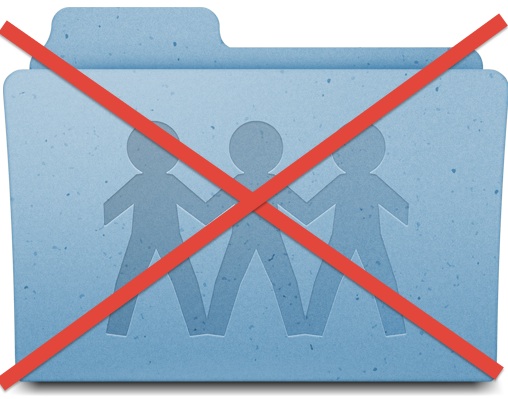 If you’ve ever joined a public wi-fi network and noticed the Finder sidebar is suddenly filled with other unfamiliar computers and network shares, and then curiously clicked on one of them, you’ve probably discovered that most of these computers have a user ‘Public Folder’ accessible to you and everyone else. This folder is included with every user account in OS X, and it has very limited access which is designed to facilitate simple file sharing (it does quite well), but such a feature may become undesirable on public networks with many foreign computers. Turning off your own Mac sharing Public Folder is quite simple, and it will prevent other Mac users from having access to the ~/Public directory if they’re on the same network.

 The optional iOS Restrictions settings provides a way to limit access to adult themed websites from Safari on an iPhone, iPad, or iPod touch, but for some purposes those default restrictions may not go far enough. For those looking to gain additional control over web access, users will find that individual websites can be added to a “Never Allow” list, thereby blocking access to those sites completely. For example, Facebook.com is typically allowed in the broader iOS Restrictions filters, but by using this additional block list, you could prevent web access to sites like Facebook.com, or any other URL, from the iPhone, iPod itouch, or iPad.

 The bundled Mail app for Mac has taken an odd turn by gaining a collection of odd bugs and incompatibilities with a variety of email providers. Apple has released several updates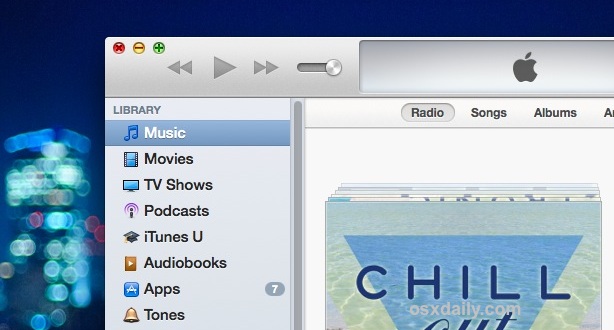

 If you have ever downloaded an M3U file thinking you were going to get a song, audio file, or podcast, you’ve probably noticed the file size is tiny, and the m3u doesn’t really do anything on it’s own. This leads many users to wonder how to play the audio file, or how to convert that m3u into an mp3, m4a, or turn it into another familiar audio format. M3u’s are fairly misunderstood in that sense, they’re actually just a plain text playlist container file that is either a local playlist of audio, or a simple URL (link) to the actual audio content, usually intended to play as an audio stream.



