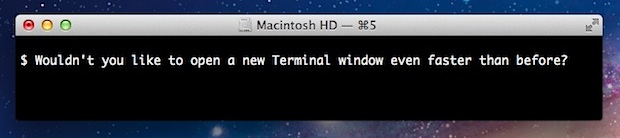
Whenever a new Terminal window is launched, a variety of system logs are read to provide information on the last login. One way to speed up launching a new terminal window is to delete those .asl log files, but you can achieve a substantial speed boost by simply setting Terminal to open a shell rather than /usr/bin/login. This is achieved through the same means of changing the shell and is just a few quick steps within Terminal settings.
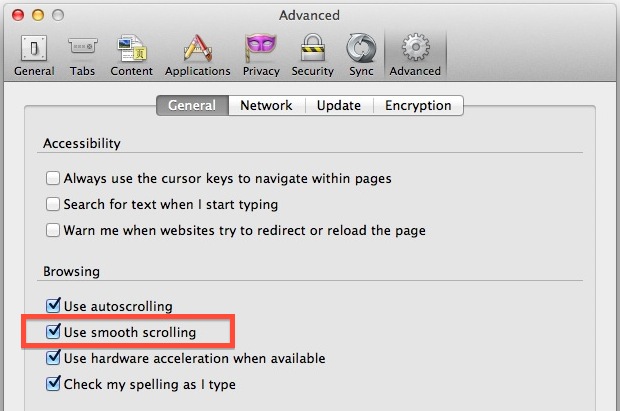
Firefox is a great web browser but it has a few quirks that make it a less than ideal browser for OS X Lion and Mountain Lion users. A major issue is scrolling performance, which can stutter or appear slow and clunky, it’s noticeable enough that certainly anyone who has used Firefox in Mac OS X has experienced it before. Here’s the strange part, it’s completely remedied with a preference setting that is buried away:
Open Preferences from the Firefox menu
Click on “Advanced” and under ‘General’ check the box next to “Use smooth scrolling”
Now try scrolling up or down in a lengthy browser window to experience the perfectly smooth scrolling that is standard in other web browsers, the difference is night and day.
The big question of course is this: why on earth isn’t this enabled by default in Firefox? With smooth scrolling enabled, Firefox does use slightly more CPU only when scrolling pages, but it’s certainly not egregious enough to warrant disabling by default except perhaps on the oldest of Macs with limited resources.
Anyway, enjoy your newly improved Firefox browser and don’t miss some other Firefox tips. Heads up to ZeroDistraction for pointing out this little fluke.
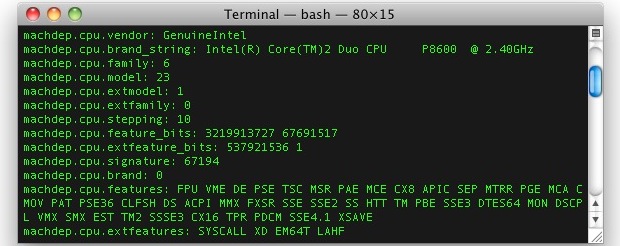
Using sysctl we can get extended information on a Macs processor, covering everything from CPU brand and identifier, clock speed, number of cores, thread count, thermal sensor data, cache size, and some significantly more technical information.
This is a handy way to get detailed processor specs and info without turning to the system profiler in Mac OS X, as the entire task is handled from the command line.
It seems like all Mac users these days have an iPhone or iPad to compliment their setups, and this weeks Mac setup shot from Andreas H has the best of all worlds. Hardware shown is:
Outside of the picture is an Apple Magic Mouse, an old PowerBook G4 12″ from 2003, an Apple TV2, two AirPort Extremes, two AirPort Express, and assorted other peripherals.
Want your Mac setup featured? Send pictures of Apple & Mac setups to osxdailycom@gmail.com and include some brief hardware details and what you use it for.
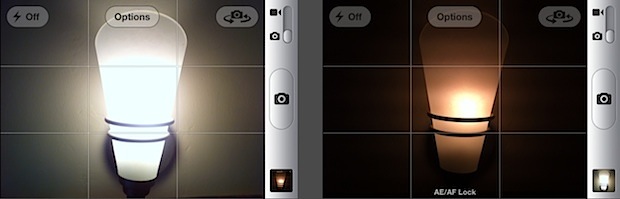
You probably know that tapping once on the screen within the Camera app will cause the iPhone to automatically focus and adjust exposure to that region in the viewfinder, but if you’re trying to take a picture with challenging lighting or depth conditions the auto adjustments are not always ideal.
Instead, use the excellent focus and exposure lock feature to get the exact lighting and focus you want out of a picture. The feature is quite literal, as you can point to a specific lighting or depth, lock it, then reorient the camera to the desired picture while maintaining the previously locked lighting conditions. Here’s how to use this awesome feature:
Login Items are applications and helpers that launch immediately when a user logs in to Mac OS X. These apps and utilities are easily adjusted and managed in system preferences on a user level, but you can also temporarily disable them on a per-boot and per-login basis if need be.
To stop the automatic login items in OS X on a temporary per-boot basis, you need to use a keystroke modifier at just the right time. This is slightly different depending on the status of password protection on the Mac, but the basic idea is the same.
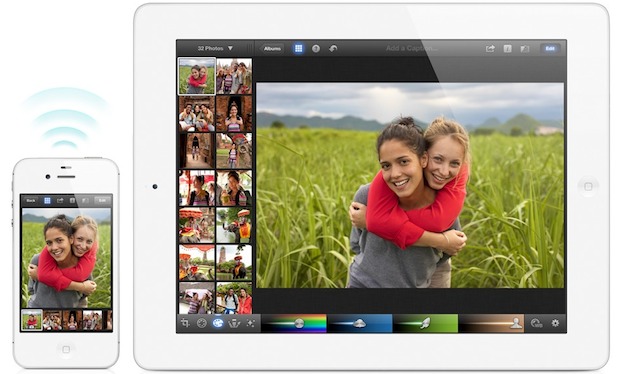
iPhoto for iOS has a great feature that lets you wirelessly beam pictures from one iOS device to another, this means that if you’re editing a photo on an iPad you can immediately send it over to an iPhone and vice versa, without ever leaving the app.
Launch iPhoto on both iOS devices
Tap the gear icon in the lower right corner and tap to turn on Wireless Beaming
Now tap the photo or picture album that you want to beam, tap the arrow icon at the top of the screen, and choose “Beam”
Confirm the pictures to wirelessly beam, then tap the recipient iOS device and tap “Beam Photos”
From the receiving iOS device, tap “Yes” to start receiving the beamed photos
You will need Location Services enabled to use beaming with iPhoto, this is usually on by default but can be turned on quickly through general iOS Settings > Location Services.
iPhoto isn’t the only way to move pictures between iOS devices though, with iCloud enabled and Photo Stream, pictures taken on one device will appear automatically on each device using the same iCloud account, and pictures can also be sent through iMessage or a group of photos can be sent with email. The latter two options also work to send pictures between iOS and OS X, though preferably a future version of iPhoto for Mac will include the same beam option.
If you don’t have it, iPhoto is $5 on the App Store and comes as a universal app, meaning the same version will run on all compatible iOS devices.
If you’ve opened the sim card tray on a newer iPhone, you’ve probably noticed the card is considerably smaller than an average sim, these tiny cards are known as a micro SIM. The smaller SIM format is gaining traction but there are still tons of cell providers and phones that use the regular sized SIM card, including T-Mobile, many prepaid plans. and pay-go plans that you’ll find both at home and abroad. Now, obviously that full sized sim isn’t going to fit into the micro tray, but guess what? You can cut it down to size and convert any standard SIM to a micro SIM.
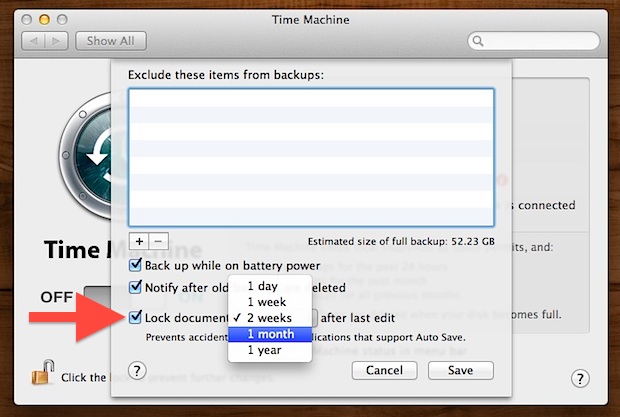
Mac OS X Lion introduced the file locking feature, which causes any files to automatically lock themselves after a period of time to prevent accidental edits from occurring. You’ve probably seen the resulting message lock before, informing you a file has been locked because recent changes haven’t been made. The time it takes for that automatic file locking to take effect can be adjusted:
Open System Preferences from and click on “Time Machine”
Click “Options”
Look for “Lock documents _ after last edit” and click the pull down menu, selecting a new time duration before the file is locked by OS X
2 weeks is the default which I find to be overly aggressive and I choose 1 month instead, but some users may want locking to take effect even quicker and Apple offers the extraordinarily quick “1 day” option for those who want the utmost in protection from accidental edits.
In the same settings panel you can also choose to disable file locking completely just by unchecking the checkbox, though that isn’t recommended for most users.
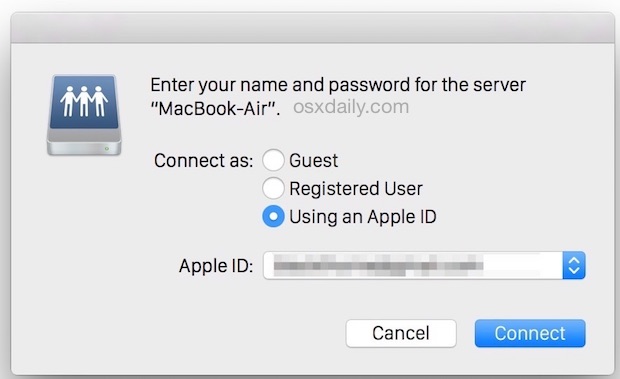
Modern versions of OS X allow you to share files securely with another individual without creating a new user account for them. Instead, authentication gets handled by the individuals Apple ID, and a separate password is set to allow that Apple ID to share files and folders on your Mac.
This can be preferable to creating a new user account if you only wish to share some files and you don’t want to provide a user with complete login access to the Mac. Additionally, it can be an easy way to allow a user with an already existing Apple ID and iCloud login to get quick network access to the Mac.
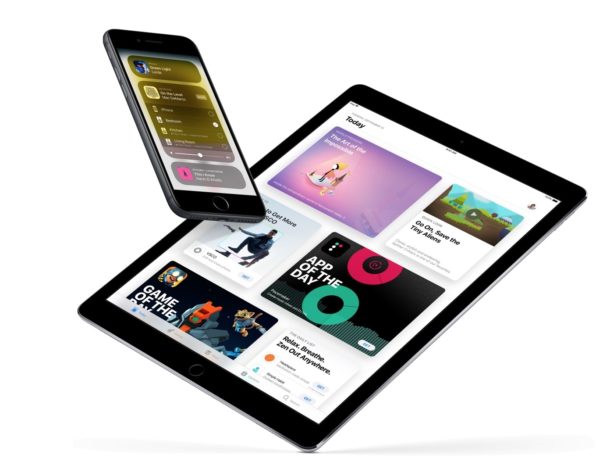
The font size of mail messages can appear really small on the iPhone, iPad, and iPod touch screens, but the default setting can be adjusted and increased substantially if the text size just looks too small.
If you want to know how to change the font size of Mail on an iPhone and iPad, you’re in the right place. You can change the text size quite dramatically, so you will want to try a few different options out, and ultimately it will depend on the quality of your eyesight as to what you’re most comfortable with. I have fairly decent eyesight but wear corrective glasses, and find that increasing the size a little bit is enough for me. If the smaller sizes make you squint though, boost the text size considerably and the minimum displayed font size won’t ever be smaller than the setting you choose.
Does your Mac feel like it takes forever to boot up when you turn it on? Does your Mac seemingly take forever to reboot? If your Mac is feeling sluggish when booting or starting up Mac OS X it’s probably a result of a few things.
This walkthrough will address how to speed up reboot and startup times by focusing on specific issues on a Mac, including tackling a bloated login item list, too many windows being restored, a super slow external drive that takes forever to be accessed, or even just the general hard disk speed. The good news is that most of these are very quick to fix, so follow along and you’ll be starting up a Mac quicker in no time at all.
Are you feeling the pinch of the limited storage capacity on an iPad, iPhone, or iPod touch? It happens to the best of us, even with large capacity iOS devices it is easy to run out of available storage!
If you are running low on storage space, check out these tricks to greatly ease any potential storage squeeze you may be experiencing with your iOS gear.
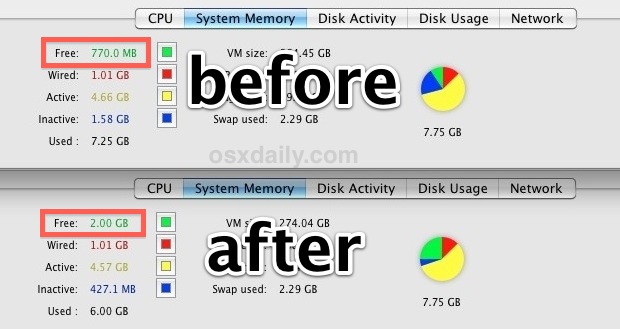
Mac OS X has fairly good memory management but it’s not perfect, and sometimes RAM can be held unnecessarily in the “inactive” state despite the contents no longer being needed. If you’ve been participating in memory heavy activities or you just need to free up some available RAM you can actually force Mac OS X to clear out inactive memory.
The Diablo 3 Open Beta was a lot of fun and certainly got everyone excited for the May 15 public release, but now that the Diablo III Beta client can’t be used any more it’s time to uninstall the app from your Mac. This will free up at least 5GB of disk space. Follow the manual uninstall instructions below, or use something like AppCleaner to automate the deletion process:
Navigate to /Applications/ and move the “Diablo III Beta” folder to the Trash
Navigate to ~/Library/Preferences/ and delete “com.blizzard.diablo3.plist”
Go to ~/Library/Caches/ and remove the entire “com.blizzard.diablo3” folder
Open the ~/Downloads/ folder and remove the original installer “Diablo III Beta Setup.app” and the accompanying archive “Diablo-III-Beta-enUS-Setup.zip”
Now empty the Trash to remove Diablo 3 Beta from your Mac completely, freeing up quite a bit of disk space. If you want to find more wasted space on a Mac, check out our guide to using OmniDiskSweeper.
These instructions are the same for the original Diablo 3 Beta client as well if you were lucky enough to be a part of that.
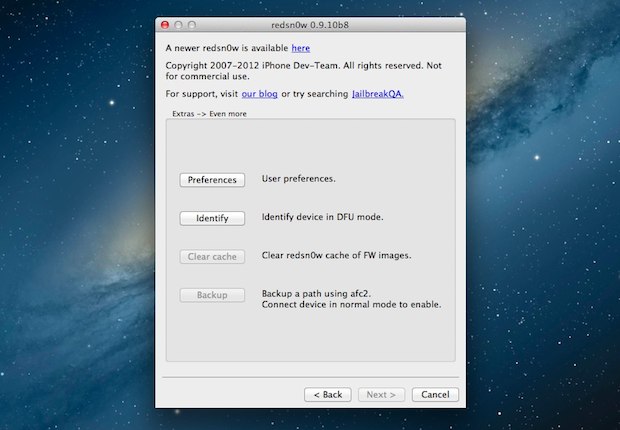
Right alongside the new SAM iPhone unlock method is an updated version of Redsn0w which helps users preserve their unlock. Dubbed Redsn0w 0.9.10b8, the updated release does not include any new jailbreaks and is only useful for individuals looking to save an iPhone unlock achieved through the Subscriber Artificial Module spoof method.
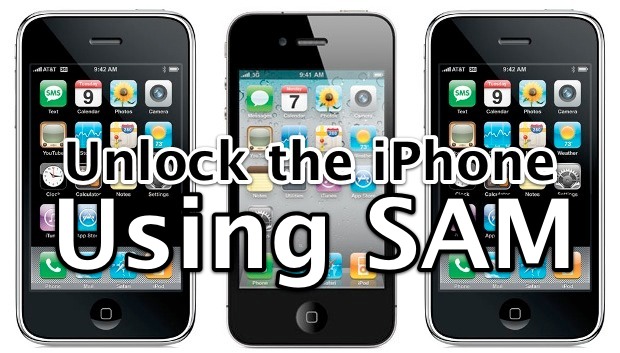
A new unlock method has been discovered that works on every iPhone 4, iPhone 4S, and iPhone 3GS running iOS 5, iOS 5.0.1, and even iOS 5.1, the only requirement is the iPhone must be jailbroken already. If you’re already jailbroke go ahead, otherwise here are guides to jailbreak iOS 5.1 and another guide for the iPhone 4S with iOS 5.0.1.
Assuming your iPhone is jailbroken and ready to go…
Open Cydia and add the repo “repo.bingner.com” and then search for “SAM” by sbingner and install it
Tap on the orange SAMPrefs icon that looks like a SIM card to launch the app
Tap “Utilities” and select “De-Activate iPhone”, tap “OK” when the deactivation notification pops up
Now tap “Method” and tap on “By Country and Carrier”
Tap “Country” and select the country the iPhone is locked to
Tap “Carrier” and choose the origin carrier the iPhone is locked to
Tap “More Information” and tap the IMSI number found under “SAM Details”
Tap on “Spoof Real SIM to SAM”
Tap back to the primary SAM setting screen, and paste the IMSI number into IMSI
Connect the iPhone to the computer and launch iTunes, letting iTunes reactive the iPhone
Disconnect the iPhone from the computer and quit iTunes, then tap on “SAMPrefs” again and flip the “Enabled” switch so that SAM is disabled
Relaunch iTunes and connect the iPhone to the computer yet again, ignore the “failed to activate” message and quit and relaunch iTunes again
Wait a minute or two and the iPhone should get a signal from the new carrier, it’s now unlocked and activated
The downside to the SAM unlock method is that it requires a jailbreak, that means if you lose your the jailbreak you lose the unlock. If you don’t want to jailbreak or you can’t for some reason, you can officially unlock an iPhone from AT&T by phone or through AT&T via web chat instead. It can take several weeks for the unlock request to process with AT&T and the iPhone must be out of contract, but it doesn’t require any funky software mods and is much easier than the aforementioned SAM method.
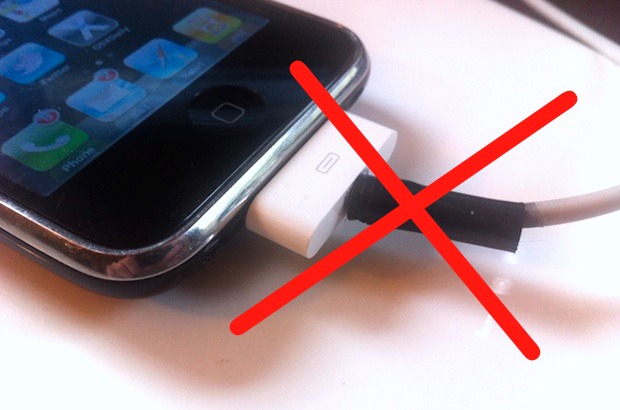
Have a fraying iPhone or iPod USB sync cable? Welcome to the frayed cable club. Now, you have a few choices if you’re floating the boat of cable frays: try to get Apple to replace it for free at about a 40% success rate, shell out $29.99 for an official cable, jury rig a hideous repair by slapping on some electrical or duct tape, or roll the dice with $1 and get a brand new knock-off replacement.


 Login Items are applications and helpers that launch immediately when a user logs in to Mac OS X. These apps and utilities are