Pixel art of the 8-bit flashback NES variety is all the rage right now, be it in games like The Incident and Sword & Sworcery or just for avatars on the web. If you’re wondering how some of that beautiful pixel art is created and how you to do it yourself, here are some tips for near-instant pixel art. We’ll use OS X’s zoom feature, Pixelfari, and also configure Photoshop to make your own retro pixel art and clean up the results of other methods.
1) Use Mac OS X Zoom to Pixelate Images & Create Instant Pixel Art
You probably know by now that if you hold down the Control key and then two-finger swipe up or down on a trackpad you’ll zoom into the screen (or hold Control and use a scrollwheel on an external mouse). Well, if you disable anti-aliasing in OS X Zoom tool you can use this feature to create pixelated images out of anything. Here’s how:
Hit Command+Option+\ to disable anti-aliasing in screen zoom
Hover your mouse cursor over whatever image you want to instantly pixelate
Control+Zoom into the image and watch the pixels grow
Take a screenshot of the entire screen with Command+Shift+3
Using this technique I created this pixel-art MacBook instantly:
If necessary you can then clean up the image in Photoshop using the photoshop techniques mentioned in this article to edit on a precise per-pixel level. A few tips for this method:
Smaller base images are better, creating icons out of an image and zooming into those is great
More contrast is generally better
Try different levels of zoom
It’s also important to take a full screen screenshot so the image is captured in full pixelated glory. Read more »
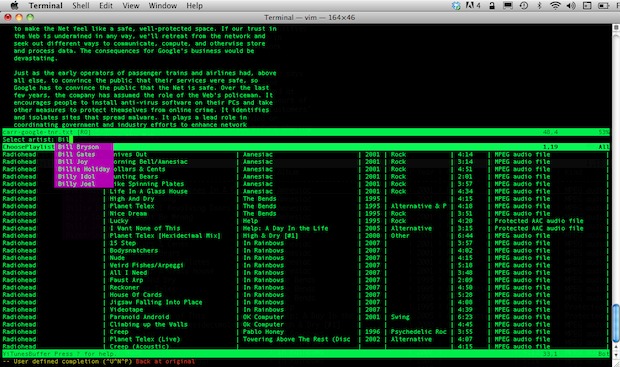
If you just want a basic command line mp3 player, you could use afplay, but if that’s not enough for you, install ViTunes. The little VIM plugin gives you full access to iTunes directly from the command line text editor VIM, but don’t be fooled into thinking it’s just a boring old music player, it actually has some nice features, including:
Keyboard-only based controls
Control iTunes from another computer via SSH
Let multiple users access and control iTunes from SSH
Controlling iTunes without ever leaving VIM
Navigate your music, manage playlists, copy tracks, control volume, all from Vim
Accessible through a linux client too
Installing ViTunes is easy, but first you’ll need to make sure you have Ruby 1.8.6 or higher installed, Mac OS X 10.6 or later, and Vim 7.2 or greater, then it’s just a matter of launching the Terminal and installing the plugin (it goes into ~/.vim/plugin/ if you’re wondering):
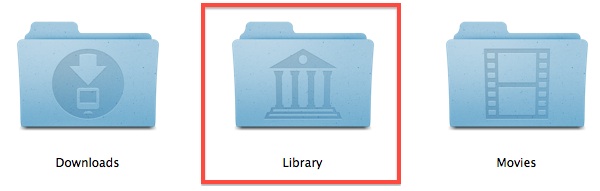
Modern Mac OS releases from Mac OS X 10.7 & OS X 10.8 onward default to hiding the users Library directory, this is probably to keep people from accidentally deleting or damaging files that are necessary for OS X Lion & Mountain Lion to function properly. That is fine for novice users, but for some of us, we want to be able to access ~/Library/ at will. A visible Library folder was also the default setting in past versions of Mac OS X, so here is how to get this back and make the Library folder visible if it’s hidden on your Mac.
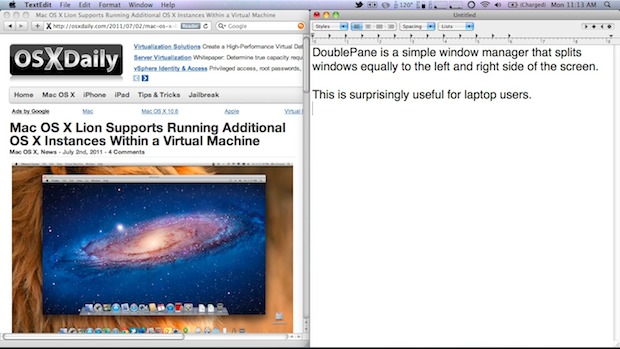
DoublePane is a simple window manager for Mac OS X that is impressively useful. It works by resizing a selected window to fit precisely on one half of the screen – on the left or right – which then allows you to place another resized window directly next to it on the opposing half. This maximizes the available screen space and makes it extremely easy to transcribe information, giving you a significant boost to productivity when writing or doing research.
For such a simple app, you’ll be surprised by how often you end up using it. DoublePane is basically a necessity for any portable Mac user, so if you have a MacBook Pro or MacBook Air, or any Mac with limited screen real estate, don’t miss this app.
It also happens to be free today, July 4th only, to celebrate Independence Day.
If you have a MacBook Air, you also have that nice little USB restore key. Wouldn’t it be nice to be able to use that as a normal USB drive if you wanted to? You can do it, but first you have to ‘unlock’ the USB restore key.
Here’s where I think this is most useful: with OS X Lion coming out soon, a restore key running Snow Leopard isn’t so useful, so wouldn’t it be nice to format that USB key and update it to Lion yourself by cloning the bootable Lion DMG file? You can do that with this trick.
Of course, there’s a caveat; the little app called SM32Xtest runs only in Windows, so you’ll need to use VMWare, VirtualBox, or Parallels, or just a Windows PC, to run the app and unlock the drive. After it’s unlocked, the restore key turns into a normal USB drive with 8GB of space available, which is then ready for a Lion restore image or just to use for anything else as a standard USB drive with a snazzy Apple logo on it.
Do this at your own risk, Apple locked it because this is the only restore drive and they don’t want you messing it up. If this is your only method of restoring your MacBook Air, I would not recommend doing this, so you may want to consider that before wiping the key. If you’re comfortable with the potential ramifications, download the tool and check out the video below which walks you through the entire process.
Prototype Apple gear is a hot commodity, but would you guess that a prototype iPhone would be selling for over a hundred grand? Me neither, but an eBay auction for a prototype iPhone 4 has hit $100,800 and continues to climb north into the stratosphere.
To make this even more ridiculous, the prototype iPhone doesn’t even work completely, it’s not running any special software or unusual iOS versions, and sim cards don’t activate, making it a very expensive paperweight. With 7 days left on the auction, the prototype could go even higher, assuming the bidding isn’t completely fake that is. Read more »
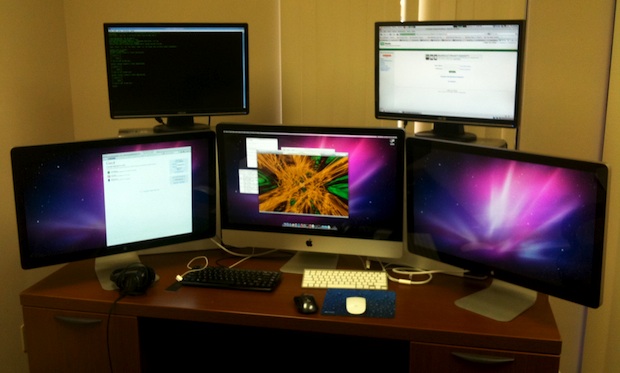
A day late here, but todays Mac setup won’t disappoint, it’s an iMac 27″ with dual 27″ Apple Cinema Displays, and two additional (22″?) displays are connected to PC’s running Ubuntu Linux floating above it all.
I’m not sure if there’s another Mac Pro or something driving one of the Cinema Displays, or if it’s the MacBook Pro 13″ that is shown in another variation of this setup shown below. The Cinema Displays are being powered by the iMac’s Thunderbolt ports. Great Mac desk, thanks to Scott G for sending this in!
Want to make it a gamers weekend? Don’t miss the huge Steam sale going on now that has just about every game for at least 30% and up to 75% off. Everything offered on Steam is instantly downloadable so you can quickly get your gamer fix, some of the hot titles for Mac OS X include:
More games pop up on sale every day, but the core Valve lineup is discounted all the time. The sale goes until July 10 so stock up now and you’ll have entertainment all summer long. If you happen to game or dualboot with Windows there are even more options for you, but the Mac section is quite large and shouldn’t be missed.
Starting from 1976 with the Apple I, this video goes through the next 35 years showcasing aspects of Apple’s design evolution all the way to the modern day with the iPad. The video is actually from last year so the iPad is the original and not iPad 2, and it misses some substantial Apple design cues like the 20th Anniversary Mac, iMac, and all the iPods, but it’s still interesting to watch.
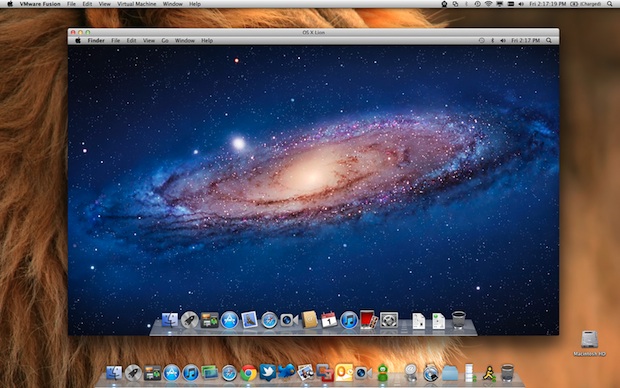
Mac OS X 10.7 Lion can run additional copies of itself in virtual machines on the same machine, this is the first time that Apple has allowed this feature outside of Mac OS X Server. This was discovered by MacRumors:
Running separate instances of Mac OS X should be possible under virtualization solutions such as VMware Fusion and Parallels. This functionality allows you to deploy different sandboxed installations of OS X, typically for enterprise purposes.
The Lion GM End User Licensing Agreement (EULA) states that users can run up to two additional instances of Mac OS X Lion without purchasing additional licenses. Here is the segment of the EULA addressing virtualization, courtesy again of MacRumors:
(iii) to install, use and run up to two (2) additional copies or instances of the Apple Software within virtual operating system environments on each Mac Computer you own or control that is already running the Apple Software.
It should be pointed out that the virtualization license is separate from the personal use license.
Developers, IT, and engineers will find virtualization particularly useful, since it allows for rapid deployment of customized instances, and the testing of various configurations and software without impacting the core operating system
The long awaited iPad 2 jailbreak is finally here, albeit unofficially, due to a leaked beta version of comex’s JailbreakMe 3.0 utility. Like the original version of JailbreakMe, the jailbreak exploits a bug in how Mobile Safari handles PDF’s, so the process of installing the jailbreak is surprisingly easy and just a matter of opening a PDF from the Safari browser on your iPad 2.
Jailbreaking iPad 2 with iOS 4.3 and iOS 4.3.3
Warning: this is an unofficial and unapproved leak of comex’s jailbreak that has been months in development, the jailbreak may or may not work as intended. If you are at all concerned or hesitant, you should wait for the official and trusted comex release of JailbreakMe 3.0 which will appear in the near future. Proceed at your own risk, and as always, be sure to backup your iPad 2.
The following works with iPad 2 running iOS 4.3.0 and iOS 4.3.3, click on the URL’s according to which version you are using. The jailbreak is untethered. These instructions are based on the video embedded below: Read more »
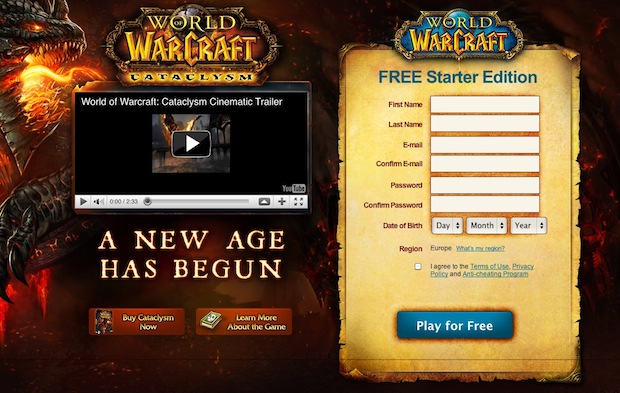
Blizzard has made its ultra popular virtualcrack game World of Warcraft free to play up until level 20. Free players can access the entire game and all quests of paying players, but there are a few limitations with the free World of Warcrack, notably:
Free players can not join guilds
Free players can not accumulate more than 10 gold coins (probably an anti-farmer move)
Free characters max out at level 20, gameplay continues but experience points stop accruing
Over 11 million people play World of Warcraft on a regular basis, so you’ll be in good company if you get addicted to the never-ending MMORPG.
Blizzard has always offered free trials, but previously you would only get 14 days to test the game before being told you had to buy it. Now you can play endlessly if you don’t mind your character maxing out at level 20, and at any point you can purchase a paid subscription to carry the character and your addiction further.
World of Warcraft runs on both Windows and Mac OS X and has fairly low system requirements, just about any Mac from the last 5 years should play it fine. Kiss your social life goodbye! If you do get sucked in, you can get a slight discount by buying pre-paid cards from Amazon. Read more »
The public release of Mac OS X Lion is imminent, possibly coming as soon as July 14th, according to the well-sourced 9to5Mac. This news comes immediately after Apple has released the Lion GM build for developers to download through the Dev Center.
Releasing the GM build today will give time for any potential bug reports to come in over the weekend for Apple engineers to address next week, suggesting that the final release could be as soon as next week but more likely the week after.
Looking at the past we can get another hint of the potential release schedule based on prior Golden Master builds. A former Apple employee @iDannyOcean points out that the Mac OS X Snow Leopard build was released a little over two weeks before the official launch, and he suggests that July 19 would be a “good bet” for a launch date. I suspect this could be accelerated slightly, matching 9to5Mac’s date, due to the exclusive Mac App Store digital distribution method. Keep in mind that Apple will still have to print Lion Restore DVD’s and USB Key media to be bundled with new Mac purchases, which may include the long-expected MacBook Air refresh.
OS X Lion will be released exclusively through the Mac App Store as a $29.99 download, this includes a generous personal license that expands the upgrade to all of your personal Macs.
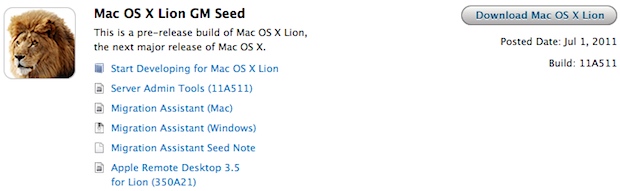
Mac OS X 10.7 Lion Golden Master has just been seeded for developers to download, the latest and possibly last dev release of Lion comes as build 11A511.
A GM build typically means a public release is due out in the very near future, meaning the Mac OS X Lion release date may be a lot earlier in the month of July than some originally expected.
When Lion is released, it will cost $29.99 as a download exclusively through the Mac App Store. If you’re not a developer, start stocking up on discounted iTunes gift cards and you’ll be able to buy Lion at a discount come time for release, which very well could be next week.
Update: The GM build does not appear to be available via Lion’s Software Update, meaning you’ll have to use the App Store to download the new release.
Update 2: Lion Server GM, iCloud beta 3, and Xcode 4.1 dp7 are also available
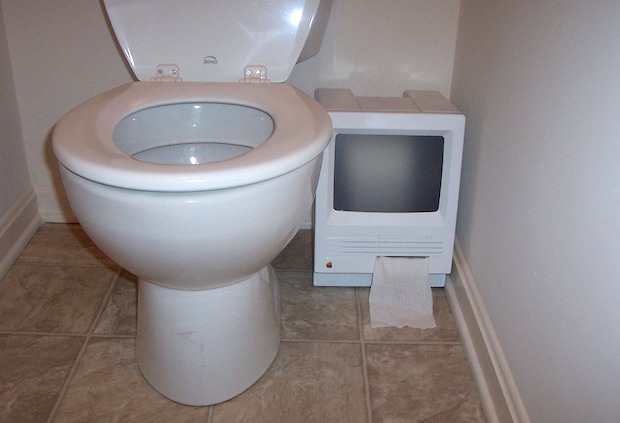
Have a broken old Mac SE or Mac Plus laying around? Dork out your bathroom with a retro Mac toilet paper dispenser!
Affectionately called the iWipe, inside of this Mac SE shell is a mounted toilet paper holder, and the screen was replaced with a translucent piece of plastic so you can see when the TP is running low.
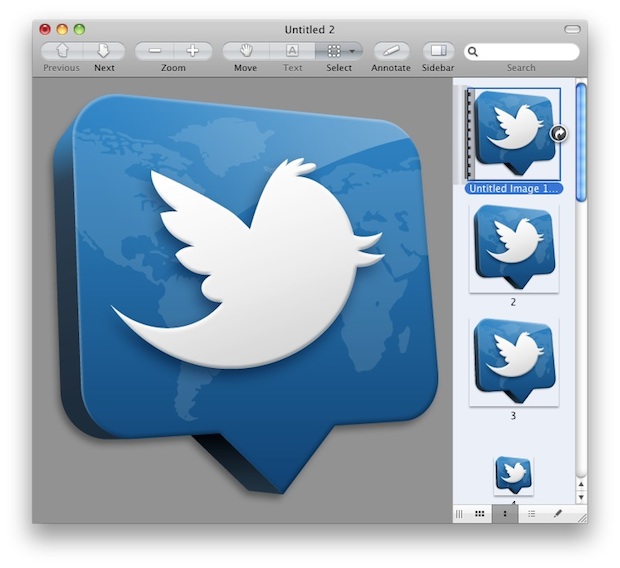
Using the same trick to create a new image file based on clipboard contents, you can extract high resolution icons from any Mac OS X application. Preview is smart enough to extract just the icon and not try to copy the app file itself (like Windows would).
Select any app in Mac OS X Finder and hit Command+C to copy to clipboard
Launch Preview and hit Command+N to create “New from Clipboard” (alternatively, use the File menu)
Save the app icon as an image of your choice
This trick is great because it extracts each size variation of the icon automatically, giving you the full resolution range ranging from the tiny thumbnails up to 512×512 pixels, assuming the developer created an icon at that resolution.
Graphic designers and artists should be particularly fond of this one, as it allows you to easily inspect icons at their full resolution to see how they’re crafted.
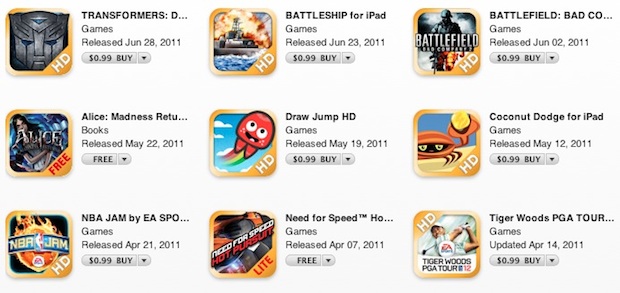
If you’re a gamer don’t miss Electronic Art’s huge iOS game sale this weekend, everything is just $0.99, even their most popular titles. This represents a discount of up to 90% on some titles, and EA says it’s their biggest iOS sale ever. Make it a gaming weekend!
The sale is in celebration of the holiday weekend and goes until July 4. Sims, Mortal Kombat, NBA Jam, Madden, it’s all there, so grab your iPad, iPhone, or iPod touch, and get downloading.








 .
.