How to lock iPad orientation in iOS 4.2

Update: You can now enable the iPad orientation lock switch in iOS 4.3, this is allows you to adjust the side button to be either a rotation lock or mute button. Highly recommended!
The iPad orientation lock used to be controlled by a switch on the side of the device, since iOS 4.2 the orientation lock switch has been changed to a mute switch, which functions just like the iPhone and iPod touch. So now what? What if you want your iPad screen locked into horizontal or vertical mode?
How to Lock Screen Orientation in iPad iOS 4.2
Here is how you lock the iPad screen orientation:
- Hold the iPad in the orientation you want locked (vertical or horizontal)
- Double-click on the Home button at the bottom of the iPad to bring up the task switcher
- Swipe right on the task switcher to bring up the iPod and iPad controls, and the orientation lock button will be located on the left
- Tap on the orientation lock button (see screenshot above) to lock the current orientation in place
- Hit the home button to exit
Locking the screen orientation through software like this is easy once you know how to do it, but from a user experience perspective it can be a little confusing to change the functionality of a hardware button after it’s been established. Just get into the new habit and all will be well.
I want my iPad orientation hardware switch back!
Apple will allow the iPad side switch to be adjustable between either a Mute button or Orientation lock in iOS 4.3, the beta is now available to developers and a public release is expected in March.
In the meantime, you can get the mute button to function as an orientation lock again if you jailbreak your iPad, the app you’d need to install through Cydia is called “NoMute” and returns the mute button to an orientation lock button.

 If you have used


 Want to buy a cheap iPhone refurb? AT&T is the place to be, there are some great sales on refurbed iPhone 3GS and iPhone 4 and each device includes free 2 day shipping. All refurb iPhones require a 2 year contract and a one time $36 activation fee.
 – $19
– $19 and you’ll be good to go.
 Whether or not you can unlock your
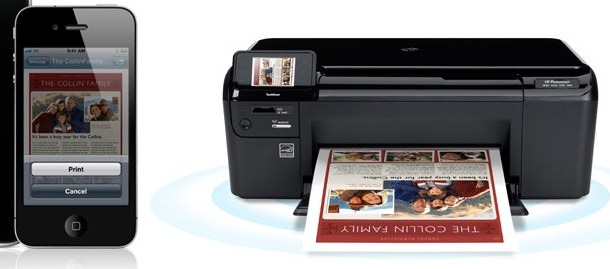
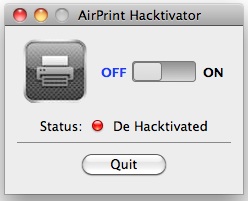 AirPrint is definitely one of the more convenient features of iOS and thanks to a new tool you can turn any printer connected to your Mac or Windows PC into an AirPrint compatible printer.
  If you’re new to the world of jailbreaking and unlocking the iPhone, you might be curious what the difference between an unlock and jailbreak is. Jailbreaking and unlocking are two very different things that are commonly confused by people who are new to the concepts, read on to better understand the differences between the two and to find out which you may want to use.
 A white Cydia icon indicates that Cydia either needs to update or have a tethered boot with the aid of jailbreak software to run. If you have recently used
 Amazon is selling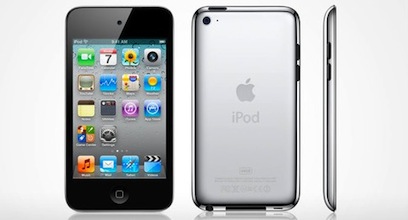

 , follow an iPod touch link and then add both the iPod touch and
  – 10% off retail plus a free $69 speaker dock
 – 7% off retail saves you $15 – get the free
  – save $30 off retail and you get the free
  – this is 92% off of retail of $29.99, plus it includes free shipping
 – 91% off retail and includes free shipping
 – 40% off retail saves you $120, this is one of the best reviewed speaker docks for the iPhone and iPod
 – 20% off retail saves you $30 and gets free shipping
 – 47% off retail
 – 41% off retail
  – 33% off retail
 – 49% off retail
 – 12% off retail
 – 8% off retail
 – 3% off retail