Why Disable The Caps Lock Key When You Can Reassign The Function?
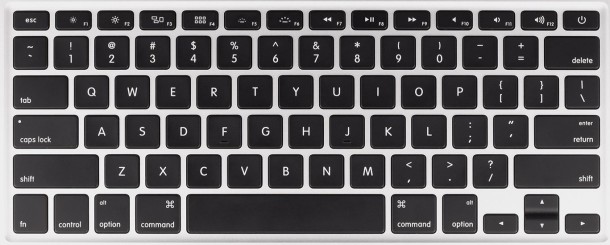
Rather than disabling the Caps Lock key on your Mac, consider a better idea for many users: simply reassign the key to a new keyboard function. This means that if you press the Caps Lock button, instead of initiating THE SCREAMING CAPS LOCK ALL UPPERCASE function, it could trigger something like the Control button, Command button, or Option button. Sound good? I think so to.
It’s easy to reassign the Caps Lock to a new keyboard button function, here’s what to do in all versions of Mac OS X:
- Open the System Preferences app from the Apple menu, and choose the ‘Keyboard’ preference panel
- Select the “Modifier Keys” option and then locate “Caps Lock Key” from the list
- Pull down the menu alongside that and choose another option to reassign the Caps Lock key to a new action; Control, Option, or Command
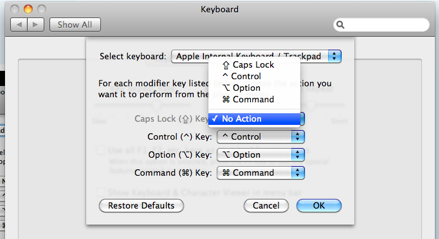
For example, I have a friend who remapped Caps Lock to function as a CONTROL key because it’s easier to press all three buttons at the same time for certain keyboard shortcuts. Of course, you’re free to pick whatever you want as the replacement, but it’s a great consideration that beats disabling the keys functionality entirely – otherwise you’re left with basically a dead key on the Apple keyboard.
If you switch these around, get confused, and decide you want to go back to the keyboard defaults, just click the “Restore Defaults” button to return to normal button functionality.
What do you think? Is this better than disabling the key completely? Or would you rather just lose it?
 Need to migrate all of a Spaces set of windows to another Spaces screen in Mac OS X? Using a simple keystroke you can do just that.
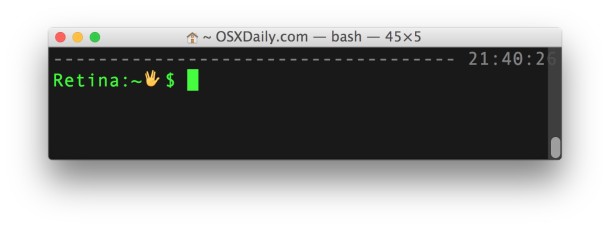
 Shell scripting is wildly useful and a powerful way to manipulate a lot of files and to automate behind-the-scenes tasks in Mac OS X. This guide is intended for Linux users but the Bash shell is also used in Mac OS X, and as far as I can tell everything in this bash shell scripting guide works the same across the two platforms. Before checking out the guide you might want to check what shell you are using in Mac OS X by typing the following in the Mac Terminal:
 will do you wonders.
 Did you read that correctly? Your
  becomes free after 2 years due to it’s energy efficiency. Yea, it sounds ridiculous I know, I didn’t believe it either, but recent Mini owner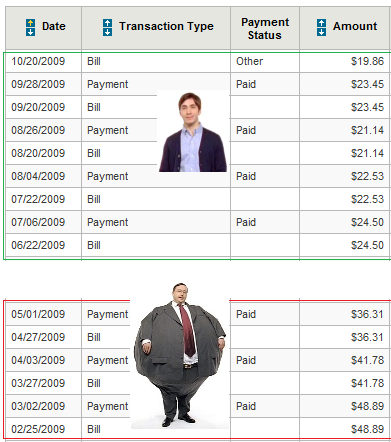
 It really drives me nuts when files can be of the same kind but different type open different apps, I want to open all my images in Preview and all my video files in VLC. You can make Mac OS X open every file of a certain format type with a certain application by changing the file association from the Finder. We’ll show you how to change the file type association in Mac OS X so that you can set file kinds to open all in one application.
 The Lenovo S10 may just be the easiest hackintosh netbook option to run Mac OS X, according to a guide on the site

 On a Windows PC recently I ripped a CD only to find out that it was converted as WMA rather than MP3. In Windows this isn’t a big deal, you just open the files in iTunes as usual, but I wanted them on my Mac, easy right? Well for some reason Apple doesn’t allow Mac iTunes to convert WMA files to MP3 audio so I was a bit frustrated, to make matters worse a typical google search will net you a ton of ancient apps that like to crash a lot, or ones that try to charge you some-odd dollars to convert an audio file… forget that!