Customize

Search Customize

14 Beautiful New Wallpapers from Mac OS X Lion Dev Preview 3

May 13, 2011 - 26 Comments
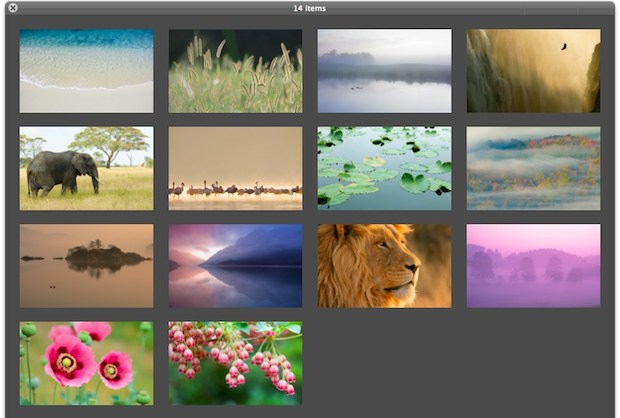
14 Beautiful New Mac OS X Lion Wallpapers

Mac OS X Lion Dev Preview 3 was just released to developers and along with it came a new bunch of beautiful high-res wallpapers at 3200×2000 resolution. You can download all 14 wallpapers in a zip bundle from Mediafire Here’s a few to see, but you’ll need to use the above download link to get … Read More

New Mt Fuji Wallpaper in Mac OS X Lion Developer Preview 2

Apr 2, 2011 - 30 Comments

Mac OS X Lion Developer Preview 2 has a new version of the default Mt Fuji wallpaper. The new picture shows some clouds in the foreground and the mountain itself has a bit less snow on it, creating less of a contrast. As usual for Apple’s default desktops, it’s absolutely beautiful, and it makes a … Read More

8-Bit Pixelated Mac OS X Aurora Wallpaper

Mar 29, 2011 - 8 Comments

Are you bored with the Mt Fuji and Space wallpapers from Lion? Try out this 8-bit rendition of the default Mac OS X Snow Leopard Aurora wallpaper. OK so it’s probably not quite 8-bit in terms of colors, but the pixelation brings back that retro feeling. Combine it with PixelSafari and you’ll be wishing you … Read More

iOS Water Drops Wallpaper for the Desktop (Plus, iOS 4 Default Wallpaper)

Mar 20, 2011 - 6 Comments

The default iOS 4 water droplets wallpaper is beautiful, but it doesn’t easily stretch to a desktop resolution. No big deal, some crafty Photoshop work from DeviantArt has created this massive 2560×1440 version that closely resembles the default background on new iPhones and iPads.

Mac OS X 10.7 Lion Space Wallpaper

Feb 26, 2011 - 12 Comments

You guys asked for it, so here it is; the awesome space galaxy wallpaper from Versions in Mac OS X 10.7 Lion Developer Preview. Click here or the image above for the full 1920×1080 version. If you’re wondering, the original filename is “NSRevisionsBackground.png” and it’s from the Versions package, unlike the Mac OS X 10.7 … Read More

Customize the Mac Login Screen Easily with Ravissant

Jan 3, 2011 - 12 Comments
Retro rainbow Apple logo

If you want to customize your Mac OS X login screen but don’t feel like getting your hands dirty mucking around in system files the old fashioned way, check out a free app called Ravissant.

Triple boot Mac, Windows, and Linux, with rEFIt without using Boot Camp

Sep 22, 2010 - 3 Comments

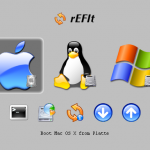
If you’re looking for a solution to triple boot Mac OS X with Linux and Windows without using Boot Camp, you can do this using a third party boot menu called rEFIt (get it? re-EFI-it? rEFIt?? Alrighty then). rEFIt works very well and, upon boot, you’ll discover a nice menu like the above screenshot on … Read More

Change the Expose Highlight Glow Color on Mac

Aug 30, 2010 - 6 Comments

Expose is one of the most useful features of Mac OS X and it looks great too. Well, except for the window glow color, which a lot of people aren’t particularly thrilled with. You can replace the bright neon blue hover glow with any other color simply by editing and replacing some PNG files.

How to Add a Trash Icon to the Desktop of Mac OS X

Jul 29, 2010 - 14 Comments
Mac OS X trash can icon

Long ago in a time far far away, OK really it was just prior to Mac OS X, there used to be a Trash icon on the Desktop. Yup, earlier versions of Mac OS didn’t have a Dock at all, and the Trash was just another item on the desktop, sitting in the bottom right … Read More

Customize the Mac Finder Window Background

Jun 28, 2010 - 22 Comments

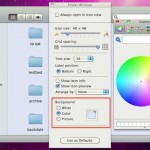
Did you know that you can customize the backgrounds of any Finder windows in Mac OS X? This is a nnice way to customize the appearance of your Mac a bit, and you can either choose images or colors, or go with the default setting of a simple white background. In the screenshot above, the … Read More

Make Hidden Application Icons Translucent in the Dock of Mac OS X

Jun 22, 2010 - 19 Comments
Finder icon on the Mac

One of the more interesting little known Dock modifications on the Mac is the ability to make hidden app icons appear as translucent and muted in the Dock to indicate their hidden status. If you look carefully at the screenshots of the Mac Dock in this article you’ll see the effect, as some of the … Read More

How to Remove the Google Background Image

Jun 10, 2010 - 41 Comments

Ok so anyone that uses Google has probably noticed by now that you can change the background image of Google.com and set it to something you’d like. Today though people are finding a surprise; whether they set an image or not the Google background picture has changed!

Enable Single Application Mode in Mac OS X

Jun 7, 2010 - 1 Comment
Single Application Mode in Mac OS X

Single Application Mode is an interesting feature of MacOS and Mac OS X that is often misunderstood, we’ll discuss what the feature is, how it works, and how to enable it on your Mac running nearly any version of Mac OS still in use, whether that’s macOS 12, 11, 10.6, 10.7, 10.8, or newer.

Switch Mac Function Keys to Work as Standard Function Keys

May 12, 2010 - 13 Comments

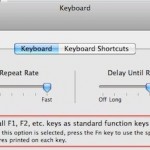
I’ve always preferred the way the original MacBook and MacBook Pro’s handled the function keys, in particularly the way F9, F10, and F11 are used to enter into Expose and Mission Control. For a while now the function keys have changed, they default to playing music, adjusting keyboard backlighting, and adjusting volume levels, I like … Read More

How to Hide or Remove Icons from the Mac Desktop

Apr 14, 2010 - 10 Comments

You can really clean up your Mac Desktop by hiding all the hard disk and drive icons that appear by default on it. This is a settings choice that makes it so when you connect a new drive to the Mac, it won’t show up on the desktop, but it will be visible from a … Read More

TotalFinder Adds Tabbed Windows to the Mac OS X Finder

Mar 9, 2010 - 7 Comments

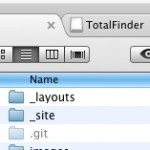
I love tabbed windows and I use them everywhere I can, whether instant messaging in iChat to hoarding sites in Safari. Now you can get tabbed windows in Mac OS X’s Finder! TotalFinder is a really cool app that brings full tab functionality to the Mac desktop, allowing you to not only create tabs of … Read More

Change the Mac Login Screen Background in Snow Leopard

Jan 25, 2010 - 8 Comments

You can change the Mac OS X login screen background picture using a few different methods. We have covered this tip before but it was based around a few Terminal commands that might not be easy to follow for the average Mac user without command line experience. With that in mind, here are ways to … Read More

Add 24 Hidden Visual Effects to Photo Booth & iChat in Mac OS X

Dec 7, 2009 - 8 Comments

With a little bit of hacking and modification, you can add up to 24 additional visual effects to iChat video conferencing and Photo Booth! A reader pointed out this very cool Mac OS X mod and if you like to play around with Photo Booth or iChat effects it’s worth the effort, since it gives … Read More

Subscribe to OSXDaily

Subscribe to RSS Subscribe to Twitter Feed Follow on Facebook Subscribe to eMail Updates

Tips & Tricks

News

iPhone / iPad

Mac

Troubleshooting

Shop on Amazon to help support this site