Run a New Terminal Command Directly from the Dock on Mac
Jan 24, 2022 - 2 Comments

Need to run a Terminal command as fast as possible? You can do so right from the Dock with this neat trick for Mac.

Need to run a Terminal command as fast as possible? You can do so right from the Dock with this neat trick for Mac.

Looking for a way to browse the web without having to delete your browsing history every now and then? If so, you may be interested in taking advantage of a privacy-oriented browser feature called Incognito mode that’s available on Google Chrome. It’s accessible on all platforms including iPhone, iPad, and Mac, and it’s easy to … Read More

Setting a timer on the Mac is pretty easy, though you’ll be forgiven if you assumed there would be a dedicated timer feature within the clock app of MacOS, as there is in the iOS and iPadOS world. It turns out that a timer functionality is not yet part of the clock app or clock … Read More
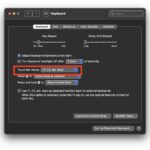
If you’re a Mac user with a Touch Bar equipped MacBook Pro, you may be wondering how to show the F keys, or function keys, like F1, f2, f3, f4, f5, f6, f7, f8, f9, f10, f11, or f12 on the Touch Bar. As you likely know, by default the Touch Bar screen changes all … Read More

Apple has issued the second beta build of macOS Monterey 12.2 to users participating in the beta testing programs for system software for the Macintosh. There are no obvious major changes or features in macOS Monterey 12.2 beta 2 as of yet, so it’s assumed the release will focus on fixing bugs, issues, and problems … Read More

Disappointed you can’t use Sidecar on your Mac and iPad? Thanks to Free-Sidecar, you can expand Sidecar compatibility to additional iPad and Mac models that are otherwise not officially supported by Apple for the feature. Sidecar is one of the most useful features for Mac and iPad users, allowing an iPad to serve as an … Read More
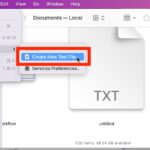
If you’re coming to the Mac from the Windows world, you may be wondering how you can quickly create a text file in a folder in MacOS. In Windows, you can simply right-click and choose to create a new text file in whatever directory you’re located in, so how can you do something similar on … Read More

Content Caching is a unique Mac feature that can be extremely useful if you have several Apple devices in your home. It can be used to save your internet data, speed up downloads, and even iCloud data access, by caching things like iOS, macOS, or iPadOS software updates on the Mac, which then get distributed … Read More

If you’ve owned a variety of Apple devices over the years, you may eventually get to a point where you have sold, handed down, or traded away some of those older Macs, iPhones, iPads, or other Apple hardware. Whatever the situation, once a device is no longer in your possession, you should remove the devices … Read More

If you’re looking for a great no-nonsense RSS reader for your iPhone, iPad, or Mac, then you’ll find NetNewsWire is an excellent choice. You can add as many RSS feeds as you’d like, and scanning through them is easy no matter what device you’re using. And if you’re on an iPhone or iPad, you can … Read More
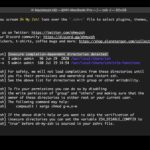
If you recently installed Oh My Zsh or updated a Mac running Oh My Zsh, you may encounter a large error message screen upon launching new terminal windows. The error usually states “Insecure completion-dependent directories detected”, and showing a series of /usr/local/share/zsh/ directories whose permissions zsh considers insecure. There are two choices to deal with … Read More

Did you receive an Apple Gift Card from one of your friends or family members? Some of you may not be sure how to redeem and start using an Apple Gift Card from a Mac, but don’t worry, we got you covered. It’s actually pretty simple.

Making FaceTime calls from a noisy room has been challenging for many iPhone, iPad, and Mac users. Thankfully, Apple has implemented a software trick to block out all the ambient noise to improve the audio quality of FaceTime conversations. Read along and we’ll show you how to remove background noise during FaceTime calls on your … Read More

Have you ever wanted to share a paid app with a family member? If so, you’ll be excited to know about the Family Sharing feature that allows you to share your purchased apps with multiple people at the same time. You can share purchases with this feature, right from your Mac.

The display notch on the new MacBook Pro has been somewhat controversial with occasional odd behavior, but rather than try to hide the Notch through creative wallpaper tricks or using a dark menu bar, the amusing Notchmeister app decides to do the complete opposite by emphasizing and decorating the Notch. You can hang Christmas lights … Read More

Need to check the sha256 hash of a file? You can easily check the SHA 256 checksum of any file in macOS from the command line. We’ll cover two different command line tools to verify a sha256 checksum on the Mac, and both come preinstalled with all modern versions of MacOS.

Apple’s two-factor authentication system adds an extra layer of protection to your Apple account and ensures that only you have access to your account, even if your password gets leaked in a data breach. For security reasons, it’s a good idea to set up two-factor authentication if you haven’t already. But what if you’re using … Read More
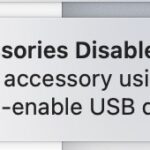
Some Mac users may see a “USB Accessories Disabled” error message when using their computer. This is often encountered with a USB-C hub that has many devices attached to it, but it can also occur when a Mac has connected an external USB drive, disk, camera, keyboard, controller, USB-C power cable, or other device to … Read More




