safari

Search safari

Save an Audio or Video File Directly from the Media Viewer in Safari

Jun 11, 2014 - 11 Comments

Save an audio or video file from Safari in Mac OS X

Many Safari users have noticed that when trying to save a raw audio file or video file that is loaded directly from the web within Safaris media viewer tab or window, the “Save As” default option will bring about a ‘.webarchive’ file – not exactly the multimedia file that users are looking to save. This … Read More


Use Safari Reader Mode for Improved Mobile Web Browsing & Reading on iPhone

May 29, 2014 - 9 Comments
Use Safari Reader on an iPhone

Safari Reader mode simplifies the appearance of web pages by attempting to render only a pages primary article text into a minimalistic focused view. This can be helpful when reading much of whats found on the web on any iOS device, but it’s particularly useful on the iPhone since many websites don’t have an optimized … Read More

See a “Flash Out-of-Date” Message in Safari on Mac? Here’s How to Fix That

May 17, 2014 - 20 Comments
Flash Out-of-Date in Safari for Mac OS X

Mac users who primarily browse the web with Safari will eventually notice the “Flash out-of-date” message appearing somewhere in the browser. This happens because the Mac will intentionally disable the Flash player plugin when it has become outdated, preventing any potential security breaches from occurring. As you probably guessed, this just means you need to … Read More

How to Disable Push Notification Requests in Safari for Mac OS X

Apr 28, 2014 - 7 Comments
Push Notifications in Mac OS X

Push Notifications sent to Safari in Mac OS X are generally thought of as really great or really annoying, depending on user opinion. If you’re in the latter crowd that finds Safari Push Notifications to be a nuisance, you can now set Safari in Mac OS X to never allow websites to ask for permission … Read More

Use Shared Links in Safari for iOS as a Simple News Reader

Apr 23, 2014 - Leave a Comment
Shared Links on Twitter in iOS Safari

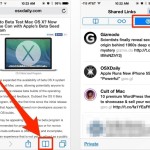
Twitter integration is pretty deep throughout OS X and iOS with the sharing abilities and various uses of Siri, but another often overlooked Twitter feature is part of Safari and called “Shared Links”. Put simply, Shared Links can be thought of as an extension of the handy Reading List feature of iOS and OS X, … Read More

Go Forward & Backward in Safari Browsing History with Swipes in iOS

Mar 28, 2014 - 1 Comment
Go backwards with a swipe left to right gesture in Safari for iOS

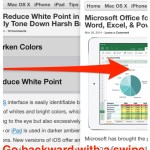
If you’re a fan of using gestures for navigation, you’ll be pleased to know that you can navigate browser history in Safari for iOS (versions 7+) by simply swiping back and forth. This basically functions as an alternative to the traditional Back and Forward buttons in Safari, allowing for quick swipes to go forward or … Read More

Fix a “Safari Can’t Verify the Identity of the Website…” Error Message

Mar 26, 2014 - 39 Comments
Safari can't verify identity of the website error

While Safari usually works just fine for browsing the web, there are times you may encounter a persistent error message about verifying the identity of a particular website. The precise error message may read something like this, and appear on almost any site, where “URL” is a variety of domains: “Safari can’t verify the identity … Read More

How to Preview a Link URL in Safari for iPhone & iPad Before Opening It

Feb 20, 2014 - 4 Comments
Preview a URL in Safari for iOS before clicking it

How many times have you been reading an article on the web when you tapped on a link that sent you somewhere you weren’t expecting? Maybe it was to an article that wasn’t anticipated, or maybe it was to another website entirely. Sometimes we just want to know where we’ll be going before going there, … Read More

Play Nintendo Games on the iPhone from Safari & Web NES Emulator

Feb 17, 2014 - 12 Comments
WebNES for iPhone plays Nintendo games

iPhone and iPad users have long wanted Nintendo games to come to the iOS platform, but thus far Nintendo has stayed away from releasing native games for any Apple hardware. That hasn’t stopped enthusiasts from figuring out ways to play Nintendo classics on their iPhones though, which typically that entails jailbreaking a device then installing … Read More

How to Enable “Do Not Track” in Safari on iPhone & iPad

Feb 12, 2014 - 1 Comment
Safari Do Not Track in iOS

iPhone and iPad users have the option to enable a “Do Not Track” setting on their iOS devices for Safari, a feature that is aimed at limiting targeting and tracking of web browsing behavior by various web services. When turned on, this causes Safari to make a DNT request to each page it visits for … Read More

Block Specific Web Sites in Safari for iOS with a “Never Allow” List

Feb 10, 2014 - 12 Comments

The optional iOS Restrictions settings provides a way to limit access to adult themed websites from Safari on an iPhone, iPad, or iPod touch, but for some purposes those default restrictions may not go far enough. For those looking to gain additional control over web access, users will find that individual websites can be added … Read More

How to Stop Web Site Push Notifications in Mac OS X

Feb 3, 2014 - 7 Comments
Notifications

Many websites are using push notifications to send updates and alerts to Mac users. These alerts are signed up for through Safari, and then arrive as banners appearing briefly on the desktop, then fade away to sit in the Notification Center of Mac OS X until they’ve either been cleared out or addressed manually. If … Read More

How to Block Cookies in Safari for iPhone or iPad

Jan 17, 2014 - 4 Comments
Safari

The Safari web browser for iOS provides for tremendous user control over how web cookies are handled on an iPhone, iPad, or iPod touch, allowing users to choose to block all cookies, allow all cookies, or selectively block only third party tracking and advertiser cookies.

Instantly Close All Safari Tabs in iOS 7 for iPad & iPhone

Jan 10, 2014 - 4 Comments
Close All Tabs in Safari for iOS

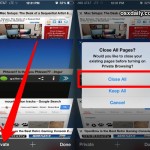
Users of the Safari web browser in the iOS world probably already know that you can close a single browser tab with either a tap of the (X) button, or by swiping the tab away to the left of the screen on the iPhone or iPad. But what if you have a whole bunch of … Read More

Fix Many Common Safari Issues in Mac OS X with a Simple Reset

Jan 9, 2014 - 45 Comments
Safari

Web browsers generally work fine on the Mac, but every once in a while Safari in OS X will misbehave in some way or another. The most common of these issues encountered are typically things like random pages inexplicably being inaccessible or displaying oddly, stale cache being delivered (in normal person terms, that means an … Read More

Store Credit Cards Securely in Safari AutoFill on Mac

Jan 8, 2014 - 4 Comments
iCloud Keychain Credit Card storage and autofill

Do you use the Safari browser and shop on the web often from a Mac with Mac? If so, you can greatly speed up your checkouts and online ordering by storing credit cards securely within Safari’s AutoFill Keychain. This makes it possible to instantly autofill card information when ordering on any site, and if you … Read More

Access Top Level Domain (.com .net .org) Shortcuts in Safari for iOS 7

Dec 26, 2013 - 3 Comments
Access Top Level Domains in Safari with shortcut trick

The keyboard in Safari long had a convenient “.com” button, which made going to websites quicker, and if held down revealed more TLD (Top Level Domain) choices, like .net, .org, .edu, and .us. As many have noticed, that “.com” button is missing from iOS 7… at least upon first glance. It turns out there still … Read More

How to Enable Flash Plugin for Specific Web Sites Only in Safari for Mac OS X

Dec 18, 2013 - 7 Comments
Block or Allow Flash Player selectively per website

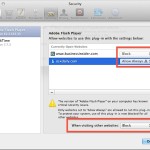
Safari now provides finely tuned controls over what websites can use which browser plugins, and there are few better uses for such a feature than selectively limiting the Adobe Flash Player plugin to only be enabled for specifically approved websites. Basically this means you can have the Flash player installed on your Mac, but blocked … Read More

Subscribe to OSXDaily

Subscribe to RSS Subscribe to Twitter Feed Follow on Facebook Subscribe to eMail Updates

Tips & Tricks

News

iPhone / iPad

Mac

Troubleshooting

Shop on Amazon to help support this site