Security

Search Security

How to Prevent Gatekeeper Turning Back On Automatically in Mac OS X

Nov 5, 2015 - 15 Comments
Terminal in macOS

Gatekeeper is a security feature built into Mac OS X which helps to prevent unauthorized applications and code from executing on a Mac. Most users have encountered Gatekeeper before when they go to open an application downloaded from the internet, where you see an “App can’t be opened because it is from an unidentified developer” … Read More

How to Use “Secure Empty Trash” Equivalent in OS X El Capitan

Oct 12, 2015 - 49 Comments
Secure Empty Trash equivalent in OS X

Many Mac users have noticed that the Secure Empty Trash feature has been removed in OS X El Capitan (10.11 or later), the reason the feature was removed is basically because it did not work all the time, but more on that in a moment. First, let’s cover how you can perform the equivalent of … Read More

How to Disable System Integrity Protection (rootless) in Mac OS X

Oct 5, 2015 - 80 Comments
Enable or Disable System Integrity Protection Rootless in Mac OS X

Apple has enabled a new default security oriented featured called System Integrity Protection, often called rootless or SIP, in Mac OS from versions 10.11 onward. The SIP / rootless feature is aimed at preventing Mac OS X compromise by malicious code, whether intentionally or accidentally, and essentially what SIP does is lock down specific system … Read More

How to ‘UnTrust’ All Computers from iPhone & iPad

Aug 26, 2015 - 11 Comments
How to reset the Trust This Computer alert in iOS

When you connect an iPhone, iPad, or iPod touch to a computer, you’ll see a familiar “Trust This Computer?” pop-up on the iOS device screen with two options “Trust” and “Don’t Trust”. If you intend to use the computer with the iOS device users will tap on “Trust”, which gives the computer access to the … Read More

Siri Can Call Emergency Services For You with iPhone if Need Be

Jul 17, 2015 - 18 Comments
Call Emergency Services with Siri an iPhone if need be

Obviously nobody wants to be in an emergency situation, but if the need ever arises, Siri can come to your aid with a quick ability to dial the local emergency service line, and it works practically wherever you are in the world with the iPhone so long as it has a cellular connection. There’s not … Read More

Find Detailed Wi-Fi Connection History from Command Line of Mac OS X

Jun 3, 2015 - 12 Comments

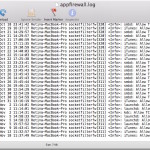
There are some situations where knowing exactly what wireless networks a Mac has connected to and when that connection was last established can be helpful. We’ll demonstrate how to uncover a comprehensive listing of specifics about previously joined wi-fi networks on a Mac, which will include the last connection date and time (to the second!), … Read More

How to Stop Using an iCloud Password to Unlock a Mac

May 23, 2015 - 15 Comments
Use iCloud (Apple ID) as a Mac Login

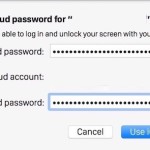
When a user sets up a new Mac, there is a helpful option to use an iCloud ID and Apple ID to login and unlock the Mac. Users can also choose at any time to have their iCloud ID as their login for OS X too. While this is undoubtedly a helpful feature and it … Read More

Safari 8.0.6, Safari 7.1.6, & Safari 6.2.6 Released for Mac Users

May 6, 2015 - 13 Comments
Safari 8.0.6 update

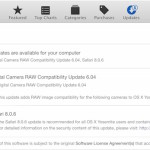
Apple has released a series of security updates for the Safari web browser, versioned as 8.0.6 for OS X Yosemite, Safari 7.16 for OS X Mavericks, and Safari 6.2.6 for OS X Mountain Lion. Release notes accompanying the small update mention that it “contains improvements to security”, making it recommended for all Mac Safari users … Read More

How to Disable Gatekeeper from Command Line in Mac OS X

May 4, 2015 - 22 Comments
Gatekeeper warning in Mac OS X prevents unknown apps being launched

Though most Mac users will want to keep Gatekeeper enabled for security purposes, some advanced users find that Gatekeeper is overly zealous in preventing third party apps from being used in macOS and Mac OS X. While it’s easy to turn off Gatekeeper through the System Preferences on a Mac, another option is to disable … Read More

Fix an “Unapproved Caller” SecurityAgent Message in Mac OS X

May 3, 2015 - 40 Comments
Finder of Mac OS X

Rarely, Mac users may encounter a random error message which appears somewhat disconcerting, with an OS X pop-up message saying “Unapproved caller. SecurityAgent may only be invoked by Apple software.” This message can appear at random when using certain apps, or after logging in or a reboot, and is sometimes followed by crashing and other … Read More

How to Read .cap Packet Capture File on Mac OS X with tcpdump

May 1, 2015 - Leave a Comment

Whether performing a packet trace or sniffing and capturing packets from a network, the result is usually the creation of a .cap capture file. That .cap, pcap, or wcap packet capture file is created regardless of what you’re using to sniff a network, a fairly common task among network administrators and security professionals. Perhaps the … Read More

How to Use iCloud Password to Login & Unlock Mac OS X

Mar 24, 2015 - 20 Comments
Use iCloud (Apple ID) as a Mac Login

Rather than remembering a separate password and set of login information for unlocking a Mac, OS X offers the option to use an iCloud password to login to the computer at boot, reboot, authentication, locked screens, and all login windows instead. This is a helpful feature for users who like to keep things simple and … Read More

How to Join a Hidden Wi-Fi Network with No Broadcast SSID from iOS

Mar 18, 2015 - 11 Comments
Connect to a hidden wi-fi network in iOS

Hidden wi-fi networks are becoming more common as network administrators look for additional measures to secure wireless connections. Hiding the network functions as a means of security by obscurity, but the main user-side issue with a hidden Wi-FI network is that the routers SSID is not broadcast which can make it difficult to find for … Read More

How to Change the Root User Account Password in Mac OS X

Mar 8, 2015 - 13 Comments
Login as root user in Mac OS X

Some advanced Mac users require having the root user enabled in Mac OS X for administrative or troubleshooting purposes. While many will keep the root user account password the same as their general administrator password, this is not always recommended for some situations, and thus these Mac users may wish to change the root user … Read More

Fix for Mac Randomly Asking for Password to iCloud, FaceTime, Messages

Mar 4, 2015 - 90 Comments
iCloud

A notable amount of Mac users have discovered that a random Mac OS X password popup window can appear from iCloud, FaceTime, or Messages, any of each asking for the respective iCloud password. The random password request is very non-specific and just has the logo, “iCloud Password – Please enter your password for email@address” with … Read More

How to Enable & Disable root User from Command Line in Mac OS X

Feb 19, 2015 - 7 Comments
Terminal in macOS

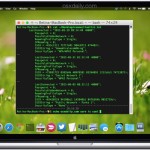
Though most advanced Mac users will find it easiest to enable root with Directory Utility from the GUI of Mac OS X, another option is to turn to the command line. No, we’re not talking about using sudo or su, we’re talking about enabling the actual root user account, which can be appropriate for some … Read More

How to Remove a Password from a PDF File in Mac OS X

Feb 17, 2015 - 26 Comments
Unlock the protected PDF to remove the password

Many users who send PDF documents with sensitive data back and forth will password protect the files from their Mac so that only authorized users can read and access the data contained within the document. This is fairly common with everything from contracts to accounting and financial records, and it’s equally common to sometimes require … Read More

How to Hide a Specific User Account from Login Screens of Mac OS X

Feb 1, 2015 - 15 Comments
Hide a specific user account in Mac OS X

Mac users who have multiple user accounts on a single machine may sometimes wish to hide a specific user account from appearing on the login screens of OS X. This is fairly common for systems administrators who want to hide an admin account that can be used for direct or remote troubleshooting, but it can … Read More

Subscribe to OSXDaily

Subscribe to RSS Subscribe to Twitter Feed Follow on Facebook Subscribe to eMail Updates

Tips & Tricks

News

iPhone / iPad

Mac

Troubleshooting

Shop on Amazon to help support this site