
GLTerminal – Retro Terminal Simulator Updated for Mac OS X Leopard
 I’ve been on a bit of a retro and minimalism kick lately, preferring simplified apps that take me back to the good old days of BBS’s and 2400bps modems (ok maybe not the modems), and when I saw that GLTerminal has a new release I was pleased since I can finally run it in a modern version of OS X. It’s basically just a Terminal replacement that uses GL to create the appearance of an oldschool terminal, complete with monitor curvature and all. Everything else works as it should, so if you’re looking for a fullscreen old school alternative for Terminal, or just want something fun to work in for a while, try out GLTerminal.
Developer home
Download GLTerminal now
Still not convinced? Check out this screenshot below, it will make your Mac look like it’s in 1986!
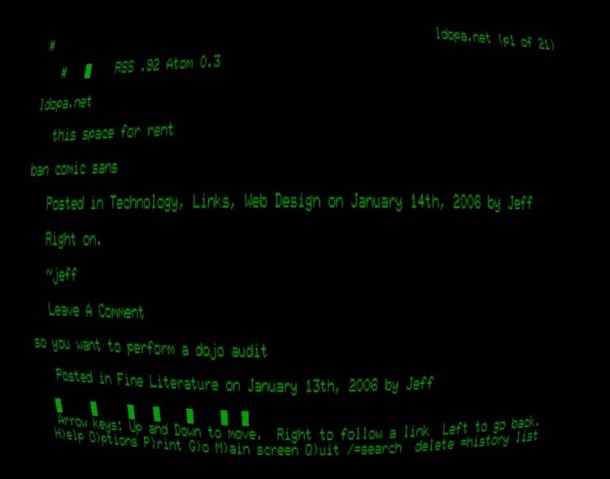
Note: a reader pointed out that if you disable the display curvature, you can use this app to have a high resolution full screen Terminal to work in, something that the default OS X Terminal app does not provide.
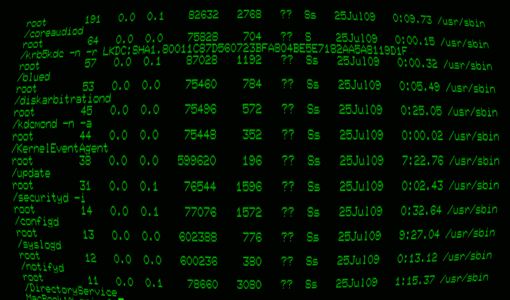






it crashes on Snow leopard.
If all you want is just a full-screen terminal, then iTerm might do the trick quite nicely. That said, I would really like to have something like terminator from tenshu.net natively on a mac, splitting the terminal window into many shells etc…
This is great! I’d love a universal version though. I’d rather not install Rosetta if I don’t need to on my shiny new 10.6 intel machine. Cheers!
Tried this again, between 10% & 20% now, bit better but still a bit high for a term program.
Tried this, great geek value and was planning to use it but when i done a top command on it noticed that it was taking 70% cpu!
the only reason I downloaded this app is so I could run terminal full screen, why doesn’t apple allow that in their terminal utility?
the funky curviture settings are weird so you can just turn all that off and have a nice full screen high resolution terminal window to geek out in, very cool