
How to Rearrange the Apple TV Home Screen Icons
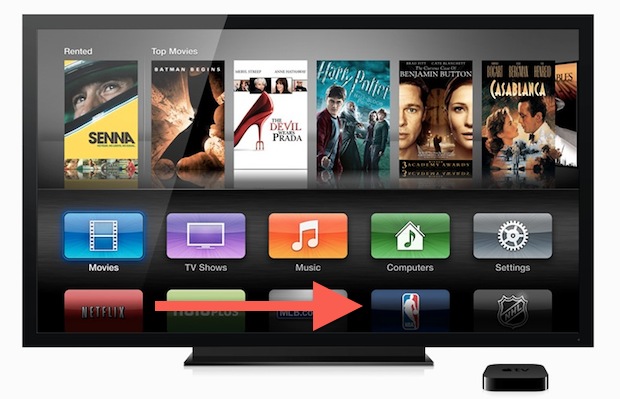
Want to change what app icons show where on Apple TV? That’s now simple to accomplish.
If you’ve always wanted to change how your Apple TV home screen icons where arranged, you’ll be happy the feature has arrived. Indeed now you can arrange the majority of other tvOS icons just by doing the following with your remote on Apple TV:
How to Move Apple TV App Icons on Screen
- Select the icon to move, then press and hold “Select” to make the icons jiggle
- Use the remove to move the selected icon to it’s new placement
- Press the Select button again to finish and stop the jiggling
Repeat as desired for other icons to move them as you’d like them to be, according to your use.
Though customizing the icon placement may seem like a minor feature, it feels like an obvious step in the direction of importing even more features from the iOS world to the Apple TV OS builds, perhaps with an eventual merging of the two.
This capability has been around for a long time, persisting in tvOS 13 and later, but it was first introduced all the way back in Apple TV 5.1 update. In the earlier versions, some app icons were locked in place like Movies, TV Shows, Music, Computers, and Settings.
Thanks to MacWorld for reminding us of the trick.






Moving icons is one thing, but to remove useless icons, like Hulu Plus, is another. Apple lets you remove icons by using the parental controls panel:
Settings/General/Parental Controls