
Mac Error: “Operation can’t be completed because another operation is in progress” – What it Means and How to Fix It
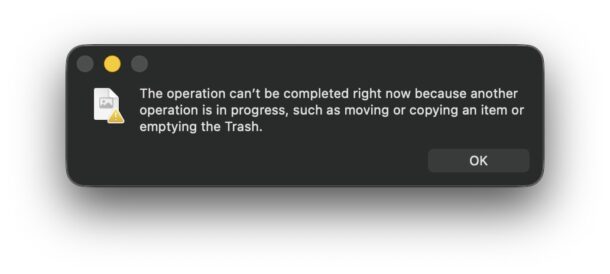
Usually the MacOS Finder does things quietly in the background as you use the file system manager, but from time to time you might see an error message or other alert popup. One such alert message that might appear suddenly and cause some alarm says this:
“The operation can’t be completed right now because another operation is in progress, such as moving or copying an item or emptying the Trash.”
This error message can be particularly confusing because it’s not particularly helpful or specific, especially if there’s nothing meaningful going on in Finder.
If you encounter this error message, you might want to know why the message appears, and what can be done about it.
Why you might see this error message and what it really means
Finder will not allow two conflicting operations to happen at the same time. For example, copying and deleting of the same file, or modifying a file that is being copied, or renaming and batch renaming the same files, or attempting to delete an active Time Machine backup folder, or similar operations.
Typically if you see this error message, that means Finder believes there is still some task or process going on with the file or folder you are attempting to interact with.
A stalled of paused Finder operation will often trigger this error message, even if nothing is perceptible to you, the user, except for the error message. This is particularly common with large file copies and transfers, slower drives being written to or accessed, accessing or using a network share, Trash operations are still ongoing, and much more.
Occasionally, you might see this error message if your disk space is running very low as well, since that often causes sluggishness and stalling in Finder as well, which can also trigger this problem.
How do you fix this problem?
The best thing to do is let Finder finish its task, whatever it might be.
If you’ve been performing a lot of intensive activities within Finder, like many searches and batch renaming or copying of files, that very well could be what is holding things up and must complete first.
The error message rarely persists for too long, but if you do see it after you know all file modifications have long ago completed, then you can always restart your Mac too, which should resolve the issue triggering the error completely.
The best thing to do moving forward in order to avoid triggering the same error again is the following; avoid interrupting large file copies and relocations, do not interrupt other active Finder tasks like renaming or moving, always eject external drives properly, let the Trash complete its emptying before interacting with Finder again, and make sure that you have enough disk space available too since low storage capacity can trigger Finder stalling and sluggishness as well.