
XNULinux Runs macOS 27 on Linux, Without a Virtual Machine
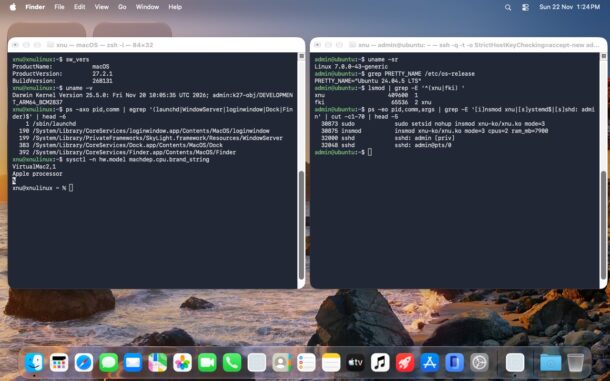
XNULinux is an interesting new project that loads Apple’s XNU kernel directly into the Linux kernel as a loadable module, allowing you to have a fully operational MacOS desktop running alongside Linux on the same hardware.
For a long time, if you wanted to run MacOS in a non-traditional setting, you’d be going the virtualization route, or the Hackintosh route, which allowed certain PC builds to run a modified MacOS. But now there’s another emerging option in XNULinux, and it doesn’t rely on virtualization at all.
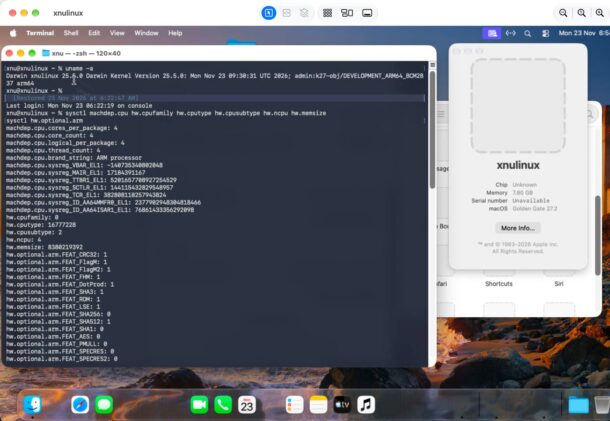
The XNULinux project is open source and available on Github as an experimental implementation, aimed at advanced users, where MacOS Golden Gate 27.2.1 will load a fully working desktop, including Finder, Dock, Spotlight, Safari, and the typical MacOS components and apps that make up the Mac experience. It’s not ready for general users yet, but it’s potentially aiming that direction in time.
This project is certainly worth paying attention to, and could be a compelling option for Linux users out there. If you want to give it a whirl yourself, check out the project below on Github, where you can find more technical information, system requirements, build instructions, and more:
And yes, the MacOS desktop can SSH directly into the underlying Linux host, and access it through network connections.
If you want to try it yourself, general requirements are:
- Linux proficiency
- ARM64 Linux host with pointer authentication support
- Linux kernel using 4KB memory pages
- 16GB+ RAM
- Mac with Xcode for building the MacOS system disk and GPU components
- An existing MacOS 27 installation created using Apple’s installer (you can download any MacOS installer here)
XNULinux is currently very much a developer focused project, so it’s not yet at the point where more casual or curious users can simply install MacOS on Linux with a click or few. But you never know, as the project progresses, setup will likely get better and better, and maybe at some point installing MacOS on Ubuntu Linux will be as easy as installing any other package?
Cheers to the XNULinux github page for the screenshots provided here, as I do not have a Linux machine readily available to test this out myself.