
HomeView 27.2.1 Update Released with Bug Fixes
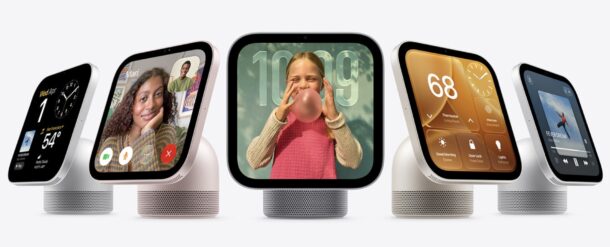
Apple has released a software update for HomeView that includes multiple bug fixes, versioned as HomeView 27.2.1. The update is recommended to install now for all HomeView users, as it may resolve some of the common problems experienced with the device thus far, including issues with Siri requests failing, and where using a shared album on the Photos face can cause Siri to become unavailable.
You can update HomeView in the same way that you update HomePod from the Home app on Mac, iPhone, or iPad, here’s how it works:
How to Install HomeView 27.2.1 Update
- Open the “Home” app
- Choose the (…) button in the corner
- Choose “Home Settings”
- Choose to Update for HomeView specifically, or Update All to update all devices with updates available to them
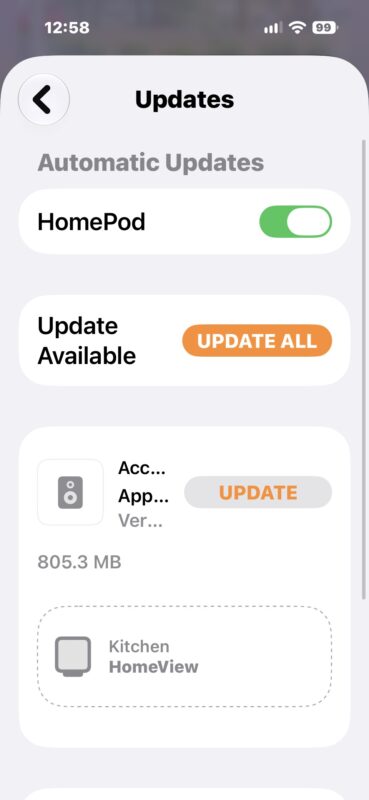
HomeView will download and install the update, and restart on its own.
You can also install updates directly through the HomeView itself by going to Settings > System > Software Update.
HomeView will also attempt to install updates automatically on its own, but that may happen later than you’d like, as automatic updates often occur overnight, so there’s incentive to install them manually right away.
Release notes for the HomeView 27.2.1 update are as follows, found via X as they are not yet on Apple’s website, nor are they included in the download itself:
This update provides important bug fixes for your HomeView, including fixes for the following issues:
– Setting up a Shared Album on the Photos face may prevent the device from downloading support for Siri, causing Siri to be unavailable
– Pairing with an iPhone or iPad running the iOS or iPadOS 27.3 beta may cause Siri requests to fail
– Connecting another home hub device may unexpectedly remove HomeView from your home
Whether or not you have been having issues with HomeView, it’s a good idea to install this update, as it’s likely to improve the experience.