Quickly Remove Finder Toolbar Icons

Apr 19, 2011 - 16 Comments
remove toolbar icons from Mac Finder window

Customizing the Mac Finder window toolbars can be a good way to gain quicker access to features you use often, and to help navigate around the file system of OS X , but what if you overdo it and the toolbar becomes cluttered with way too many buttons and doo-dads, resulting in a toolbar that … Read More

Make Your White iPad 2 Glow

Apr 17, 2011 - 2 Comments
glowing white iPad 2 frame

The white iPad 2 just got even cooler; if you shine a light on the edge of the iPad 2, the white frame lights up in a snazzy glow. The image above was pulled from a YouTube video which is circulating around Twitter that shows off the effect. In the video, an iPhone 4’s camera … Read More

Need an SSH App for iPhone and iPad? Check Out Prompt

Apr 14, 2011 - 4 Comments

If you’ve been looking for a great SSH client for iPad or iPhone, Prompt is probably exactly what you’ve been searching for. Released by Panic software, Prompt is a great looking SSH app that includes a bunch of features to improve the SSH experience from an iOS device. Notable features are: autocompletion of frequently used … Read More

ix.Mac.MarketingName Reference Appears and Disappears from iOS App Store

Apr 14, 2011 - 3 Comments

Late last night, a reference to a “ix.Mac.MarketingName” mystery string appeared on the iOS App Stores under the required compatibility section of nearly all apps. Initially people thought it was just a bug, but the placement and wording of the text started a fury of speculation. Most unusual of course is that it’s seemingly a … Read More

iPad 2 Inventory Scanner Tool Makes Finding an iPad 2 from Target Stores Easier

Apr 13, 2011 - 2 Comments

Just about every morning I call several Apple Stores and ask about their current inventory and availability of iPad 2 models. Up until this week, stores generally had nothing in stock by the time they opened, and the store reps continue to tell me they have lines in the mornings. This has eased up slightly … Read More

Show or Hide the Mac Finder Window Sidebar

Apr 13, 2011 - 6 Comments
hide Mac finder window sidebar

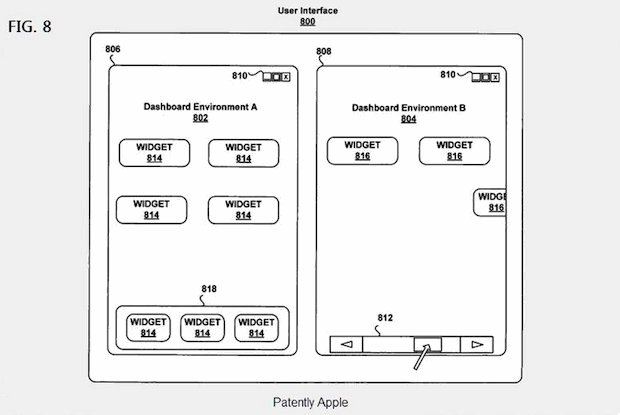
The Finder window sidebar makes navigation in Mac OS X easier, with quick access points to various aspects of a users home directory, as well as throughout the file system. Users can choose to show the Finder sidebar, or to hide the Finder sidebar, depending on their individual preferences.

Amazing iPad paintings show off iPad as a creation tool

Apr 11, 2011 - 1 Comment

When I first saw these iPad paintings from UK artist Kyle Lambert, I found it hard to believe they were created entirely on an iPad using the Brushes app (App Store link) and just a finger as the input method. It’s pretty crazy to watch these paintings come together, here’s a video showing the creation … Read More

Quickly launch a new styled Terminal window

Apr 10, 2011 - 3 Comments

You can quickly launch a new styled Terminal window through the apps Mac OS X Dock icon. Just right-click (two-finger click for trackpad users) on the Terminal app, navigate to “New Window” select a preconfigured style.

Hack Mac OS X Lion to work on unsupported Core Duo & Core Solo Macs

Apr 8, 2011 - 34 Comments

Mac OS X 10.7 Lion Developer Previews 1 and 2 currently do not install on older Macs with unsupported Core Duo and Core Solo hardware, but by performing a simple hack you can get these machines to boot Lion. Apparently the only thing preventing Lion from working on these 32-bit Macs is a single file … Read More

Mac & iPad with Retina Displays coming? 3200×2000 Lion Wallpaper Hints Yes

Apr 8, 2011 - 12 Comments

Last week we posted the newest version of the Fuji Mountain default wallpaper from Lion Developer Preview 2. If you haven’t seen it yet, I described it as a “rather large 3200×2000 pixels” and I didn’t think much of it beyond that. However, one of our readers noticed 3200×2000 pixels is significantly larger than any … Read More

Transfer Photos from a USB Flash Drive to an iPad

Apr 8, 2011 - 17 Comments

With the help of the iPad Camera Connection Kit, you can fool your iPad into thinking a connected USB flash drive is a camera or SD card, this lets you pull pictures from the device and onto your iPad. Cool huh? Here’s how to do this: Connect the USB flash drive to your Mac Create … Read More

Launching an iOS App in Mac OS X Gives an Interesting Error Message

Apr 7, 2011 - 7 Comments

This may or may not mean anything, but one of our readers sent in a tip that you get an interesting error message when trying to launch an iOS app in Mac OS X Lion: “You can’t open this application (App name) because it is not supported on this type of Mac” Does this suggest … Read More

iPad 2 Finder for Target Stores

Apr 7, 2011 - Leave a Comment

So you’re still looking for an iPad 2? You’re not alone. The good news is availability of iPad 2 is easing up just a tad, the bad news is you still have to move quick if you want one. In addition to checking iPad 2 stock and inventory at your local resellers and Apple Stores, … Read More

Extract and Explore an iOS App in Mac OS X

Apr 7, 2011 - 14 Comments

You can find some interesting things in iOS apps that you’ve downloaded from the App Store, all you need to do is extract the file from its container and then you’re free to browse around like any other application package. This works with any iPhone or iPad app, and you’ll obviously need a Mac with … Read More

Once Upon a Time… Apple Cassettes

Apr 6, 2011 - 8 Comments

Long before the days of iPhones and App Stores, or even Macs and 3.5″ disks for that matter… Apple software came on 5.25″ floppies and… cassette tapes. Yes, like the same type of cassette tape your first album came on if you were a child of the 80’s or early 90’s. And here you are … Read More

Start a FaceTime Call from the Web

Apr 6, 2011 - 17 Comments

You can start a FaceTime call from any web browser in Mac OS X or iOS with a custom URL structure. Then, if a user or yourself clicks that defined URL, a new FaceTime chat will attempt to initiate automatically to the set Apple ID, email, or phone number. This is a fun little trick … Read More

Show Folder Sizes in Mac OS X List View

Apr 5, 2011 - 7 Comments

If you would like to see the folder sizes on the Mac, you can do so easily by enabling a folder size calculation when looking at directories in the List View of Finder in Mac OS X. What this trick does is show folder sizes on the Mac, calculated in megabytes, kilobytes, or gigabytes, depending … Read More

Fix the “Cannot Connect to App Store” Error Message in Mac App Store

Apr 4, 2011 - 48 Comments

If you’re trying to access the Mac App Store and you are getting the “Cannot Connect to App Store” error, you can typically resolve the issue with a few simple troubleshooting steps. This article will walk through some simple solutions to reconnect to the Mac App Store.

Subscribe to OSXDaily

Subscribe to RSS Subscribe to Twitter Feed Follow on Facebook Subscribe to eMail Updates

Tips & Tricks

News

iPhone / iPad

Mac

Troubleshooting

Shop on Amazon to help support this site