Show Hidden Files in Mac OS X

Feb 25, 2009 - 48 Comments

Finder of Mac OS X

Need to show hidden files on a Mac? This is pretty common if you find yourself needing to access hidden files on your Mac, like an .htaccess file you downloaded, a .bash_profile, a .svn directory, – literally anything preceded with a ‘.’ indicating it is invisible by default – you can run the below command … Read More
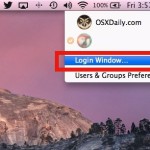

How to Password Lock Your Desktop with Fast User Log Out in Mac OS X

Feb 21, 2009 - 28 Comments

A quick way to lock your Mac desktop is to hit Shift-Command-Option-Q to do a fast user log out. This logs the current user out of Mac OS X, which is one way to initiate a login screen when the Mac needs to be used again. Another method is brought to us by inaminit who … Read More

How to Disable Flash or Countdown in Photo Booth

Jan 22, 2009 - 21 Comments
Photo Booth icon

Photo Booth is a really fun app that comes with all macs that have a built in iSight / FaceTime front facing camera. Here are a couple tips that make using Photo Booth on your mac even more enjoyable; the ability to disable the ‘white screen’ flash and the ability to disable the 3 second … Read More

Run Firefox 3 and Firefox 2 simultaneously

Jun 21, 2008 - 1 Comment

Life is officially easier for front-end web developers, you can now easily test browser compatibility by running Firefox 2 and Firefox 3 concurrently with a great utility called MultiFirefox. Simply install MultiFirefox, then rename one of the Firefox applications (to say, Firefox 3), and upon launch you can select either application version to run. MultiFirefox … Read More

How to Flush DNS Cache in Mac OS X

Mar 21, 2008 - 20 Comments
Terminal in macOS

Whether you’re a systems administrator or a web developer, or anything in between, chances are you’ll have to flush your DNS cache every once in a while to get things straightened out server-side, or even just for testing certain configurations. Flushing your DNS cache in Mac OS X is actually really easy, but there are … Read More

Want Microsoft Paint for Mac OS X? Paintbrush is Equivalent!

Dec 14, 2007 - 83 Comments
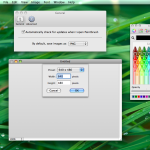
Paintbrush for Mac

Many of us who converted from a Windows PC to a Mac may long for the amazing artistic capabilities allowed within Microsoft Paint. Ok so maybe that’s a bit dramatic, and we all know that Microsoft Paint is pretty crappy in a weirdly lovable way, but that’s also why it was fun. So, if you … Read More

Navigating Mac OS X with Only the Keyboard

Dec 13, 2007 - 13 Comments
Finder icon on the Mac

Did you know you can navigate Mac OS with only the keyboard? If you’re an avid typer it can be annoying to have to interrupt your flow, lift your hand(s) from the keyboard, simply to use the mouse and navigate around Mac OS X. Instead of dealing with that frustration, try using exclusively the keyboard … Read More

Show Full Directory Path in Mac OS X Finder Window Title Bars

Dec 2, 2007 - 32 Comments
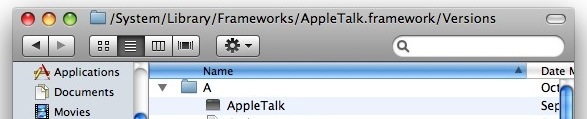
Show the full path in Finder title bars

Have you ever wished you could see the complete file system path in the titlebar of a Finder file system window? Well you can use a secret setting in Mac OS X to display the path in the titlebars of windows. The geekier Mac users amongst us and those familiar with the unix world should … Read More

Get iTunes style scrollbars in Mac OS X Leopard

Nov 11, 2007 - 7 Comments

The appearance of Mac OS X has slowly been drifting away from the old aqua style to a more modern and refined look that closely resembles iTunes. The change in this direction was really made obvious within Leopard with the introduction of the coverflow style finder and the removal of the brushed metal windows. For … Read More

Read and Write NTFS Partitions from Mac OS X with MacFUSE

Nov 8, 2007 - 7 Comments

Update: The usage of third party tools for NTFS support is no longer necessary, as Mac OS X includes NTFS read & write support natively, here’s how to enable it. While newer versions of the Mac operating system support NTFS without any third party add-ons, older versions of OS X may still find value in … Read More

Customize your Mac OS X 10.5 Leopard Dock

Nov 5, 2007 - 4 Comments

People seem to either love or hate the dock in Mac OS X Leopard. Maybe it’s the appearance, the reflection, or something else. If you’re not a fan of the default ‘swoosh’ reflective Dock, there are many options available, and a site has popped up catering to nothing but Leopard Docks. Yes indeed, customized Mac … Read More

Adobe CS users: Easily free up 5GB of disk space

Oct 31, 2007 - 2 Comments

If you’re a Mac user and you installed the Adobe CS suite for graphic work or web development, you probably aren’t too interested in Adobe SoundBooth, which is fine because you don’t have to install it. Well, I didn’t install Adobe SoundBooth and I discovered that Adobe still decided to install 5GB of SoundBooth bloated … Read More

Great list of updated API’s for 10.5 development

Oct 30, 2007 - 1 Comment

Matt Gemmell provides a great list of API’s that have been changed in Mac OS X 10.5 Leopard. This should be of interest to all Cocoa developers out there, or anyone who’s curious about some of the underpinnings of OS X application development. Take a look: Get rid of your code with Leopard

Rough Start to 10.5 Upgrade

Oct 29, 2007 - 2 Comments

Welcome to Mac OS X 10.5 Leopard! This was my first experience since installing the 10.5 upgrade, let’s hope that was a fluke. I’m super excited for Leopard! – Paul H.

Shutdown your Mac Without the Warning Dialog

May 28, 2007 - 8 Comments
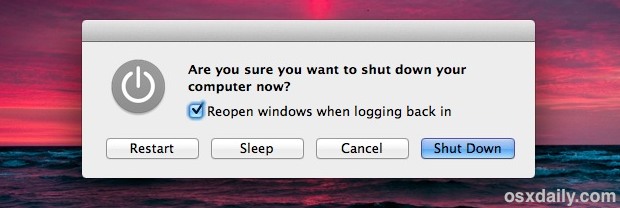
OS X Power controls for shut down reboot etc

If you want to quickly shut off your Mac without seeing the warning dialog and without any sort of confirmation from the familiar power dialog box or otherwise, you can do that with a little known key modifier trick. Be aware that this approach is fairly abrupt, so you’ll want to use this sparingly for … Read More

Mac OS X Word Completion & Suggestion Feature is Useful, but Little Known

May 26, 2007 - 4 Comments
Automatic word completion feature in Mac OS X is little known but very useful

The Mac has a built-in word completion and word suggestion feature that is intelligent and works incredibly well. This OS X feature is not quite predictive text or QuickType like exists in iOS, but it’s fairly similar and all you need to do is give it a start. You’ll find this very useful if you … Read More

Turn On Slow Aqua Animations Permanently in OS X

May 22, 2007 - 2 Comments
Resizing a window instantly in OS X

The Mac OS X GUI and all it’s eye candy is a pleasure to use and look at. Perhaps you’ll remember a while back from our Fun Eye Candy Effects article that by holding down the Shift key, you can slow down virtually any Aqua effect in Mac OS X, from minimizations, window sizing, to … Read More

Show a Dock Item in Finder on Mac with a Command Click

Apr 24, 2007 - 5 Comments
Show in Finder from Dock with a command click

If you want to quickly access something from the Mac Dock within the Finder, many users will right-click on the Dock icon and go to Options to choose “Show in Finder”. There’s nothing wrong with that approach and it works quite well, but there’s a faster way possible with a Command click. This is a … Read More

Subscribe to OSXDaily

Subscribe to RSS Subscribe to Twitter Feed Follow on Facebook Subscribe to eMail Updates

Tips & Tricks

News

iPhone / iPad

Mac

Troubleshooting

Shop on Amazon to help support this site