iOS 14 & iPadOS 14 Public Beta Downloads Now Available to All
Jul 9, 2020 - Leave a Comment
Apple has released the first public beta versions of iOS 14 and iPadOS 14 for iPhone, iPod touch, and iPad.

Apple has released the first public beta versions of iOS 14 and iPadOS 14 for iPhone, iPod touch, and iPad.

Apple has released macOS Big Sur beta 2 to users enrolled in the Mac developer beta testing program. Separately, iOS 14 beta 2 and iPadOS 14 beta 2 are also available to beta testers for iPhone and iPad. MacOS Big Sur features a redesigned user interface, the addition of Control Center on the Mac, new … Read More
Apple has released the second beta versions of iOS 14 and iPadOS 14, for iPhone, iPod touch, and iPad, respectively. The second beta versions are currently available to anyone who has installed the iOS 14 developer beta onto their devices, whether through direct enrollment or other means. iOS 14 and iPadOS 14 include many new … Read More

If you use VirtualBox to run virtual machines, you may find yourself needing VirtualBox Extension Pack as well. The VirtualBox Extension Pack includes support for USB 3.0 and USB 2.0 devices, webcam passthrough, disk image encryption, VirtualBox Remote Desktop Protocol (VRDP), and network booting with Intel PXE Boot ROM, and along with some other capabilities … Read More
Apple has released the first iPadOS 14 beta for iPad, iPad Pro, iPad mini, and iPad Air. This is a developer beta release, meaning it’s intended only for users who are enrolled in the Apple developer program. A public beta will for iPadOS 14 will arrive in the coming weeks.

Apple has released the first iOS 14 beta for iPhone and iPod touch, the first beta release is for developers only and is available to any user who is enrolled in the Apple developer program.
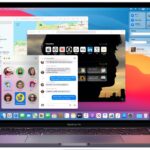
Apple has released the first beta version of MacOS Big Sur to Mac users who are enrolled in the developer beta access program.
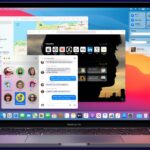
Apple has announced the next major system software release for Mac; MacOS Big Sur. The release is named after Big Sur, a stunning stretch of coast line in Central California south of the San Francisco Bay Area. Versioned as Mac OS 11 (or 10.16, depending), macOS Big Sur includes a visual overhaul and a variety … Read More

Apple has announced iPadOS 14 for iPad, the next generation operating system for iPad Pro, iPad, iPad mini, and iPad Air. iPadOS 14 includes many new iPad specific features, including Scribble handwriting recognition and handwriting-to-text conversion, redesigned Files app and Photos apps, a newly refreshed Search feature reminiscent of Spotlight on Mac, as well as … Read More

Apple has announced iOS 14, the upcoming new operating system for iPhone and iPod touch. Currently in developer beta, iOS 14 brings a variety of new features, improvements, and redesigned interface elements to the iPhone and iPod touch. More specifically, iOS 14 includes a visual refresh of the home screen with widgets support, and is … Read More

Ever wanted to disable CarPlay? Perhaps you want to turn CarPlay off because you find it distracting, or maybe you just want to disable it while a certain passenger(s) is riding around with you and your iPhone equipped vehicle. Or perhaps you want to disable CarPlay and turn it back on again as a troubleshooting … Read More

Want to view your saved passwords in the Chrome browser? Maybe you need to find a password for a website login that you have saved in Chrome? You can easily find, view, and show saved passwords and logins for websites in the Chrome browser, assuming you’ve saved those passwords to Chrome for the autofill and … Read More

If you don’t want to use Face ID on iPhone or iPad for whatever reason, you can turn it off at any time, even after you have already set it up. It turns out that even if you had already setup the facial recognition service to unlock the iPhone or iPad, the devices work fine … Read More

Have you ever seen a TikTok video you wanted to download and save to iPhone? Maybe you want to remix and edit the video for your own purposes, or share it with other people, or keep it for offline viewing, or for any other million reasons you may want to save a TikTok video locally … Read More

Apple has released new beta versions of iOS 13.6, iPadOS 13.6, and MacOS Catalina 10.15.6 to users who are enrolled in the beta testing programs for Apple system software.
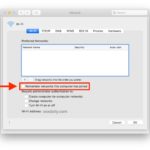
By default the Mac will remember all wi-fi networks that have been joined and accessed from the computer, and will automatically join those wireless networks again when they’re within range. This is a good setting for most users to leave enabled, since it’s convenient to not have to constantly reconnect to familiar wireless networks. But … Read More

Need to quickly see a list of all cron jobs on a computer? You can easily see all scheduled cron jobs by using the crontab command, and seeing cron data works the same on Mac as well as Linux and most other unix environments too. Perhaps you have a script or task running and you’re … Read More
Apple has released the first beta versions of iOS 13.5.5, iPadOS 13.5.5, and MacOS Catalina 10.15.6. Presumably the new beta builds focus on bug fixes and enhancements to the various Apple operating systems, though it’s possible new features and improvements are being worked on as well.




