iOS 9.2.1 Beta 1 Released for Testing
Apple has released iOS 9.2.1 to developers for testing. The build arrives as 13D11 and is compatible with any iPhone, iPad, or iPod touch which an run iOS 9 releases.
The iPad is a tablet computer from Apple that runs the iOS mobile operating system. Similar in functionality to the iPhone, the iPads purpose is often quite different, sometimes even serving as a general desktop computer replacement.
Apple has released iOS 9.2.1 to developers for testing. The build arrives as 13D11 and is compatible with any iPhone, iPad, or iPod touch which an run iOS 9 releases.
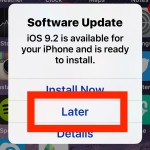
Your iPhone, iPad, or iPod touch will now notify you when a new iOS Software Update is made available, as you may have noticed by now. When you see the Software Update screen popup on your iOS device with the message “iOS (version) is available for your device and is ready to install” you’ll be … Read More
iOS allows users to disconnect a specific Bluetooth device that has been paired with an iPhone, iPad, or iPod touch. The bonus with this approach is that while it disconnects the targeted Bluetooth device, it does not forget the device, so you can quickly re-add the device later without having to go through the pairing … Read More
Though iOS 9.2 appears to run faster than prior iOS 9 releases and fixes many bugs while offering a wide range of improvements, some users who have updated to iOS 9.2 may wish to downgrade an iPhone, iPad, or iPod touch back to iOS 9.1 for whatever reason.
For users who have been experienced performance degradation after updating an iPhone or iPad to iOS 9 from iOS 8.4.1 or older, you may be pleased to discover improved performance on some devices with the iOS 9.2 update.
Apple has released iOS 9.2 for compatible iPhone, iPad, and iPod touch devices. The latest version includes a variety of bug fixes and improvements to various iOS features, and also includes support for the MailDrop feature from the iOS Mail app. Complete release notes for iOS 9.2 and IPSW download links are available below.
Many users connect their iPhone, iPad, or iPod to a computer for syncing with iTunes. When syncing and iTunes usage is finished, users may or may not want to eject the iOS device, depending on their intended usage. We’ll cover a few methods of ejecting iOS devices from a computer with iTunes, and they work … Read More
The latest versions of iOS for iPad include a great multitasking feature called Split View, which, much as it sounds, allows users to split the screen on the iPad between two active apps side-by-side. iPad and iPad Pro users can adjust the size of each app panel or have them take up an equal amount … Read More
Have you ever had a contract, agreement, document, or service form emailed to your iPhone or iPad that you need to sign quickly? Perfect, because now you can digitally sign and return a document directly from the Mail app of iOS. The Mail signature feature lets you quickly sign a document attached to an email … Read More
Safari for iPhone, iPad, and iPod touch allows users to clear all caches, website data, and history together in one fell swoop, but sometimes you may want to be more discerning than that. The modern versions of Safari for iPhone and iPad allow users to delete Safari website data, searches, cookies, cache, and Safari activity … Read More
If you’ve ever needed to know how late a particular store or restaurant is open, just pull out your iPhone and ask Siri. This should in handy when you’re out and about running errands or need to make a last minute shopping stop, but it’s clearly useful for many purposes. And if you have a … Read More
Whether you’re looking at an important email, reading a web page, or doing just about anything else on your iPhone or iPad, perhaps you’d like to be reminded about it again at a later time or date. While Siri has long been able to create reminders for events and based on locations, a new feature … Read More
The ever helpful and sometimes comical Siri is a rather vocal virtual assistant, defaulting to speaking back a response to directions and commands. But if you want to hush that Siri voice feedback response while still using the feature for commands and queries, you can enable an optional setting that causes Siri to obey the … Read More
Apple has released the fourth beta of iOS 9.2 to users participating in the public beta testing and registered developer programs. The new iOS 9.2 beta build arrives as 13C5075 and is compatible with all iPhone, iPad, and iPod touch hardware that can run other version of iOS 9. Additionally, Apple has released the third … Read More
The iOS Mail app allows users to save various types of attachments directly to the iPhone, iPad, or iPod touch. This is a great feature that is available in the latest versions of iOS, and for most file attachment, you’ll be able to save whatever the file is directly to iCloud Drive in iOS.
For iCloud users with automatic backups configured, the iPhone, iPad, or iPod touch will backup to iCloud every evening when connected to wi-fi. This usually goes without a hitch, but sometimes you may check the iCloud Backup settings to discover a vague message stating “The last backup could not be completed.” You may also see … Read More
If you juggle multiple email addresses for various purposes on iPhone, iPad, or Mac, you may find it useful to add additional email addresses for FaceTime. This allows you to both call out from another email address, and perhaps more importantly, you can also receive inbound FaceTime calls for the newly added email address too.
Quitting and force quitting apps in iOS 10 and iOS 9 is easy, whether you’re on an iPhone, iPad, or iPod touch. Though the multitasking screen may look different in modern iOS versions than it did before, the basic mechanism of forcibly quitting apps remains the same as prior versions of iOS.