Open New man Page Windows from an Existing Terminal in OS X
The Mac OS X Terminal includes a great feature that lets you quickly access new manual pages from any existing Terminal window.
Mac OS, Mac OS X, or macOS, is the operating system that resides on Apple’s desktop and portable computer lineup. Built upon a Unix core, it is easy to use yet highly advanced, extremely stable, and an excellent OS for productivity and creation. Browse through our articles or use the search feature to look for something specific that is pertinent to the Mac operating system.
The Mac OS X Terminal includes a great feature that lets you quickly access new manual pages from any existing Terminal window.
Screen zoom is a useful feature of Mac OS X that zooms into the screen where ever the cursor is located, making it easier to see parts of the screen, examine pixels, read small fonts, and perform other functions with greater visual clarity. The zoom feature was enabled by default in some earlier versions of … Read More
FreeSpaceTab is a free utility that lets you manage hard disks and mounted volumes directly from the Mac OS X menu bar. With an attractive and simple GUI, you can pull the menu down to see all mounted drives and partitions, arranged by volume type (local drives, disk images, network volumes, etc) as well as … Read More
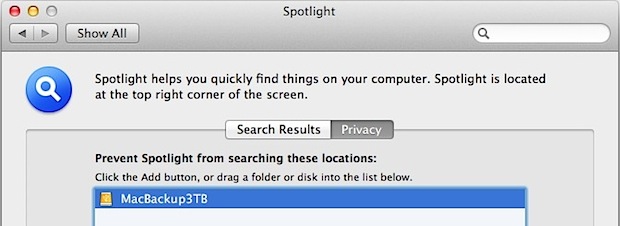
Spotlight is a wonderful feature of Mac OS X that lets you quickly find literally anything on a Mac by search, that includes files, apps, folders, emails, you name it, and Spotlight will find it, but sometimes you don’t want everything to be indexed. Whether that’s an external backup drive, a scratch disk, a directory … Read More
ClipMenu is an awesome free clipboard history manager for Mac OS X that keeps track of nearly anything copied into the clipboard, ranging from plain and rich text, URLs, images, even files.
Have you noticed when you try and move an application out of the /Applications folder in modern versions of Mac OS X, you will end up creating an alias of the app instead? What if you want to move an application out of the Applications folder of MacOS, and put the app somewhere else?
Wi-Fi Diagnostics is an incredibly useful utility to troubleshoot and optimize any wireless network and the signal strength of computers that are connecting to it. This utility first came bundled in Mac OS X Lion and works with all wireless routers and not only the Apple branded ones, meaning you can improve the performance of … Read More
If you use a lot of DVD’s or CD’s on a regular basis, you may find some use enabling a hidden disk eject menu item. Once enabled, you’ll have a Finder pull down menu that lists discs, and selecting a disk from the menu ejects it: Hit Command+Shift+G to bring up the Go To Folder … Read More
We recently showed you where iOS apps are stored locally on the computer, but if you just want to quickly access that folder or get to a single app in the Mac OS X Finder, you can do so with a right-click within iTunes: Open iTunes and click on “Apps” under the library listing Right-click … Read More
Ever wanted to remove shadows from windows, menus, and box items in Mac OS X? You can with a free tool called ShadowKiller, and it works in newish versions of OS X too. All you need to do is launch the app, the screen will flicker briefly, and all on screen windows will appear shadowless. … Read More
The Back and Forward buttons in Mac OS X Finder work much like their respective buttons in Safari or another browser, meaning not only do they go page or forward within the file system, but now Finder windows also track folder browsing history. After you’ve visited several folders, click and hold on the Back button … Read More
If you want quickly expand (or minimize) all of the detail sections within a Get Info window on a Mac, you can do so with a super simple keyboard shortcut. To get started, you’ll need to be in a Get Info panel. Just select a file and access Get Info by hitting Command+i to see … Read More
Want to quickly get to the User Library folder on Mac? A keyboard shortcut is one of the best ways to do that, particularly if you find yourself frequently accessing that folder. Using keyboard shortcuts are often the fastest way to navigate around the filesystem in Mac OS X, but new versions of MacOS and … Read More
iChat Matte is a popular mod for iChat that removes the bubble aqua style text blocks and changes them to a flatter matte. The tweak works by replacing a few image files, but the official version hasn’t been updated for OS X Lion and an unofficial version floating around has the chat bubbles facing the … Read More
Just in time for the holidays, Fireplace is a totally awesome interactive 8-bit fireplace app that fills your Macs screen with a pixelated fireplace. But don’t stop there, you can add logs, roast hotdogs and marshmallows, and even burn papers and photos. Each log ‘burns’ for about 30 minutes of pixel torching glory, and although … Read More
Using the familiar pinch and spread gesture in OS X Lion, you can adjust the thumbnail size of desktop wallpaper previews within System Preferences. A spread gesture will increase the thumbnail size, and a pinch gesture will shrink the wallpaper thumbnails. Try it yourself, just open System Preferences, and from the Desktop control panel use … Read More
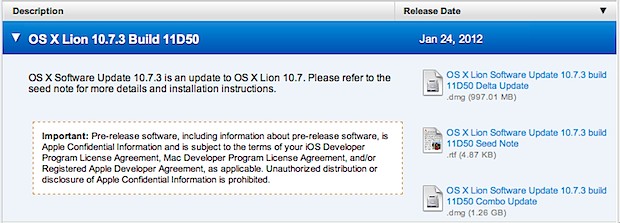
The developer betas of Mac OS X 10.7.3 show new evidence of retina display Macs, according to a recent find by MacRumors. The discovery points to some applications “Get Info” dialog box displaying an option to “Open in HIDPI mode”, although checking the box doesn’t appear to do anything yet, and the reference seems to … Read More
Go2Shell is a free Finder toolbar add-on that creates a new Terminal window from the current directory of any desktop folder in Mac OS X with a click of a button. This is similar to the services option that can be added to the right-click contextual menu, but Go2Shell is faster due to resting in … Read More