Show the Finder Location of Any Item from Open & Save Dialog of OS X
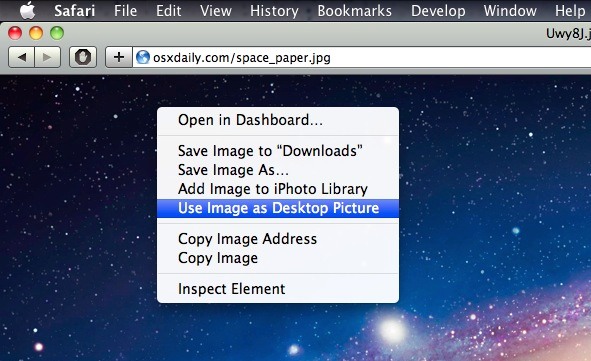
You can instantly reveal the location of any item in the Mac Finder from an Open and Save dialog box by selecting the item and then hitting Command+R.
Tips and tricks for all things Apple! Whether you want to learn tips for a Mac, iPhone, iPad, Apple Watch, or much more, you will find many tricks, tips, tutorials, and excellent walkthroughs for Apple devices and software here.
You can instantly reveal the location of any item in the Mac Finder from an Open and Save dialog box by selecting the item and then hitting Command+R.
You can set the Mac Dock to only show actively running apps, making it perform a bit like a task manager rather than an application launcher. This is a great trick if you prefer a minimalist Mac OS X desktop and Dock. In order to set the Dock to only display currently active apps, you’ll … Read More
Have you ever noticed that when you launch Safari on your iPhone, iPad, or iPod touch, before you can really use the app it often has to refresh the last active web page? This slows down your browsing, and while on newer hardware it doesn’t happen too often and it’s not a terribly long delay, … Read More
We showed you how to read NYT articles for free using Google but if you have Safari there’s an even easier method: Safari Reader.
If you want to create a new partition, modify a partition table, or remove an existing partition from any hard disk drive in Mac OS X, you won’t need to use anything fancy other than the bundled Disk Utility app that comes with all versions of Mac OS X. Disk Utility has all the tools … Read More
If you’re in IT, or just fixing Grandmas Mac, it’s not too uncommon to get a machine where you don’t have the admin users password. If you find yourself in this situation, you can easily change the Admin password, or any other users, simply by booting into Mac OS X‘s command line Single User Mode. … Read More
You can quickly retrieve any Macs serial number via the command line by using the ioreg or system_profiler command and grep for the serial string. Getting the serial number from the command line like this can be helpful for troubleshooting, Single User Mode, remote management with SSH, or for many other reasons, though most users … Read More
The most common way to access a network share is through the Finder, using the Connect to Server function. But there’s a faster way for quick server connection access: you can summon the Mac OS X server connection window from any app by right-clicking on the Finder icon in the Dock and selecting “Connect to … Read More
The opensnoop utility is an amazing tool for tracking down specifics like what files specific applications are accessing, but you can also use opensnoop to monitor all filesystem access in Mac OS X. To do this, run the utility with no flags attached: sudo opensnoop You’ll be asked for your root password, and then you’ll … Read More
I use Google Calendar for a myriad of reasons but since it picks up dates easily from Gmail it’s especially useful for me. Yet, somehow I never thought to sync it with iCal. If you use Google Calendar, why not sync it to your Mac? Setting this up is very simple: Launch iCal Open iCal … Read More
In many Mac OS X apps, you can activate a little-known word completion feature by using a simple keystroke. This is incredibly helpful for word recall and for diversifying the vocabulary while typing, and has so many uses. It’s quite powerful and easy to use.
Increasing the size of the Mac mouse and trackpad pointer is an important ability for those with visual impairments, but it’s also a great way to make a Mac more friendly for newcomers to computers in general, like kids and grandparents. This tutorial will detail how to increase the size of the cursor on a … Read More
Customizing the Mac Finder window toolbars can be a good way to gain quicker access to features you use often, and to help navigate around the file system of OS X , but what if you overdo it and the toolbar becomes cluttered with way too many buttons and doo-dads, resulting in a toolbar that … Read More
If you’re coming to Mac OS X from elsewhere in the unix & x11 world, you might be used to the focus of Terminal windows following your mouse cursor. With a little command line magic, we can enable this hidden feature in the Mac OS X Terminal.app too.
Is that Magsafe cable cord getting in your way when using your Mac laptop? Try attaching the cord to the side of your Mac’s display by using the cables clip as shown in the pictures. This works with newer MacBook Pro’s, unibody MacBooks, and new MacBook Air too, it clips directly onto the side of … Read More
Are you bored with your iPhone ringtones? You probably know by now that you can make iPhone ringtones yourself with iTunes, but instead of chopping up a song, why not get some ringtones that actually sound like they belong to a phone? You’re in luck because there are 932 free iPhone ringtones on your Mac … Read More
You can add a Recent Items menu Stack to the Mac OS X Dock by using a defaults write command. The default is set to “Recent Applications” but once the Dock item exists you can adjust it to feature other recent items too, like Recent Files, Recent Items, Recent Servers. This is a neat feature … Read More
Reverse scrolling is one of those features that came along in Mac OS X 10.7 Lion that surprised a lot of people, on a computer it doesn’t feel quite as normal as it does on a touchscreen iPad or iPhone, but once you get used to it, it’s good. If you dual boot between 10.7 … Read More