Tips & Tricks

Tips and tricks for all things Apple! Whether you want to learn tips for a Mac, iPhone, iPad, Apple Watch, or much more, you will find many tricks, tips, tutorials, and excellent walkthroughs for Apple devices and software here.

Search Tips & Tricks

Find your iPhone IMEI Number

Apr 13, 2011 - 44 Comments

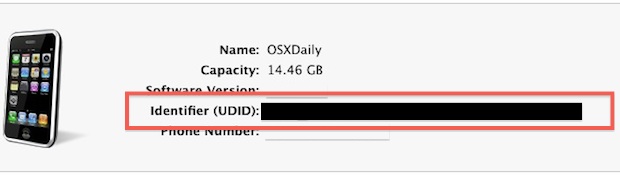
IMEI stands for International Mobile Equipment Identity, you can think of IMEI like a serial number in that every iPhone, or other mobile phone for that matter, has a unique IMEI number used to identify it with carriers, manufacturers, and providers. There are several reasons you’d want to know your IMEI, and we’ll get into … Read More

Show or Hide the Mac Finder Window Sidebar

Apr 13, 2011 - 6 Comments
hide Mac finder window sidebar

The Finder window sidebar makes navigation in Mac OS X easier, with quick access points to various aspects of a users home directory, as well as throughout the file system. Users can choose to show the Finder sidebar, or to hide the Finder sidebar, depending on their individual preferences.

Quickly launch a new styled Terminal window

Apr 10, 2011 - 3 Comments

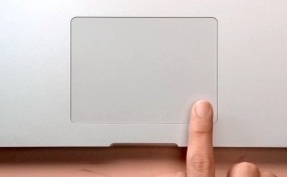
You can quickly launch a new styled Terminal window through the apps Mac OS X Dock icon. Just right-click (two-finger click for trackpad users) on the Terminal app, navigate to “New Window” select a preconfigured style.

Access the iTunes Equalizer Settings

Apr 9, 2011 - 8 Comments

If you want to change the universal equalizer in iTunes for your entire music library and all songs in it, the incredibly adjustable iTunes Equalizer Settings can be accessed quickly in one of two ways:

Hack Mac OS X Lion to work on unsupported Core Duo & Core Solo Macs

Apr 8, 2011 - 34 Comments

Mac OS X 10.7 Lion Developer Previews 1 and 2 currently do not install on older Macs with unsupported Core Duo and Core Solo hardware, but by performing a simple hack you can get these machines to boot Lion. Apparently the only thing preventing Lion from working on these 32-bit Macs is a single file … Read More

Transfer Photos from a USB Flash Drive to an iPad

Apr 8, 2011 - 17 Comments

With the help of the iPad Camera Connection Kit, you can fool your iPad into thinking a connected USB flash drive is a camera or SD card, this lets you pull pictures from the device and onto your iPad. Cool huh? Here’s how to do this: Connect the USB flash drive to your Mac Create … Read More

Extract and Explore an iOS App in Mac OS X

Apr 7, 2011 - 14 Comments

You can find some interesting things in iOS apps that you’ve downloaded from the App Store, all you need to do is extract the file from its container and then you’re free to browse around like any other application package. This works with any iPhone or iPad app, and you’ll obviously need a Mac with … Read More

Quickly Check or Uncheck All Songs in an iTunes Playlist

Apr 7, 2011 - 2 Comments

You can immediately check or uncheck all songs in an iTunes playlist by holding down the Command key and then clicking on the checkbox next to any song. There is no undo, and it’s universal for everything in the selected playlist, so if you have a carefully curated playlist be careful when you’re using this … Read More

Start a FaceTime Call from the Web

Apr 6, 2011 - 17 Comments

You can start a FaceTime call from any web browser in Mac OS X or iOS with a custom URL structure. Then, if a user or yourself clicks that defined URL, a new FaceTime chat will attempt to initiate automatically to the set Apple ID, email, or phone number. This is a fun little trick … Read More

Enable Video Mirroring on iPad 1 and iPhone 4 with a Simple Hack

Apr 5, 2011 - 26 Comments

You can enable video mirroring on the first gen iPad and iPhone 4 by using a pretty simple hack. You’ll need a few things and some patience before you get started, but it’s really not that hard to get this setup and working. Here are the requirements: Apple VGA Adapter or Apple Digital AV Adapter … Read More

Show Folder Sizes in Mac OS X List View

Apr 5, 2011 - 7 Comments

If you would like to see the folder sizes on the Mac, you can do so easily by enabling a folder size calculation when looking at directories in the List View of Finder in Mac OS X. What this trick does is show folder sizes on the Mac, calculated in megabytes, kilobytes, or gigabytes, depending … Read More

Fix the “Cannot Connect to App Store” Error Message in Mac App Store

Apr 4, 2011 - 48 Comments

If you’re trying to access the Mac App Store and you are getting the “Cannot Connect to App Store” error, you can typically resolve the issue with a few simple troubleshooting steps. This article will walk through some simple solutions to reconnect to the Mac App Store.

Quickly Backup a Site Through FTP with wget

Apr 4, 2011 - 4 Comments

If you want to quickly backup an entire website through FTP, the absolute easiest way to do this is through the command line using the wget command. In fact, you can backup an entire site (or whatever else is on the entire FTP server) with a single command string.

Shade inactive windows in Mac OS X with HazeOver

Apr 3, 2011 - 3 Comments

If you get easily distracted by things sitting around in the background on your Mac, HazeOver might be for you. It’s a free utility that casts a shadow on all inactive windows. In other words, any window that isn’t in the foreground will be “hazed over.” With HazeOver open, windows actually phase in and out … Read More

Show a Spectrum Analyzer in iTunes Instead of Song Info

Apr 3, 2011 - 6 Comments

In a somewhat hidden feature of iTunes, you can display a music spectrum analyzer in place of the iTunes song info. All you need to do is click on the little play icon in the song info area, it’s highlighted below with an arrow pointing to it: This has probably been around for a while … Read More

Boot into Mac OS X Verbose Mode

Mar 31, 2011 - 4 Comments

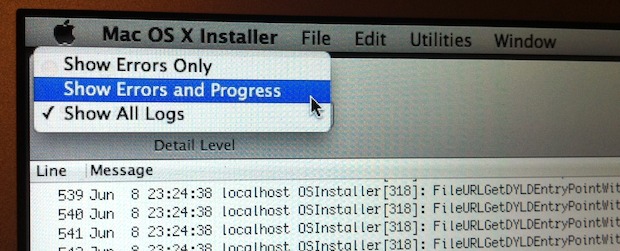
Booting a Mac with Verbose Mode can be a helpful troubleshooting trick for some obscure situations where users are trying to determine what is going wrong with a Mac during the system boot process. Just as it sounds, verbose mode is verbose, meaning it lists everything going on behind the scenes, and you’ll watch as … Read More

Read any New York Times Article for Free

Mar 30, 2011 - 9 Comments

The New York Times recently put up their paywall, blocking users from reading over a certain number of articles a month. Their pricing scheme is sort of a mess but I can understand charging for quality content. That’s not really the point though, their paywall implementation makes it difficult for paying users to share content … Read More

Rotate MacBook Display Orientation

Mar 30, 2011 - 28 Comments

Want to use a rotated display on a MacBook? You can do exactly that, and the same way that you rotate screen orientation on a display connected to a Mac can be done with the built-in display of a MacBook, MacBook Pro, or MacBook Air (pictured).

Subscribe to OSXDaily

Subscribe to RSS Subscribe to Twitter Feed Follow on Facebook Subscribe to eMail Updates

Tips & Tricks

News

iPhone / iPad

Mac

Troubleshooting

Shop on Amazon to help support this site