Tips & Tricks

Tips and tricks for all things Apple! Whether you want to learn tips for a Mac, iPhone, iPad, Apple Watch, or much more, you will find many tricks, tips, tutorials, and excellent walkthroughs for Apple devices and software here.

Search Tips & Tricks

Copy Error Code 0 : What it Means in Mac OS X

May 7, 2010 - 17 Comments
Finder icon on the Mac

“The operation can’t be completed because an unexpected error occured (error code 0).” You’re likely to see this error when you are attempting to copy files to an external hard drive that is formatted as FAT. FAT32 is a Windows file system that can be read and written to by Mac OS X. The problem … Read More

Stop iTunes from Automatically Opening When iPhone, iPad, or iPod is Connected

May 6, 2010 - 39 Comments

Updated 5/31/2015: By default, iTunes will automatically launch when any compatible device is connected, be it an iPhone, iPad, iPod Touch, Nano, whatever. Having iTunes open itself automatically can be helpful but it can also be annoying, it really depends on your user preferences. If you don’t want this to happen, you can easily turn … Read More

Make Mac OS X Run in Grayscale Mode

May 4, 2010 - 2 Comments
Mac running in Grayscale Mode OS X

You can run Mac OS X in Grayscale mode by adjusting the display settings in the Accessibility or Universal Access control panel. Likewise, you can stop a Mac from running in greyscale mode and get full color back by disabling the setting in the same system control panel. This is an easy display settings adjustment … Read More

Convert songs to MP3, AAC, M4A, or other formats in iTunes

May 1, 2010 - 15 Comments

iTunes 9.1 and forward changed the way it handles song conversions. I’m not quite sure why but Apple made it so converting a song to a different format is no longer just a matter of right-clicking and converting. Instead, with iTunes you’ll have to make an adjustment in iTunes Preferences first. First, select the conversion … Read More

Make a Screen Saver Out of Your Own Images in Mac OS X

Apr 30, 2010 - 16 Comments

Do you have a collection of images and photos that you’d like to become a screen saver on the Mac? This offers a simple and nice way to customize a screen saver to include only your own images and pictures, and it’s quite easy to accomplish in macOS and Mac OS X.

How to Use ping on Mac: Pinging Websites, Domains, or IP Addresses

Apr 28, 2010 - 7 Comments
Network Utility in Mac OS

Ping is an essential utility for network administrators, but it’s also pretty handy to check if websites are online, how your internet connection is working, if you are experiencing lag or packet loss on a network connection, or to determine if a network resource is available. Mac users can access and use ping to target … Read More

Set the Primary Display on a Dual-Screen Mac Setup

Apr 27, 2010 - 53 Comments

If you are running a dual-display setup, you can easily adjust the primary display monitor in Mac OS X. When would you want to do this? For example, if you have a MacBook Pro 13″ hooked up to a larger external display, and you want the external display with it’s higher resolution to become the … Read More

Boot Keys for Mac OS X System Start

Apr 26, 2010 - 15 Comments
Boot a Mac from an External Drive

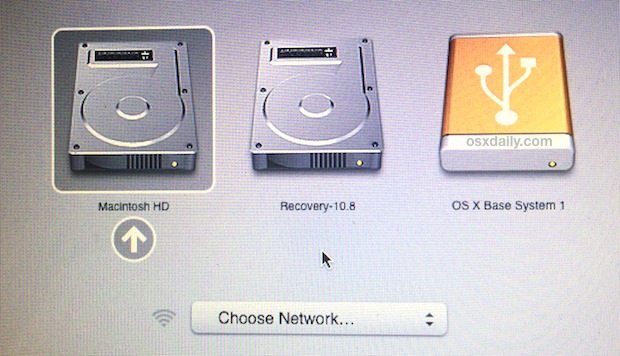
Every Mac has a variety of optional boot functions that can be used to intervene during the Mac OS X system startup. These are typically in the form of a single keys held down, or a press of keystrokes and hotkeys, used to issue a command and thereby adjust the booting behavior of Mac OS … Read More

Set iTunes to Fade Between Songs

Apr 23, 2010 - 14 Comments

One of my favorite iTunes features is the ability to fade songs in and out of each other with the Crossfade setting, this makes for a seamless music listening experience as each song gradually fades out and into the next and is certainly a worthwhile option to enable. By default, this crossfading songs option is … Read More

How to Use a 27″ iMac as an External Display for Another Mac

Apr 22, 2010 - 3 Comments

One of the coolest features of the 27″ iMac is it’s beautiful LED screen with a whopping 2560×1440 resolution, but what’s even cooler is the ability to use that gorgeous display as an external display for another Mac. So if you want to use an iMac as an external screen for another Mac, you’ll need … Read More

How to block a website from Safari, Firefox, or Chrome

Apr 21, 2010 - 37 Comments

Do you want to keep yourself or your employees from wasting time on certain websites? Maybe you don’t want your child to see some of the virtual trashbins of the internet? By editing the /etc/hosts systems file, you can block any website, and here’s how to do it.

Using Safe Boot Mode in Mac OS X

Apr 20, 2010 - 3 Comments

Booting into safe mode in Mac OS X is a troubleshooting trick that can help to diagnose many common system problems, and even some more obscure issues with Mac OS X. While safe mode is considered an advanced troubleshooting technique, it’s easy to use and easy to exit out of, meaning just about any experience … Read More

How to Show Invisible Files in Transmit for Mac

Apr 19, 2010 - 9 Comments

If you are trying to view invisible files through the Mac sFTP / FTP client Transmit, stop looking around in the Preferences and View Options because it won’t be there.

MacBook sharp edges quick fix

Apr 17, 2010 - 3 Comments

The MacBook can have some pretty sharp edges near the wristpads, and some people find this uncomfortable if they’re resting their hands on their laptop for extended periods of time. The solution to your MacBook’s sharp edges: use a nail file. Yes, just a generic nail file. Basically you’ll just want to treat the sharp … Read More

How to Talk to a Live Person at Apple

Apr 16, 2010 - 37 Comments

So you called Apple’s main number at 1-800-692-7753 (1-800-MY-APPLE) and you’re getting lost in a maze of automated menus with a robot who attempts to direct your call, sometimes successfully and sometimes not. Wouldn’t it be nice to talk to a real human being who can help, rather than a phone robot? If you’re frustrated … Read More

How to Use a MacBook or MacBook Pro with Lid Closed & External Monitor

Apr 15, 2010 - 25 Comments

Updated 11/27/2018: You can easily use the MacBook, MacBook Air, or MacBook Pro in what’s commonly called clamshell mode. Clamshell mode is when the laptop lid is closed but the machine is hooked up to an external monitor, keyboard, and mouse, effectively turning your portable Mac into a desktop. Doing this is easy, we’ll cover … Read More

How to Hide or Remove Icons from the Mac Desktop

Apr 14, 2010 - 10 Comments

You can really clean up your Mac Desktop by hiding all the hard disk and drive icons that appear by default on it. This is a settings choice that makes it so when you connect a new drive to the Mac, it won’t show up on the desktop, but it will be visible from a … Read More

What should I do with my old Mac?

Apr 12, 2010 - 7 Comments

“I just got a brand new MacBook, what should I do with my old Mac?” This is a very common question I get, and I typically give one of four answers depending on who’s asking the question. I’ll go through each choice and hopefully they’ll give you some ideas: 1) Setup the old Mac next … Read More

Subscribe to OSXDaily

Subscribe to RSS Subscribe to Twitter Feed Follow on Facebook Subscribe to eMail Updates

Tips & Tricks

News

iPhone / iPad

Mac

Troubleshooting

Shop on Amazon to help support this site