Bored with your current wallpaper? Why not spruce up your home screen or desktop picture background with one of these fourseven nine (added a few more per request) galactic-ish crazy colored abstract spacey-themed images?
This weeks featured Mac setup comes to us from Larry H, a Cyber Security pro who a combined Mac and Windows PC setup to make quite a workstation. Let’s jump in and learn a bit more…
Both the actively applied Camera filters and the later added Photos apps based color filtering in iOS can add some nice stylizing effects to pictures, helping to give them a unique look, but if you decide you’re no longer wanting an image to be filtered through a crazy color lens, you can actually easily remove the filter from the picture and restore it to the original untouched version.
Graphics and large stylized text blocks constructed entirely out of the ASCII keyboard characters is called ASCII art. You may have seen it with the goofy ASCII Star Wars thing, but once upon a time it was very popular to stylize messages and images on BBS’s, IRC, MUDs, message boards, and across the early days of the internet in general, it has since largely fallen out of favor to, well, actual graphics and images. Nonetheless, the command line in Mac OS X provides a retro-throwback with it’s very own ASCII art banner creator, appropriately called ‘banner’.
The next time you’re at the command line and need to eject every single mounted volume, hard drive, disk, disk image, and/or external drive attached to a Mac, you can instantly eject them all in one fell swoop with a handy osascript command string. This is great if you work frequently in the Terminal and you’re wanting to quickly pack up a workstation and head out, but it’s also very useful for remotely managing Macs through an ssh connection, or adding to a shell script, amongst other potential uses.
iMessage sends text messages, pictures, and movies over cellular data rather than through the traditional SMS and MMS protocols, but have you ever wondered just how much of an iPhone data plan all your iMessage use is consuming? It turns out that you can find this information through a somewhat buried location in iOS Settings, and if you’re on a bandwidth capped data plan it may offer some actionable data to work with if you regularly find yourself hitting the limits of your cellular plan.
You’ll be able to find this information on any iPhone or cellular equipped iPad running a modern iOS release, though most of us use iMessage primarily on iPhones, which is why we’re going to focus on that device.
Many iPhone users rely entirely on the iPhone as their camera of choice, so why not take the best pictures possible? That’s what these Camera app tips are for, helping you snap better photos and making you a better photographer by taking advantage of some of the wonderful features that are built into the camera app.
Mac OS X comes with a bundled port scanner tool, just one of a variety of features tucked into the ever useful Network Utility app. That means you don’t need to bother with the command line or install more advanced tools like nmap to quickly scan for open ports on a given IP or domain, instead you can do it all through the friendly graphical interface. Despite being a fairly advanced utility, it’s actually very easy to use.
The iPhone and iPad Calendar app defaults to starting a week on Sunday, which is the generally accepted standard of most US calendars. Meanwhile, some other nations start the calendar week on Monday, and some users just prefer to start the week on the first weekday of Monday rather than the weekend of Sunday anyway. Whatever your choice, you can customize the way the iOS Calendar displays so that the week starts on a day of your choice.
For the purpose of this walkthrough, we’re going to aim to start the calender week on a Monday since that is the most common alternative, but if your personal schedule calls for it, you can choose to start the week on any other day too (Tuesday, Wednesday, Friday, Saturday, whatever). This works the same in iOS on the iPhone, iPad, and iPod touch. Read more »
Many iPhone and iPad users know that Siri has a huge range of capabilities surrounding specific actions, but fewer know that Siri can also serve more obscure functions, like generating a random number for you. This is handled through Siri’s data connection through Wolfram Alpha, and it’s effective at truly randomizing integers similar to the virtual assistants ability to create a random password. So, the next time you need a random number for any particular purpose, pull out your iOS device and summon Siri to ask for such a thing.
Those of us who have been using an iPhone or iPad for a while have likely acquired a sizable amount of iOS apps through purchases, downloads, promos for temporarily free apps, and general promo code redemptions, many of which end up deleted or removed after the initial install. If you ever want to quickly see a list of every app that you own but don’t actually have installed on the current iPhone or iPad, you can do that through a great App Store trick which we’ll discuss here. Additionally, you can then go a step further and take action, choosing to download some or all those previously purchased or redeemed apps again to the current device, if you want to.
Remember, app downloads and purchases are tied to a specific Apple ID, so you’ll want to be sure you are logged in using the same account. This is also one of the many reasons why it’s important to use the same Apple ID for all of your iOS devices over the years.
Ever needed to remotely check the battery level of a Bluetooth keyboard connected to a Mac? Or maybe you’re just a heavy Terminal user and wanted to see the current battery life of a wireless keyboard without having to leave the command line? You can do that easily through the Terminal of either a remote or local Mac.
It should be mentioned that most Mac users are best served checking their attached Bluetooth devices battery levels directly from the Bluetooth menu, but advanced users may find this command line approach to be appealing, even if for just specific use cases.
Mac users who primarily browse the web with Safari will eventually notice the “Flash out-of-date” message appearing somewhere in the browser. This happens because the Mac will intentionally disable the Flash player plugin when it has become outdated, preventing any potential security breaches from occurring. As you probably guessed, this just means you need to update the Adobe Flash Player plugin to the latest version, but many users have done just that (or think they have) and still find the “Flash out-of-date” message appearing all over Safari and around the web. That’s what we’re aiming to address here, properly installing the latest version of Flash to get the plugin working again in Safari and to resolve that error message.
This weeks featured Mac setup comes to us from Jonathan G., a film professional who also happens to be an industrious and effective Craigslist deal hunter… not sure what that means? Well, read on to find out!
Apple has released iTunes 11.2.1, an update that, curiously, resolves the issue where some users encountered their /Users folder gone missing along with changed permissions to the same directory. Initially thought to be a bug with the OS X 10.9.3 update, apparently the problem was actually related to the accompanying update to iTunes.
A feature called “Phone Noise Cancellation” is available on iPhone which aims to reduce background ambient noise when on a phone call, but for some users it can sound strange and make their phone calls sound weird, or worse. This may be due to the ambient audio stream created by the feature. Apple describes the option as follows, “Noise cancelation reduces ambient noise on phone calls when you are holding the receiver to your ear.” In other words, because the feature only works the iPhone is held up to your head, you won’t notice it all if you tend to make iPhone calls through Bluetooth in a car, headset, speakerphone, or earbuds.
If you think your iPhone calls sound off but you can’t quite pinpoint why, or you feel a little weird when holding the phone to your head while on a call, try turning off the ambient noise reduction feature and see if that helps.
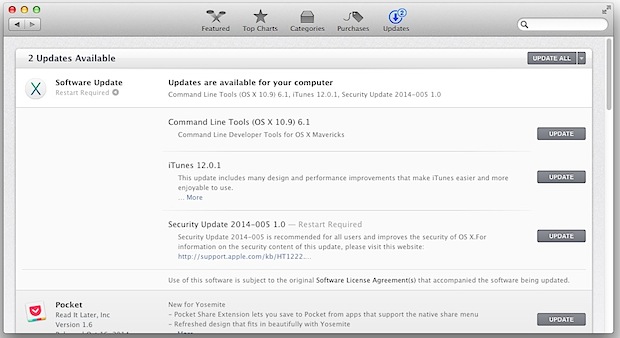
Apple has released OS X 10.9.3 for Mac users running Mavericks. The software update includes a variety of bug fixes, security enhancements, and feature improvements to OS X, making it recommended for all Mac users running OS X Mavericks. Additionally, iTunes 11.2.1 has been made available as a separate update.
Specifically, OS X 10.9.3 includes improved support for 4K displays attached to Mac Pro and MacBook Pro Retina Macs, improvements to the stability of VPN connections using IPSec, a Safari update, and the ability to locally sync some data with iOS devices via USB. Read more »