
Oops: Apple Appears to Leak Updated iPad Air and iPad Mini a Day Early
Oct 15, 2014 - 8 Comments
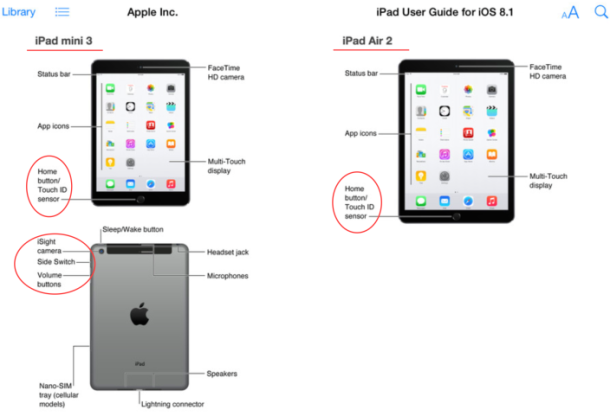
The updated iPads expected to debut tomorrow will feature Touch ID sensors and improved cameras able to shoot in burst mode, according to an apparent slip-up posted by Apple to the iBooks store.
By Paul Horowitz - iPad, News, Rumor - 8 Comments
 Deleting files and folders from the Mac is usually as simple as dragging the item to remove into the Trash can, but on rare occasions things don’t quite go as planned. One of the more peculiar errors when trying to remove a file appears in the form of the following message when attempting to send something to the Trash; “The item “filename.ext” can’t be moved to the Trash because it can’t be deleted.”
 If you use iBooks and your iPhone, iPad, or iPod touch to read, you can improve your evening reading experience by switching the theme to Sepia or the “Night” color scheme. Up until now though, you’ve had to perform that theme change yourself, and if you get caught up in a good book, you know it’s easy to get sucked into the book only to later realize that your eyes are perhaps overly strained due to the glaring white background and bright screen of the iOS device you’re reading on.
  You can easily record amazing time-lapse videos using the iPhone camera. Of the many Camera capabilities that iPhone offers, perhaps one of the most fun and interesting to use is the Time-Lapse feature. Not long ago, Time-Lapse photography and video was considered fairly advanced, but the iPhone makes it so simple that quite literally anyone can record a high quality time-lapse video with little effort at all. We’re going to demonstrate how to use the new Time-Lapse feature on iPhone, and offer a few tips to get the best results with your videos.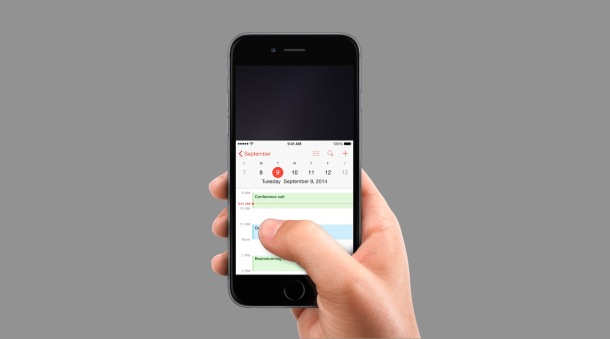



 Our handy Siri virtual assistant many handy tricks up their sleeve, and one of the notable features is the ability to recognize what songs are playing, much like the



