Watch Live Streams of the Sochi 2014 Olympics on iPad and iPhone
Feb 7, 2014 - 2 Comments

The 2014 Winter Olympics in Sochi are under way, and while you can always catch the replayed broadcast on TV, that’s not always as fun as watching the live stream. Fortunately the wonderful world of iOS apps has us covered, and for most localities you can get completely free access to live streams of the Sochi Olympics. All you need is an iPhone, iPad, or iPod touch, and then grab the app that is appropriate for your locality.
Read more »
By Paul Horowitz - Fun, iPad, iPhone - 2 Comments
 If you have ever downloaded an M3U file thinking you were going to get a song, audio file, or podcast, you’ve probably noticed the file size is tiny, and the m3u doesn’t really do anything on it’s own. This leads many users to wonder how to play the audio file, or how to convert that m3u into an mp3, m4a, or turn it into another familiar audio format. M3u’s are fairly misunderstood in that sense, they’re actually just a plain text playlist container file that is either a local playlist of audio, or a simple URL (link) to the actual audio content, usually intended to play as an audio stream.
  Advanced users may need to add a user account to the sudoers file, which allows that user to run certain commands with root privileges.
 Filtering photos has long been a popular obsession of iPhone users, whether through
  There are plenty of useful Mail plugins out there for Mac OS X, but sometimes their use wears out, or the plugin doesn’t get updated for a new version of the Mac Mail app which renders it unusable. If you’ve ever wanted to uninstall a Mail plugin in Mac OS X you’ve probably discovered that,
 Ever installed a new app or two on a Mac and then went to find them, only to be lost in a sea of other applications that are already installed? For those of us with a ton of apps installed this happens often, but OS X offers several ways to sort through the clutter and quickly locate these newly installed apps. We’ll cover two of the quickest, using Launchpad and also the Finder.



 If you have music actively playing, or a song or iTunes Radio station is paused within the Music app, you can quickly jump to the Music app by going through the Control Center of iOS. In many cases, this lets you adjust songs or radio stations quicker than using the multitasked to switch apps. This is a fairly simple trick, and those who listen to a lot of music on their iPhones and iPads should appreciate the convenience.
 Touch-based clicking is an alternate input form that uses trackpad (or Magic Mouse) taps as a click. For most Mac users,
  Need to find a system file or several, but you aren’t entirely sure the directory path of where that system item is located on Mac OS? Maybe you’re looking for a plist file and you aren’t sure if it’s in the
 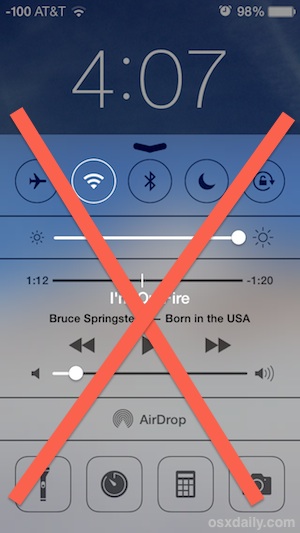 The Control Center feature of iOS offers quick access to some of the more frequently used settings toggles on the iPad and iPhone, like wi-fi and orientation lock. This is undeniably convenient, but not every user wants these toggles to be readily available to anyone who picks up their device, and in some higher security situations these functions may be considered inappropriate to have easy access to. If security is more important than convenience, consider disabling access to Control Center from the lock screen.