4 Essential Tips for MacBook Air Owners
Aug 2, 2013 - 1 Comment
The MacBook Air just might be the greatest laptop ever made, it’s extremely light, powerful, has an amazing battery life, and somehow packs all of that into an affordable package. To get the absolute most out of this wonderful Mac, you’ll want to run through these four (well, technically six) essential tips, which cover what I routinely recommend for every MacBook Air owner.

Whether you just got a brand new Air for the first time or you’ve been a longtime Air owner, you’ll get a better looking display, more screen real estate, better battery performance, and a better handling of the limited storage capacity offered through the superfast flash drives.
Read more »
By Paul Horowitz - Mac, Mac OS, Tips & Tricks - 1 Comment
 Any photo taken in Instagram will automatically post directly to your Instagram feed, sharing the picture with the world (or at least whoever follows you). But what if you want to take a picture or two with the Instagram app, apply those fancy filters, and not actually share them with anyone? That’s not an option directly within the Instagram app itself, but you can use a neat little trick on the iPhone (or Android if it floats your boat) to indirectly obtain such an ability yourself.
 The Mail app bundled with Mac OS X is an excellent email client, but if you have a giant mailbox that has been in use for a long time you may encounter some peculiar problems with sluggishness, message content issues, and searching irregularities. Usually these issues are of distinct types; search errors where some messages don’t come up in results when you know they should, unusually slow behavior when performing mail searches, or just general mail content problems, where an opened message appears blank, incomplete, corrupt, or is otherwise displayed improperly.
 The next time you’re heading to a theater or sitting on the couch and you just aren’t sure which movie to watch, turn to Siri.

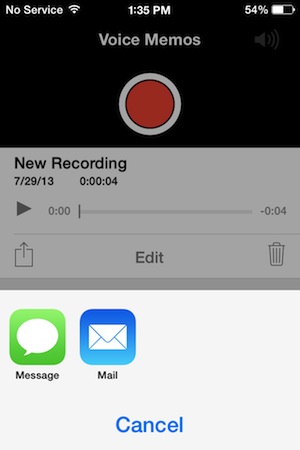 Voice Memos is that ever-useful app that lets you make a quick recording of a voice note, memo, record a conversation, or just generally replace one of those mini-tape recorders that many people use for recording notes while they’re working or driving.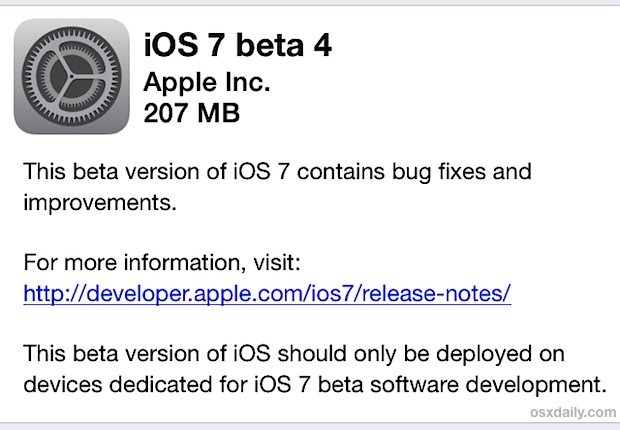


 A fun little-known feature of Messages for iOS is that it supports animated gifs, meaning you can send and receive those quirky moving web graphics that were so popular in 1996 and are currently enjoying a resurgence on the web. The only requirement for this feature to work is that both you and the recipient have
  Gmail recently revised the default inbox to automatically sort inbound emails into several categories that are represented by tabs across the top of the inbox: Primary, Social, Promotions, and Updates. Though this may help to manage some inboxes, it can also be frustrating as some emails are improperly sorted. Additionally, many users prefer to have all new messages in a single inbox without having to click on additional tabs just to see more of their emails, old or new.