How to Change the Keyboard Layout in iOS: AZERTY, QWERTZ, QWERTY, Dvorak
Jun 9, 2013 - Leave a Comment
 Though most of us are accustomed to the default QWERTY keyboard layout, iOS does provide options to toggle between QWERTY, AZERTY, and QWERTZ. The latter two options are generally used in Europe, but you can enable them on any iPad or iPhone regardless of which region you’re in, the only requirement is that a Latin alphabet keyboard is the default. These new software layouts work whether the keyboard is docked or in the split keyboard mode, but other layouts like Dvorak are dependent on external keyboards and will not impact the iOS virtual keys.
By Paul Horowitz - iPad, iPhone, Tips & Tricks - Leave a Comment

 Mac OS X includes an excellent command line network utility called “nettop” that allows users to monitor all network activity, traffic, and routes from a Mac to the outside world, both through local (LAN) and wide area (WAN) connections. If you’re unfamiliar with networking tools like this, you can think of nettop as a network centric task manager, displaying active networking connections, sockets and routes, their respective names and process id, the state of the connection and whether the connection is established, waiting, or listening, and information about individual process data transfer. It’s a bit like the standard ‘top’ and ‘htop’ commands which show process and resource information, but rather than showing CPU and RAM usage, it will show live network transfer information like packets sent and received, packet size, and total data transferred.
 Have you ever noticed how some apps will have information pulled from your iOS Contacts list, like peoples names, numbers, and contact information? Or, contrarily, how some apps should have access to your address book, but don’t, and are then feature limited? Though this happens by choice, it’s fairly easy to overlook these settings during initial setup of many apps, or to forget which of the “Allow” or “Don’t Allow” setting you chose. Fortunately, this is very easy to see, and change in either direction.
 Mac users can now update to OS X 10.8.4. The software update includes a new version of Safari versioned as 6.0.5, but otherwise focuses primarily on bug fixes.
 Use Mail app in Mac OS X to handle your email? Then this collection of some of the best tips you’ll find for Mail app in OS X is for you. We’ll cover some of the greatest tricks out there, including how to get new mail faster, see more messages at once, send attachments faster, trashing spam automatically, using VIP, previewing websites without opening them, speeding up mail app, and even a great trick to remotely sleep a Mac with an email sent from your iPhone.

 Can’t decide whether to have pizza or thai for dinner, but you’re all out of coins to flip and make the decision for you? Or maybe you can’t play Yahtzee or Bunco because you lost your dice? No big deal if you have an iPhone or iPad laying around, because Siri can both roll dice and flip coins for you.
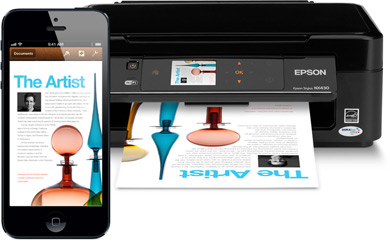 Printing wirelessly from an iPad, iPhone, or iPod touch to a printer is very simple, particularly if the printer in question is AirPrint compatible. Essentially AirPrint means the printer has native wireless support for direct-from-iOS printing, and setup is an absolute breeze.
 , thus allowing direct printing over wi-fi from any iOS device. They are by far the easiest to use and print to, but if you have an older printer or one that isn’t AirPrint compatible then we’ll also show you how to turn any standard printer into a wireless one by using a free solution available to both Mac OS X and Windows.
 Need to quickly free up some processing power? You can do that easily by temporarily pausing and then later resuming any active process or application in Mac OS X. Technically, this is actually ‘stopping’ and ‘continuing’ a process, but a stop is not to be confused with the more aggressive
  If you need to create an encrypted PDF with password protection, forget about buying Adobe Acrobat or other expensive software, because Mac OS X has you covered with built-in tools. Yes, the Mac can natively create secure password protected PDF documents, meaning it’s free, and it’s also impressively easy to do.