accessibility

Search accessibility

Use “Reduce Bright Effects” to Eliminate Shiny Flashing in iOS 26 Liquid Glass

Apr 28, 2026 - 1 Comment
Use Reduce Bright Effects on iPhone to further tone down Liquid Glass intensity with interactions

The newest versions of iOS 26 and iPadOS 26 have another Accessibility toggle that can help to further reduce the intensity of the Liquid Glass interface appearance for iPhone and iPad, called “Reduce Bright Effects”. As you might have guessed by the name alone, toggling the switch on will eliminate the brighter and flashier effects … Read More

How to Disable Liquid Glass on iOS 26 for iPhone As Much As Possible

Apr 20, 2026 - 8 Comments
Can you Disable Liquid Glass on iPhone with iOS 26

The Liquid Glass interface is highly translucent and layered with various depth and visual effects, and while some users may like the glitz and shine, there are others who find the transparency and reduced contrast to be difficult to use. Introduced with iOS 26, the Liquid Glass look has been a hit with some and … Read More

How to Highlight the Active Foreground Window on Mac with HazeOver (MacOS Tahoe Fix)

Apr 13, 2026 - 1 Comment
Make foreground windows easy to identify on MacOS with HazeOver

One common complaint of MacOS Tahoe users is that it can be difficult to determine which window is active or in the background. With all of the flatter and low contrast design elements in Tahoe, there is a significant reduction in contrast between background and foreground apps and windows, which can make visual focus less … Read More

StillColor for Mac Disables Temporal Dithering to Reduce Eye Strain and Flicker

Apr 10, 2026 - 4 Comments
Stillcolor disables temporal dithering on Mac which can improve accessibility for some users

Some Mac users who are sensitive to eye strain and PWM display flickering have turned to a small free utility called StillColor to modify how MacOS renders colors on their screen. The StillColor tool has a feature that can disable something called “temporal dithering”, a usually imperceptible display technique that alternates pixel colors at the … Read More

Tinkle Highlights Your Active Window on MacOS

Feb 18, 2026 - 6 Comments
Tinkle temporarily draws a visual effect on active windows to make them obvious to see on the Mac

One of the major complaints of the new Liquid Glass design on macOS Tahoe is that it’s difficult to differentiate windows, and that there is so little contrast between the active window and a background window that it can be challenging for many users to tell them apart quickly. Tinkle attempts to help you immediately … Read More

Use “Show Borders” to Clarify Liquid Glass UI on iPadOS 26 & iOS 26

Jan 21, 2026 - 5 Comments
Show Borders setting enabled on iPadOS 26

One of the big complaints about the Liquid Glass interface of iPadOS 26 and iOS 26 is that the user interface can be challenging to use, read, differentiate elements, and interact with. There are various toggles and settings that Apple has placed under the “Accessibility” category that can significantly improve the legibility and experience of … Read More

Make Your Active Foreground Window Obvious on MacOS Tahoe with Alan

Dec 5, 2025 - 4 Comments
Alan makes it obvious which window is active on the Mac

One of the complaints about the new Liquid Glass interface on the Mac is that with such a reduction in contrast, it is increasingly challenging to quickly determine which of your app windows is active in the foreground. Developer Tyler Hall was annoyed enough by this with Tahoe that he created a simple app to … Read More

How to Switch from Clear or Tinted Appearance in MacOS Tahoe

Nov 10, 2025 - 2 Comments
macOS Tahoe Clear and Tinted appearance options

The latest versions of macOS Tahoe include a new toggle that allows you to switch between two slightly different appearance modes for the Liquid Glass interface; “Clear” and “Tinted”. This setting was introduced to the Mac with macOS Tahoe 26.1 (and iOS 26.1 / iPadOS 26.1 for iPhone and iPad), and offers another way to … Read More

Stop Overlapping Text & Legibility Issues on macOS Tahoe with “Reduce Transparency”

Oct 10, 2025 - 3 Comments
Stop overlapping text in macOS Tahoe

The Liquid Glass interface of macOS Tahoe 26 can provide some accessibility and legibility challenges for some Mac users, and one of the recurring complaints is the heavy usage of transparency and translucency can lead to text overlapping other text throughout the operating system. Whether it’s a sidebar, menu, messages, or window, having text atop … Read More

How to Reduce Liquid Glass on macOS Tahoe

Oct 7, 2025 - 7 Comments
How to turn off Liquid Glass on macOS Tahoe as much as possible

The Liquid Glass interface appearance is a fairly significant change in macOS Tahoe, bringing a lot of transparency, translucency, and shininess to the Mac interface appearance. While some users enjoy the new look, other Mac users may find it distracting, cumbersome, or difficult to read and interact with, and perhaps even conducive to causing eye … Read More

Hate Liquid Glass on iOS 26? 8 Tips to Improve Legibility on iPhone & iPad

Sep 17, 2025 - 14 Comments
Tone down the Liquid Glass interface in iOS 26 to improve legibility and usability

iOS 26 introduces a completely new design schema called “Liquid Glass” that has more transparency, translucency, movement, and shininess. To say that iOS 26 Liquid Glass is polarizing would be an understatement, as opinions on the new look could not be more extreme, with some users thinking it’s amazingly fantastic, and others like myself are … Read More

How to Fix a Mac Stuck in VoiceOver Mode & Talking

Aug 7, 2025 - Leave a Comment
Mac can get stuck in Voice Over mode where everything on the screen is described by your Mac talking to you

Have you suddenly discovered your Mac reading everything out loud on the screen, and then navigating with a thick black box around elements, and not acting normally with mouse clicks and keyboard input? Your Mac might be stuck in Voice Over mode. Voice Over mode is a powerful accessibility tool intended for visually impaired users, … Read More

How to Use Hover Text on Mac to Magnify On-Screen Text

Apr 17, 2024 - 5 Comments
How to Use Hover Text on Mac

Hover Text is an interesting macOS accessibility feature that magnifies the text that’s displayed on your screen. This can be any regular text, a menu item, or a button. As the name suggests, when you hover your mouse cursor over the text, macOS will magnify and display a high-resolution zoomed version of the text in … Read More

Make Siri Listen Longer for Commands on iPhone & iPad

May 6, 2023 - 1 Comment
Siri icon

If you ever find that Siri is cutting you off in the middle of you issuing a command to the virtual assistance, you may want to change the “Siri Pause Time” setting to a longer duration of time. You can easily adjust how long Siri will pause for a command on the iPhone or iPad, … Read More

How to Dim Flashing Lights in Videos on Mac

May 5, 2023 - 1 Comment
Automatically dim flashing lights and strobe effects on Mac

It’s not terribly uncommon to encounter flashing lights and strobing effects in videos, and while they can be annoying for most people, flashing light can be particularly problematic for people with epilepsy. Fortunately, the latest versions of MacOS offer a feature that will detect flashing lights and strobing lights in videos, and automatically dim them. … Read More

How to Dim Flashing Lights in Videos on iPhone & iPad

Apr 28, 2023 - 1 Comment
Automatically dim flashing lights in videos on iPhone and iPad

Videos that feature flashing lights or strobe effects can be annoying to almost everyone, but for people with epilepsy those type of videos can be potentially dangerous. The iPhone and iPad have a handy accessibility feature that will automatically detect and dim any flashing lights or strobe effects when seen in videos.

How to Right-Click Without a Mouse/Trackpad on Mac

Mar 21, 2023 - 5 Comments
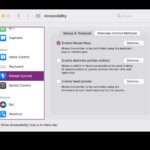
How to enable Mouse Keys on Mac to right-click using only the keyboard

You are likely already familiar with how to right-click on a Mac when using a Mouse or Trackpad, either by using the control+click, two-finger click, or a literal right-click, but what if you don’t have access to a mouse or trackpad, the batteries died on your mouse/trackpad, or you simply don’t use either? Thanks the … Read More

How to Turn Off or On Headphone Notifications on iPhone

Apr 30, 2022 - 2 Comments
How to Enable Headphone Notifications on iPhone

The iPhone has a nice optional health feature called Headphone Notifications, that aims to protect your hearing from loud music and sounds. What exactly does Headphone Notifications do, you ask? In layman’s terms, the feature notifies you if you’ve been listening to loud audio via headphones. How does your iPhone know if your music is … Read More

Subscribe to OSXDaily

Subscribe to RSS Subscribe to Twitter Feed Follow on Facebook Subscribe to eMail Updates

Tips & Tricks

News

iPhone / iPad

Mac

Troubleshooting

Shop on Amazon to help support this site