Customize

Search Customize

Change Launchpad’s Background Image Effect in Mac OS X Lion

Oct 30, 2011 - 12 Comments
Unblur Launchpad background Mac OS X Lion

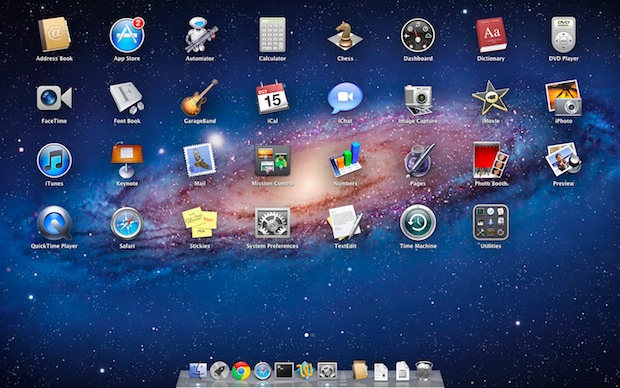
Bored with Launchpads background? You can make some changes to it in Mac OS X Lion by changing the background images default blur effect to three other options: unblurred (shown above), black and white blur, or black and white unblurred (both shown below): Open Launchpad Hit Command+B to cycle through the background image effects Update: … Read More

Night Sky Starfield Wallpaper

Oct 30, 2011 - 7 Comments
Blue Sky Star Field wallpaper

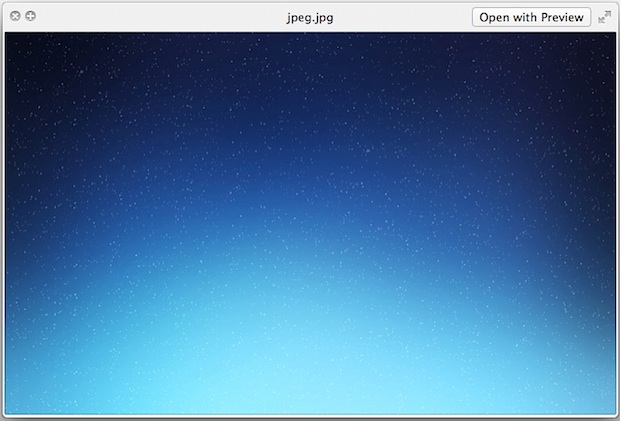
Here’s another nice background picture, by request, it’s the blue sky star field wallpaper that was shown in a recent screenshot of Mission Control. This one isn’t part of a pack, but it does include the base PSD file so you can make your own variations of the blue night sky if you are up … Read More

How to Tile Desktop Background Wallpaper in Mac OS X

Oct 26, 2011 - 9 Comments
set a background image to tile in Mac OS X Lion

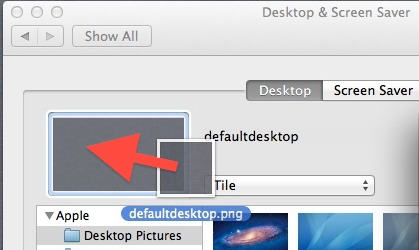
Want to tile a wallpaper on the Mac? A tiling wallpaper will repeat all over the desktop background, just like a tile is repeated in flooring or a wall. Well, you’re in luck because modern Mac OS X versions can do tile a wallpaper image, just like you could do way back in ancient Mac … Read More

Use Different Desktop Background Pictures for Spaces in Mac OS X

Oct 26, 2011 - 5 Comments
Set Different Wallpapers for Desktop Spaces in OS X Lion

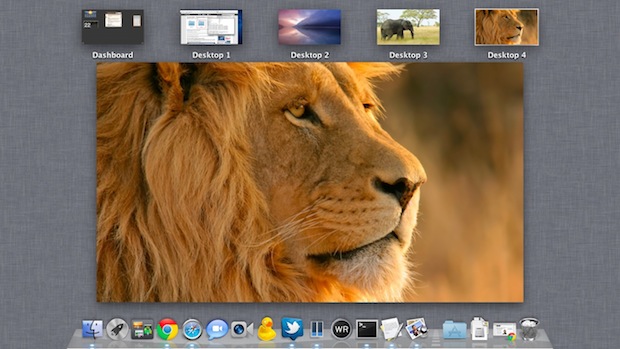
The Mission Control “Spaces” feature in OS X is essentially a virtual desktop environment. A nice way to differentiate each individual desktop Space is to go about assigning different wallpapers to different desktop spaces. Setting unique wallpaper backgrounds per desktop is easy in Mac OS X now, here’s the quickest way to do this:

6 Beautiful Aurora Wallpapers

Oct 20, 2011 - 4 Comments
Where to find a DeviantArt download link

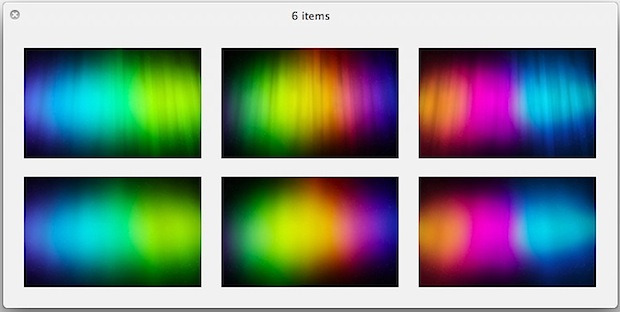
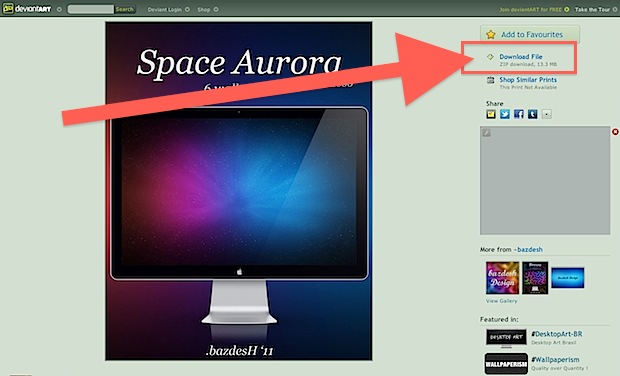
By request, here is a great 6 wallpaper pack of original variations on the classic OS X Aurora style wallpaper, each image is 2560×1600 and looks great on any Mac (or iPad). This pack was sent in to us but we can’t track down the source again, so thanks to whoever that was. Download them … Read More

Change Launchpad Icon Size in Mac OS X Lion from Large to Small

Oct 19, 2011 - 29 Comments
Shrink Launchpads Large Icon Size

Of all the Launchpad tips and customizations, one that has been greatly desired is the ability to manually adjust the icon size of apps. A tip sent in by Rohan Agashe moves us in that direction, allowing you to change the Launchpad icon size down from the large icons in OS X 10.7.2 to the … Read More

Enable Motion Blur in Mission Control for Mac OS X Lion

Oct 17, 2011 - 27 Comments
Motion Blur in Mission Control on Mac OS X Lion

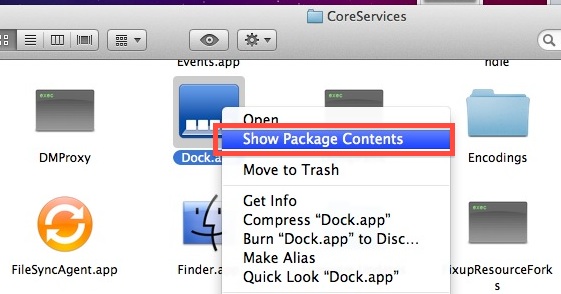
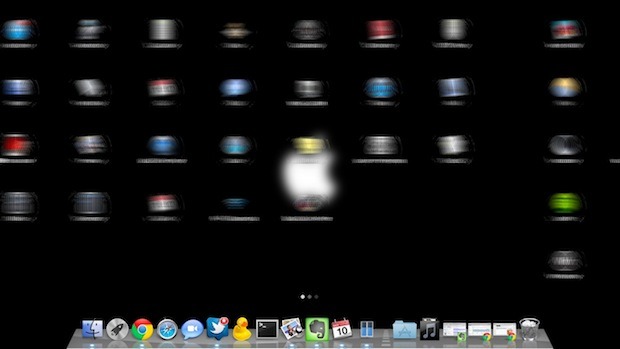
Mission Control in Mac OS X Lion has a hidden motion blur effect that can be enabled quite easily:

Get the Grey Linen Wallpaper Tiles Found in Mac OS X & iOS

Oct 15, 2011 - 23 Comments
Mac OS X Lion's grey linen wallpaper tile

The lightly shaded large linen wallpaper from the OS X Lion developer previews didn’t end up being the final shipping version, instead a linen repeating pattern and tile came with the final release of OS X Lion and is still around in Mountain Lion and beyond. This linen tile appears everywhere in new versions of … Read More

Enable Motion Blur Effect for Launchpad Movements in Mac OS X Lion

Oct 10, 2011 - 15 Comments
Blur Launchpad Movements in Mac OS X Lion

Want to add some additional eyecandy to Mac OS X Lion‘s Launchpad feature? Open Launchpad and hit Command+M to enable a motion blur that is seen at various Launchpad events. You can immediately see the effect by swiping between Launchpad screens or by using the Command+Arrow keys to navigate around. The motion blur also effects … Read More

TinkerTool for Mac OS X Lion is a Must Have for Customizing 10.7

Oct 7, 2011 - 6 Comments
TinkerTool for Mac OS X Lion

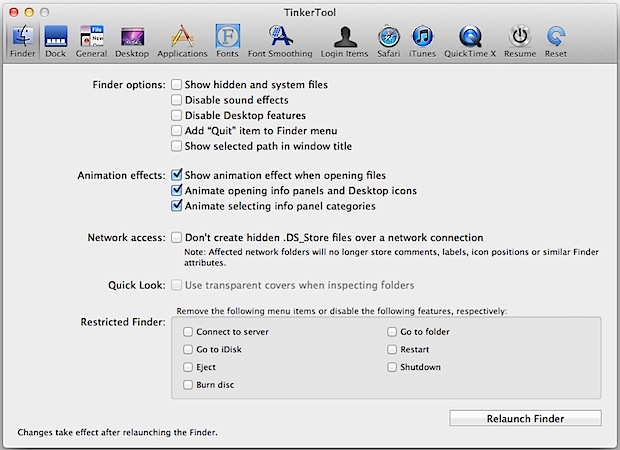
If you are a fan of Mac tips and tricks and customizing OS X, you absolutely have to get TinkerTool for Lion. TinkerTool is broken into 12 main sections covering Finder, Dock, General, Desktop, Applications, Fonts, Font Smoothing, Login Items, Safari, iTunes, QuickTime X, and Resume (OS X Lion’s Restore feature), each section has a … Read More

Add a Separator & Time Stamp Between Terminal Commands to Increase Readability

Oct 3, 2011 - 21 Comments
Custom Terminal separator and timestamp for Bash

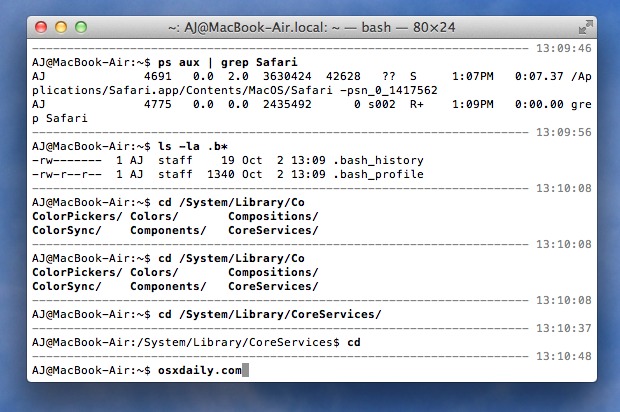
If you want to customize the Terminals appearance a bit beyond the prompt and a custom background, you can make the Terminal much more readable by using this nice trick to add a separator and timestamp between each executed command. This also bolds the current command text and anything that is available from tab completion.

iOS-Like Dark Menu Bar for Mac OS X Lion

Sep 23, 2011 - 25 Comments
dark menu bar in Mac OS X

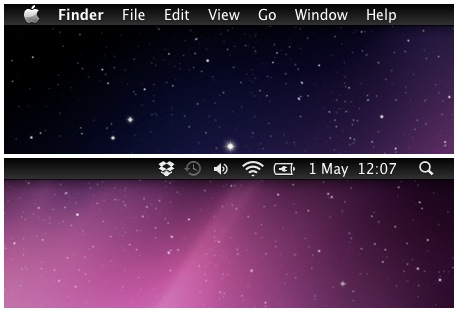
If you’ve been using Nocturne to get the black menubar in Mac OS X but don’t care for any of the features outside of the darker menu bar, check out MenuBarFilter. All it does is turn the Mac menu bar color into a dark black gradient, closely resembling iOS. Download MenubarFilter now or head to … Read More

Stop Desktop Icons from Changing Positions After Reboot in Mac OS X

Sep 21, 2011 - 28 Comments
Stop icon position from changing after a reboot in Mac OS X

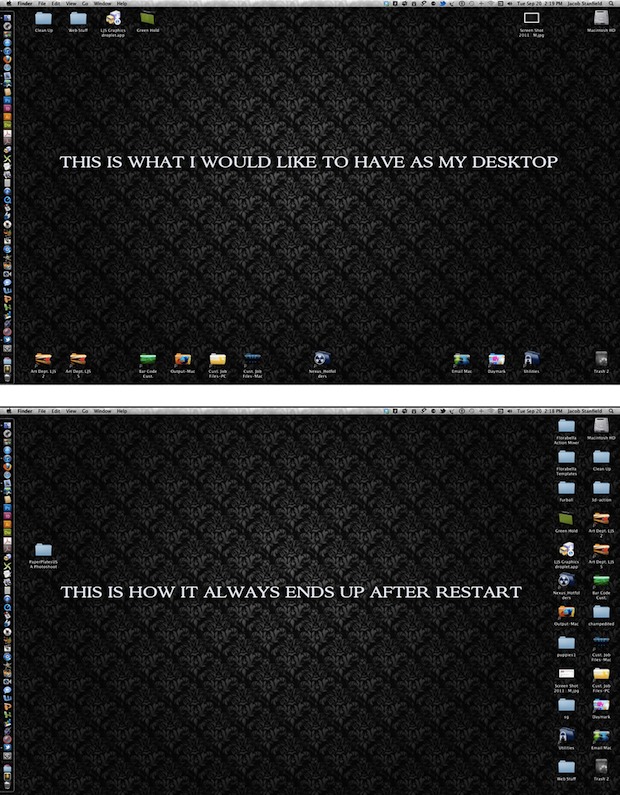
If you spend time customizing the desktop icon placement, it can be pretty annoying to discover that after each restart of Mac OS X, the icons seem to take on a mind of their own and rearrange themselves, usually changing their position so that they are all aligned to the far right of the Mac … Read More

Use Special Characters & Emoji Directly in the Finder of Mac OS X

Sep 16, 2011 - 3 Comments
Access Special Characters & Emoji from the Finder in Mac OS X Lion

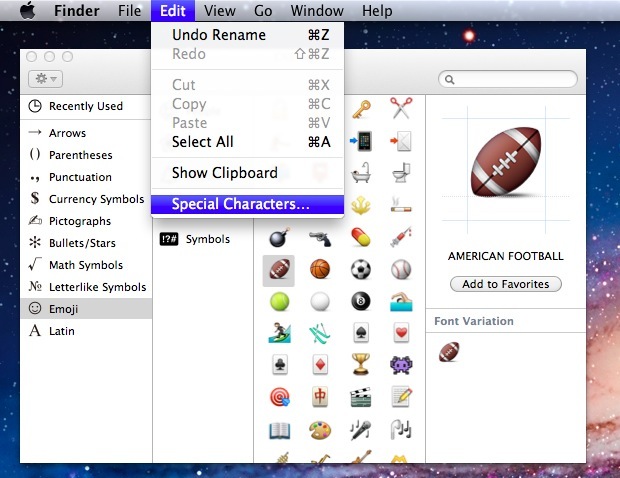
If you want to quickly style your folders or Launchpad with Emoji, you can access the Special Characters panel directly from the Finder in Mac OS X and then drag or enter those special characters or emojis into the folder or file names.

Style Folders in Mac OS X with Emoji Icons

Sep 15, 2011 - 7 Comments
Emoji folders in Mac OS X

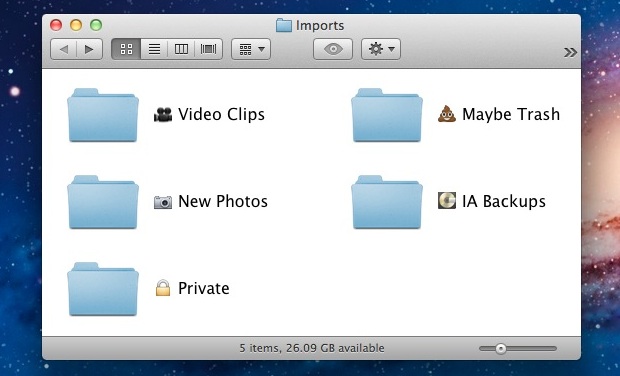
Thanks to the inclusion of Emoji in Mac OS X, you can now customize the appearance of Finder items by inserting Emoji characters into file and folder names. This offers yet another way to customize the appearance of a Mac OS desktop, and it can provide an easy visual identifier for file and folder names … Read More

Make iPhone’s iOS Look Like Mac OS X Lion

Sep 13, 2011 - 19 Comments
Mac OS X Theme for iPhone

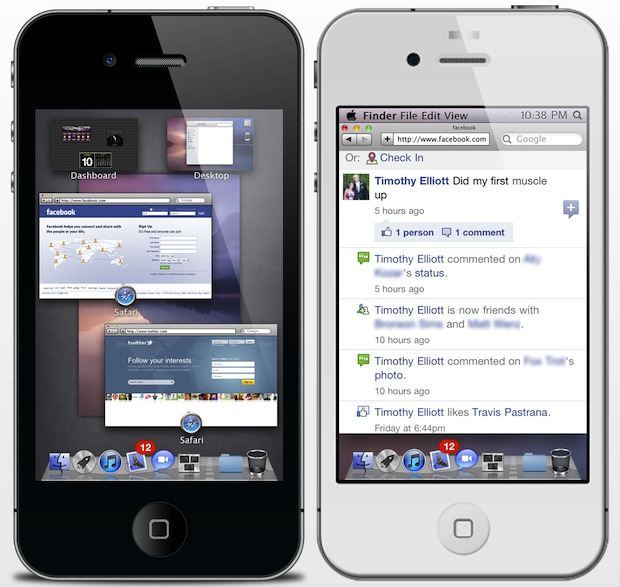
We’ve shown you how to make Mac OS X look like iOS, but what about going the other way? If using a jailbreak doesn’t freak you out, this winterboard theme makes an iPhone look and behave freakishly similar to Mac OS X Lion and includes a variety of features that are borrowed from OS X … Read More

Change the Text & Icon Size of the Mac OS X Finder Window Sidebar

Sep 12, 2011 - 8 Comments
Change Text Size of the Mac Finder Windows Sidebar

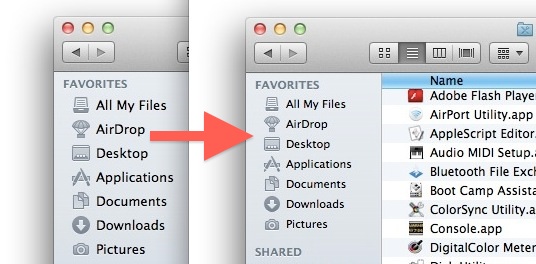
The font size of the Mac Finder window sidebar is customizable, allowing you to adjust to a larger or smaller font size of both the text and icons found in the Finder sidebars of OS X. If you’ve been busy customizing the Favorites folders and colorizing the Finder sidebar icons, you might want to change … Read More

Customize LaunchPad Folders with Emoji

Sep 8, 2011 - 3 Comments
Emoji Folders in OS X Lion LaunchPad

You may know by now that Mac OS X Lion has Emoji support, which is easily accessible in most applications. This brings a wide range of icons and emoticons to the Mac, and some of them are perfect to customize the appearance of LaunchPad folder names. Here’s how: Open TextEdit and then hit Command+Option+T to … Read More

Subscribe to OSXDaily

Subscribe to RSS Subscribe to Twitter Feed Follow on Facebook Subscribe to eMail Updates

Tips & Tricks

News

iPhone / iPad

Mac

Troubleshooting

Shop on Amazon to help support this site