iPad

Search iPad

Microsoft Paying Mobile App Developers to Create for Windows Phone 7

Jul 15, 2010 - 3 Comments

Microsoft is busy trying to play catch up with Apple’s runaway success of the iPhone and App Store model. According to BusinessWeek, Microsoft is actually providing financial incentives and revenue guarantees to developers that create for their new Windows Phone 7 platform: The company is providing financial incentives ranging from free tools and test handsets … Read More


iOS 4.1 Download Available

Jul 14, 2010 - 4 Comments

Update: The final version has been released and everyone can now download iOS 4.1. You can do this through iTunes or with links to the iOS 4.1 direct download from Apple servers. Apple has released iOS 4.1 beta firmware to developers, with SDK updates that incorporate the Game Center features. When it comes out of … Read More

2 Ways to Play SNES on the iPad

Jul 13, 2010 - 5 Comments

Call me old school or retro, but SNES was truly one of the greatest consoles ever made. OK, so really it wasn’t just the console, it was the games that made SNES so great, and now you can play all those awesome SNES games directly on your iPad… with a little help at least. This … Read More

Charge iPhone Faster Using AC power

Jul 12, 2010 - 8 Comments

If you’re in a hurry to charge your iPhone, plug it into the wall outlet. Apparently you can charge your iPhone 23% faster by using the AC power adapter when compared to charging the device through a USB port, according to testing and many firsthand reports. Anecdotally, I have experienced that charging an iPhone from … Read More

Design and Create a Case for the iPhone, iPad, and iPod

Jul 12, 2010 - Leave a Comment

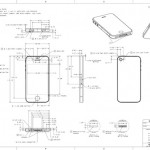
Do you want to design a case for the iPhone? No problem thanks to Apple! A new page on Apple’s developer website contains full dimensional drawings with all the measurements necessary to quickly and easily design a case for the iPad, iPhone, or iPod. There are over 25 dimensional drawings of the iPhone/iPad/iPod product line … Read More

Use iPhone, iPad, or iPod as a USB flash hard disk drive in Mac OS X

Jul 9, 2010 - 9 Comments

Want to use your iPad, iPhone, or iPod as a mounted USB flash disk? No sweat, thanks to this nifty program from MacroPlant. It’s called Phone Disk, and it’s actually free to download until September 1st, so get it sooner than later. Here are the features of the app: Open, copy, and save files directly … Read More

How to Disable iPhone Data Use

Jul 2, 2010 - 6 Comments

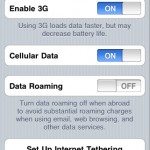
Want to turn off all mobile data use on iPhone? The iPhone offers a feature that allows users to easily disable all iPhone data usage when on a cellular network. This means if you’re about to hit your bandwidth cap, you can simply toggle cellular data usage off and avoid any potential overage charges from … Read More

iOS 4 for iPad Available Now

Jul 1, 2010 - 21 Comments

Update 2: iOS 4.2 download is now available for iPad, get it now! Update: iOS 4.2 for iPad has been confirmed by Apple to be available in November. This will be the unifying iOS 4 release across i-devices in Apple’s product lineup, and it will bring many new features to the iPad such as multitasking, … Read More

Best iPad Decal Ever

Jul 1, 2010 - 11 Comments

If you have fond memories of Shel Silverstein and his famous childrens book “The Giving Tree”, you’ll immediately like this iPad decal, which plays on the cover of that classic book and adds the Apple logo as the fruit falling from the tree. Awesome!

What is the iPhone “Other” capacity seen in iTunes?

Jun 25, 2010 - 49 Comments

It seems the iPhone “Other” section always takes up at least 200mb, which suggests it’s system files: the iPhone OS, database files, contacts information, settings, SMS data, core data, pre-installed apps, etc. The “Other” portion grows from there, so as you install more apps, add more contacts, send more text messages, and generally just create … Read More

iPhone DFU Mode Explained: How to Use & Enter DFU Mode on iPhone

Jun 24, 2010 - 133 Comments

Need to use DFU mode with an iPhone, iPad, or iPod touch? Maybe you need to restore from firmware or troubleshoot an iOS device from DFU? We’ll explain how to enter and exit DFU mode on any iPhone model with a clickable Home button, what DFU mode is, why you may want to use it, … Read More

Save Disk Space on your iPhone / iPod by Converting Song Bit Rate to 128kbps

Jun 24, 2010 - 1 Comment

If you don’t mind the degradation that come with reducing an audio files bit rate, you can potentially save quite a bit of disk space on an iPhone/iPod/iPad by selecting an option the next time you sync the device in iTunes. Here’s what you’re looking to do: In the Summary tab just look near the … Read More

Opt out of iAd location and data tracking cookies

Jun 23, 2010 - 5 Comments

You can opt out of Apple’s new iAd location and data tracking service, which will use gathered data on you to serve targeted ads through Apple’s new iAds platform. To opt out of iAd cookies, visit http://oo.apple.com from the device you wish to opt out with. Note that you must be running the latest iOS … Read More

iPhone Backups Slow? How to Speed Up and Fix a Slow iPhone Backup

Jun 21, 2010 - 74 Comments

There are several reasons why backups can take forever on an iPhone, so here are a few tips you can try that should increase the speed of your iPhone backups and restores. Yes, these tips work on Mac OS and Windows, and for iPod Touch too. Fix slow iPhone backups by deleting photos If you … Read More

iPhone 4 SDK available for download

Jun 21, 2010 - 1 Comment

Alright iPhone developers, no more beta versions; version 4 of the iPhone/iPad SDK has been released on Apple’s Developer Center. The iPhone 4 SDK has been available in various iterations to those who are registered iPhone developers, but now anyone with an Apple dev login can download the Xcode & iPhone SDK 4 package for … Read More

Mac Plus / Classic iPad Case

Jun 20, 2010 - 7 Comments

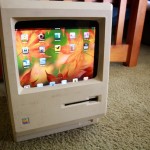
Ok this post is really evolving so bare with us here. We originally posted a picture of the iPad in a Mac Plus and that was fun, but then a few readers wrote in with additional pictures and a video of an iPad in a Mac Classic, and finally a full on guide on how … Read More

Remove or Disable “Sent from my iPhone” Email Signature

Jun 15, 2010 - 14 Comments

You can easily stop the “Sent from my iPhone” text from appearing on your outbound iPhone emails, or change it to be something else. Removing or customizing the signature applies to emails that are sent as replies or as new messages from the iPhone, and you can set it to whatever you want, or to … Read More

Where is the iPhone Simulator Installed?

Jun 13, 2010 - 4 Comments

The iPhone Simulator, now called iOS Simulator, will emulate an iPhone or iPad. Newer versions of Xcode want you to launch the app through Xcode first, but that’s not entirely necessary. You can access the simulators directly through the Finder as well, here’s where to look for each version of Xcode:

Subscribe to OSXDaily

Subscribe to RSS Subscribe to Twitter Feed Follow on Facebook Subscribe to eMail Updates

Tips & Tricks

News

iPhone / iPad

Mac

Troubleshooting

Shop on Amazon to help support this site