
Access Wikipedia from Spotlight in Mac OS X
Nov 16, 2009 - 1 Comment
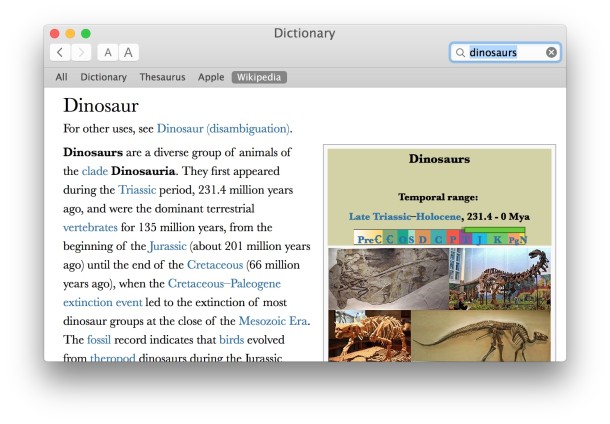
Did you know you can quickly access Wikipedia from anywhere in OS X by using Spotlight? Yes seriously you can, similar to the Spotlight dictionary feature.
Here’s how Wikipedia access from Mac OS X works:
Summon Spotlight as usual with command+spacebar, then start by typing a topic into Spotlight. When you see the item in the spotlight search list, hit return to start launching the built-in Dictionary app. Across the top you’ll see a “Wikipedia” tab where the article will be accessible directly from Dictionary in Mac OS X, just select that and you’ll see the Wikipedia entry.
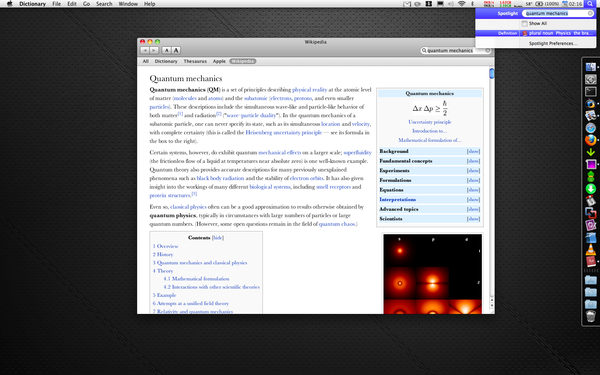
Neat trick and the older picture came to us via the defunct TwitPic






When I’m in the Dictionary, it defaults to the Dictionary view at the top (the other views are All, Thesaurus, Apple, and Wikipedia). Is there away to set Snow Leopard so it will always go to All view, for example? Thanks for the great tips!
Erik
Yellowknife, Canada