
Play Chess Online in Mac OS X Against Friends or Random Opponents
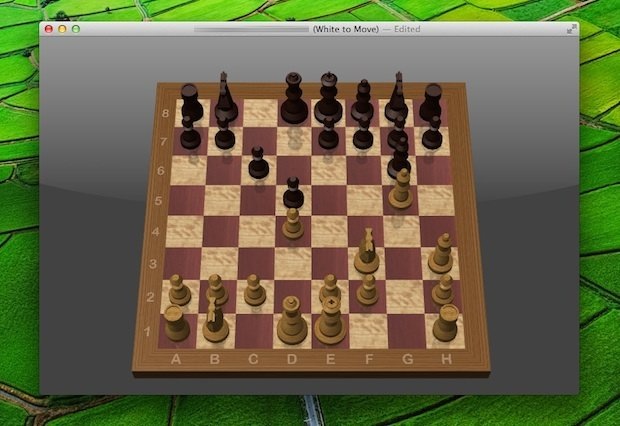
You can play Chess over the internet with friends or random opponents with the help of GameCenter in Mac OS X. It’s entirely free, comes with every version of OS X on every Mac, and doesn’t require any downloads, which makes it particularly convenient.
If you already have a GameCenter account from the iOS world you don’t need to do much, but if you’re new to Gamecenter just be sure to have iCloud set up first, and then follow these quick instructions to play Chess online on the Mac.
Playing Chess Online on the Mac
- Launch Chess, found in /Applications/
- Wait a second or two for a GameCenter notification to popup across the Chess screen, if you haven’t set up a GameCenter username yet choose to do that
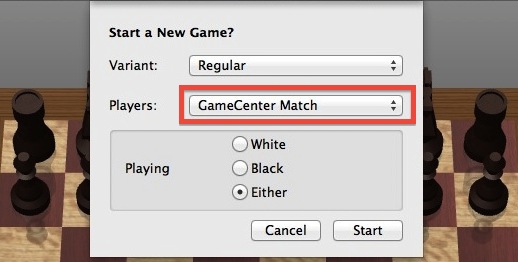
- Now pull down the “Game” menu and choose “New Game”, pulling down the “Players” menu to select “GameCenter Match”
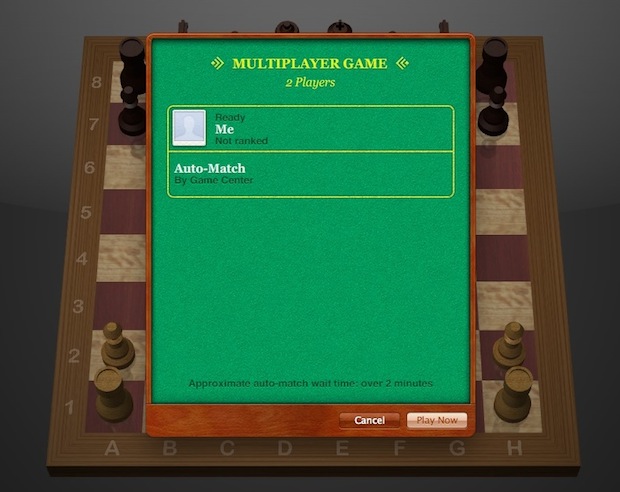
- Choose “New Game” then select a GameCenter friend, or choose “Auto-Match” to play against a random opponent found online
The wait time for random matches is often listed as “Over 2 minutes” but every game I’ve played gets paired up against random opponents almost instantaneously.
This multiplayer Chess capability is available in all modern versions of OS X, so have fun. Much more fun than playing against a computer, enjoy!






we’re sitting in one room and w8 about few minutes to someone make a move. Whats wrong with it?
Thanks for the info!
How do you arrange to play with a specific friend?
What if you want to play only with certain specific friends, and not with random strangers?
I didn’t even know Game Center was in Mountain Lion now, cool.