
MacSnow Makes It Snow on Your Mac Desktop
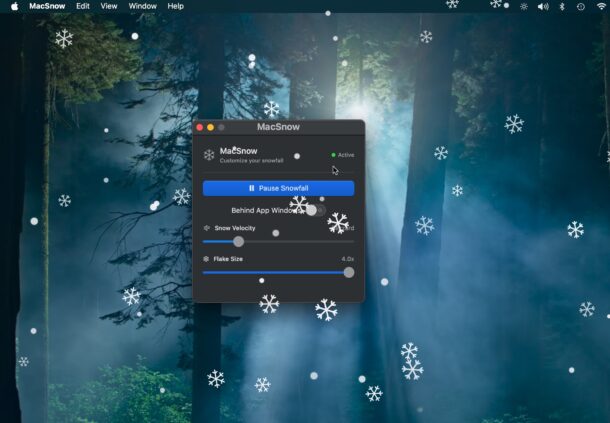
Want to add a little seasonal wintery atmosphere to your Mac? Grab MacSnow, a lightweight free MacOS app that adds a fun snowfall effect, bringing animated falling snowflakes to your Mac desktop. It’s tiny with virtually no impact on CPU or battery, so you can leave it running in the background while you work, browser the web, or just to enjoy a wintery scene on your Mac.
MacSnow is simple, with a few basics settings controls that you can use to customize your snowfall experience, adjusting the speed of the snowfall, or the sizes of snow flakes. And if you prefer, you can have the snowfall fall over all of your windows, or just behind your foreground window (which is my personal preference, and it actually kind of makes it easier to identify the foreground window on your Mac). And that’s it, it’s a simple app with a simple task; snow falling on your desktop!
If you have ever used Xsnow on Linux/BSD/Unix, or wsnow on Windows, MacSnow is very much in that tradition; just a simple snowfall app for your desktop to decorate for the holiday season. So yea, it’s kind of like an wsnow or xsnow for Mac.
The app is free an open source, so if you feel like poking around or modifying it you can do so.
How to Open MacSnow & Bring Snowfall to Your Mac Desktop
MacSnow is not from a registered developer, so you will need to bypass Gatekeeper to open the app successfully. Generally speaking you don’t want to do this with apps you don’t trust, but since this is an open source project and a pretty simple app that doesn’t do anything except draw snow on the screen, it’s not the craziest thing in the world. Here’s how to get around the Gatekeeper check warning:
- Download MacSnow app and extract the zip archive, then move MacSnow.app to the /Applications folder
- Open MacSnow, where you will probably see a warning because it is from an unidentified developer and therefore can’t be malware checked
- Now go to Apple menu > System Settings > Security & Privacy> and scroll all the way down to where you see “MacSnow.app was blocked to protect your Mac” and choose “Open Anyway”, and then verify you wish to open MacSnow
- MacSnow will open, and you can adjust snow flake size and speed, and toggle whether you want the snow to fall behind the foreground app window or not
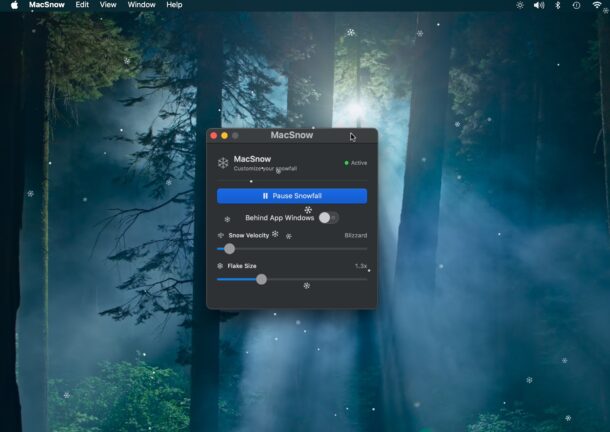
I find the larger flakes to look more visually appealing, but the smaller flakes to be easier to work with. Experiment with the settings yourself to find the snowfall look that you prefer, and then you can just let it run in the background or close the control panel window. Snow will continue to fall on your desktop as it runs in the background on your Mac.
MacSnow is a simple free desktop app in the tradition of oldschool shareware, and designed to do one thing: make your Mac feel a little more like winter, and to that end, it does the job just fine.
Cheers to the developer @ryanblackthorne on X for the heads up about this neat little app!
And yes we have covered similar apps before, including ones that are much more full featured, including all the Christmas bells-and-whistles of Griswold, a slightly simpler Christmas lights of Snowy or just a simple Christmas tree countdown on your Mac, you can do that too. Tis the season!